A 3D product configurator is an interactive, real-time application — usually built in WebGL or a game engine — that lets shoppers customize a product's color, material, size, and features and see the change instantly in 3D. It runs in the browser, recalculates pricing live, and often exports the final spec straight to production.
The idea sells itself in a demo. In practice, most of the work happens before a single button is clicked — in the 3D asset behind the interface. This guide covers what a configurator is, how it works, how to embed one on your site (including AR), where it actually pays off, and what it costs. We build the product models and renders that sit inside these tools, so the perspective here is asset-first rather than software-first.
What is a 3D product configurator?What is a 3D product configurator?
A 3D product configurator is software that turns a single 3D model into a set of customer-controlled options. The shopper picks a finish, fabric, size, or component; the model updates in real time; and the tool tracks a valid combination — often feeding price, a bill of materials, or a production spec at the end. It answers the question “what will my version look like?” before anyone commits to buying or manufacturing.
It's easy to confuse a configurator with two neighbors, so the distinction matters:
- Not a static product render. A 3D product render is a fixed, photorealistic image. A configurator is interactive — the customer, not the studio, drives the composition.
- Not a passive 3D viewer. A viewer lets you orbit and zoom one fixed model. A configurator adds rules and choices, so the model changes state as the user makes decisions.
- Not a CPQ spreadsheet. Configure-Price-Quote logic handles pricing and validity; a 3D configurator layers a live visual on top of that logic so the customer can see each choice.
How a real-time 3D product configurator works
Under the interface, a configurator merges a 3D model with conditional logic and a real-time renderer. When the user makes a selection, the software swaps a material or geometry, checks that the combination is valid, updates the visual, and recalculates the price — usually in well under a second. The render happens in the browser, most often through WebGL (via engines like Three.js, Babylon.js, PlayCanvas, or Unity/Unreal WebGL builds).
A typical build runs in five stages:
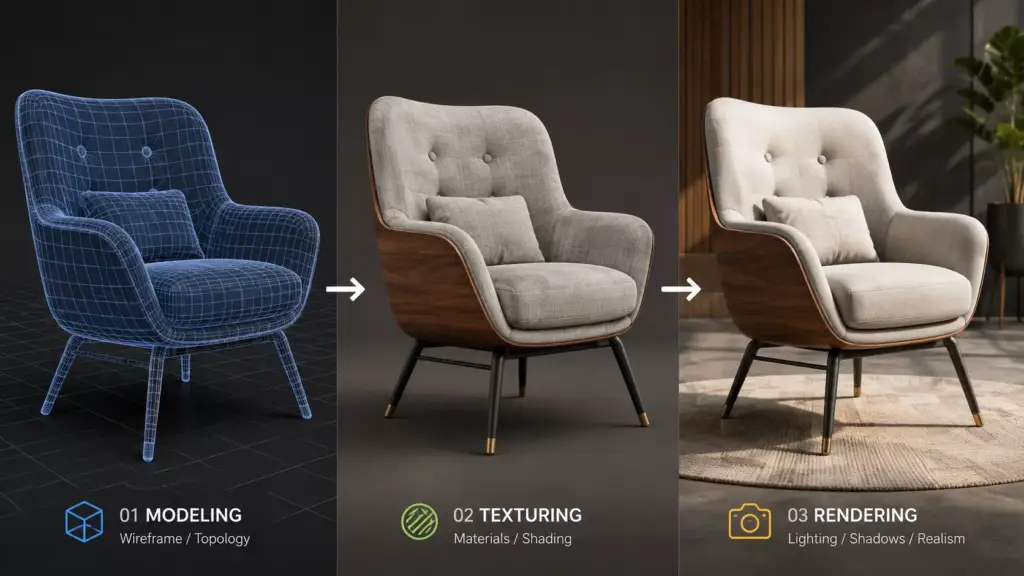
- Model. A real-time-optimized 3D model is built or converted from CAD, with clean topology and sensible polygon budgets so it loads fast on mobile.
- Material. PBR (physically based rendering) materials are authored for every finish so glass, brushed metal, and fabric read correctly under browser lighting.
- Rules. Options and dependencies are defined — which parts can combine, which are mutually exclusive, and how each maps to a SKU or price.
- Runtime. The model, materials, and rules are packaged (commonly as glTF/GLB) and loaded into a WebGL runtime that renders and swaps states live.
- Output. The final configuration is captured as an add-to-cart SKU, a saved link, a quote request, or a production-ready spec.

How to embed a 3D product configurator on your website
You embed a configurator either by dropping in a hosted no-code tool or by building a custom WebGL app and mounting it on the product page. Most platforms — Shopify, WooCommerce/WordPress, Magento, and custom stacks — support both routes through an embed snippet or an iframe, so the deciding factor is control versus speed, not the platform itself.
The two paths, compared on the axes that actually change the decision:
| Axis | No-code / hosted builder | Custom WebGL build |
| Setup speed | Days to weeks | Weeks to months |
| Control over look & UX | Constrained to the tool | Full control |
| Ongoing cost | Recurring subscription | Build cost + hosting |
| Who owns the 3D assets | Often locked in the platform | You do |
| Best for | Standard catalogs, fast launch | Signature products, brand-critical UX |
Whichever route you pick, the technical embed is similar: export the product as glTF/GLB for the web (and USDZ for iOS AR), host the runtime, and place the viewer on the product page via a script tag or iframe. Hosted builders handle this for you; a custom build gives you a component you drop into the theme. Either way, the configurator is only as good as the model and materials you feed it.
3D configurators and AR commerce3D configurators and AR commerce
Because the underlying assets are already real-time 3D, the same configuration can move off the desktop and into the customer's space through augmented reality. On the web, WebAR and Apple's AR Quick Look let a shopper tap “view in your room” and place the exact configured product — right size, right finish — on their floor or wall, with no app to install. That closes the last gap in online buying: scale and context.
The practical requirement is format discipline: you need a GLB for Android/WebXR and a USDZ for iOS, both derived from the same master model. Get that pipeline right once and a single configured product works as a page embed, an AR placement, and a marketing render — no rebuild between channels.
What makes a configurator work: the 3D asset behind itWhat makes a configurator work: the 3D asset behind it
The most common reason a configurator feels cheap or slow is the asset, not the software. A real-time model has to balance three things at once: light enough to load on a phone, clean enough that materials swap without artifacts, and accurate enough that the customer trusts what they see. Hit all three and the tool sells; miss one and no amount of UI polish rescues it.
The single biggest efficiency comes from building one master model that drives every variant. Instead of modeling each SKU, you model the product once with clean, modular topology and swap materials and components at runtime — so a sofa in 40 fabrics is one asset, not 40. That master model is also the source for your static renders and AR files, which is why the modeling stage, not the platform choice, tends to decide whether a configurator project lands on budget.
In our studio, the pattern is consistent: clients underestimate how much a configurator lifts time-on-page and product-page SEO, and overestimate how much the software matters. When a launched configurator disappoints, it's almost always an asset problem — heavy geometry, materials authored for offline rendering instead of real-time, or a model that wasn't built to be reconfigured. We plan the 3D product modeling around the configurator from the first day, not after the platform is chosen. — Dim Kuzmenko, Maverick Frame
Where 3D product configurators pay off: use cases
Configurators earn their keep wherever a product has many valid variants and the customer wants to see their choice before buying. The clearest wins:
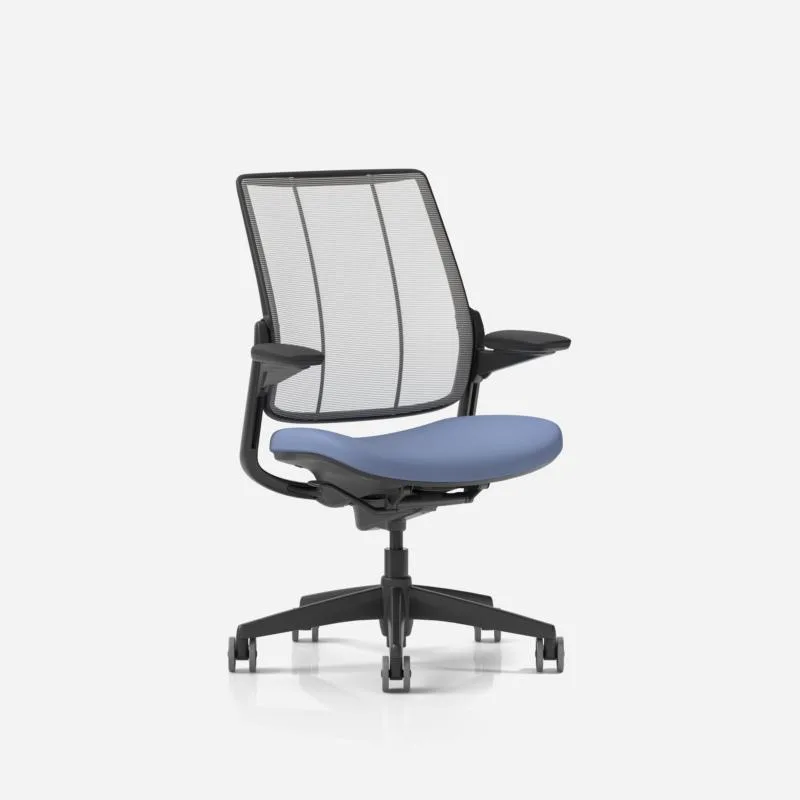
- Furniture & interiors. The strongest demand we see. Sofas, cabinets, and modular systems with dozens of fabric, wood, and layout options — and a natural bridge to “view in your room” AR.
- Apparel & footwear. Custom colorways, materials, and monograms, where seeing the exact combination reduces size and style returns.
- Automotive & powersports. Trim, wheel, and paint builders — the format that trained shoppers to expect configuration in the first place.
- Industrial & made-to-order (CPQ). Windows, doors, machinery, and equipment where a visual builder doubles as a quoting and spec tool for dealers and sales teams.
- Packaging & consumer goods. Brands previewing finishes, labels, and formats before committing to a print run.
Across all of these, the asset load is the real project. Photoreal 3D product rendering and modeling are what make the configured result look like the product the customer will actually receive.
What a 3D product configurator costs
Expect roughly $5,000–$50,000+ to launch, with most of the range driven by 3D asset complexity rather than software. Hosted no-code builders typically run a few hundred dollars a month plus a one-time modeling cost; a custom WebGL build is a larger upfront project but leaves you owning the assets and the experience. A single, simple product on an off-the-shelf platform can start near the low end; a full catalog with intricate models and AR sits at the high end.
A configurator is worth it when your product genuinely varies and that variation drives decisions or returns — furniture, custom goods, and made-to-order equipment clear that bar easily. It's usually not worth it for a product with one or two variants, or where a strong set of static renders would answer every question a shopper has. In those cases, the money is better spent on the models and renders themselves than on an interactive layer few visitors will touch.