Auto Parts and 4x4 Accessory Rendering: Product Images Without a Photo Shoot
 4.8
4.8 4.9
4.9Auto parts product photography, rendered from CAD for every channel
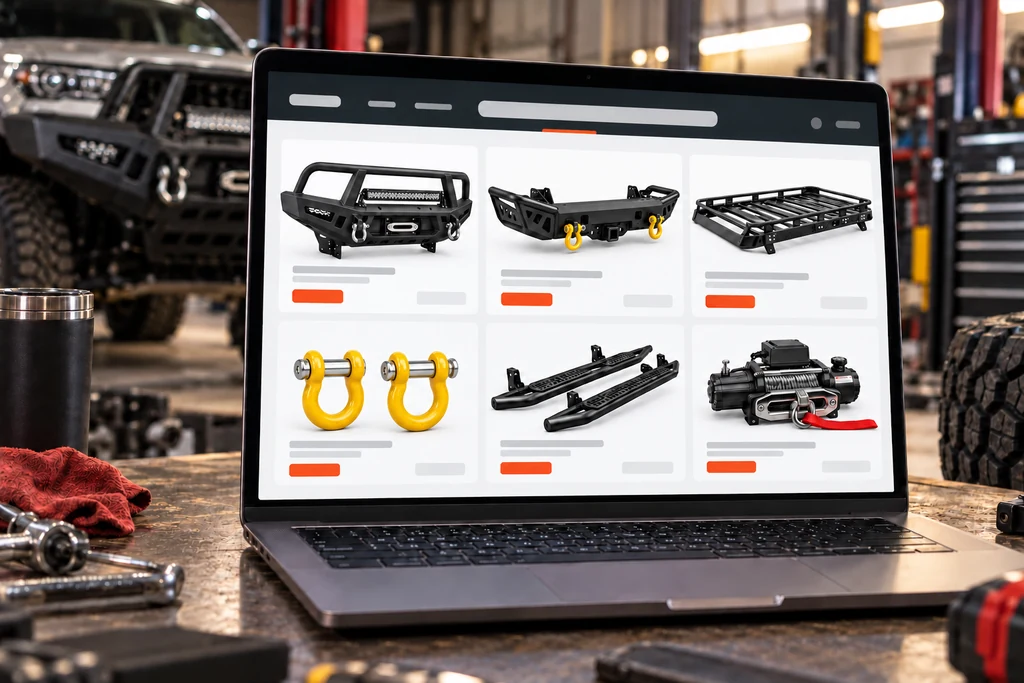
Auto parts rendering is the making of photoreal auto parts product images from CAD files instead of automotive product photography: pure white shots for the online store, transparent PNGs for catalogs and ads, 360° spins for the product page and the part fitted to the vehicle. One 3D model of the part serves every image, angle and finish.
Pure white product shots
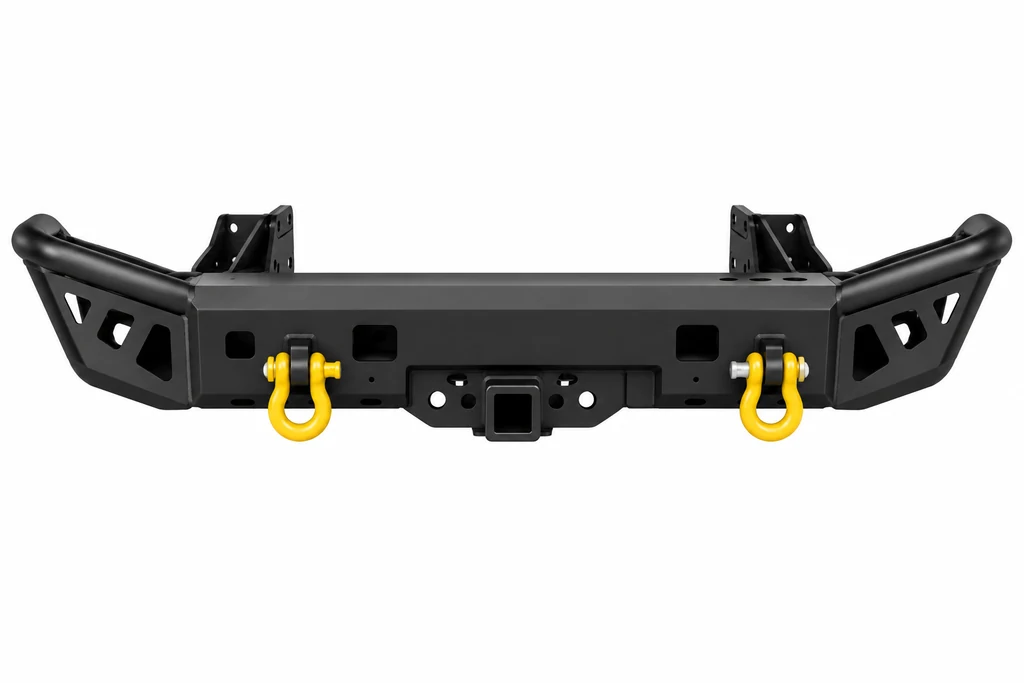
Every part on a pure #FFFFFF background from every angle your store and marketplaces ask for, with even light, no grey floor and no shadow from a stand. Welds, bolts, laser-cut logos and the powder-coat texture stay sharp at print size.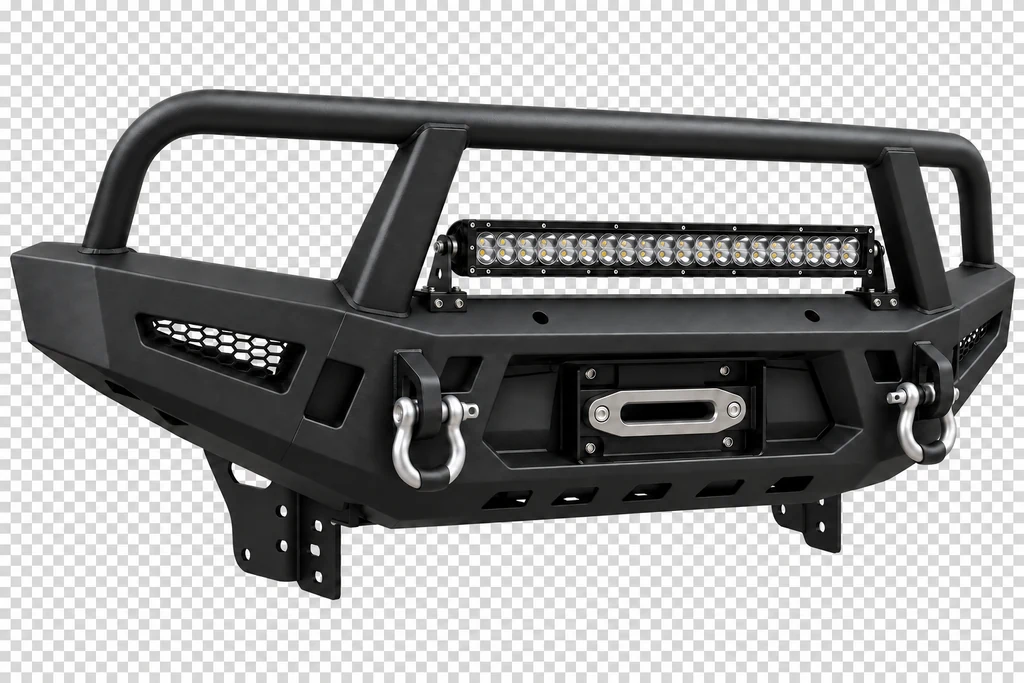
Transparent PNG cut-outs
The same view as a clean transparent PNG for catalogs, banners and the website, with exact edges around brackets, openings and mounting holes. No clipping path to draw: the render is made with a transparent background from the start.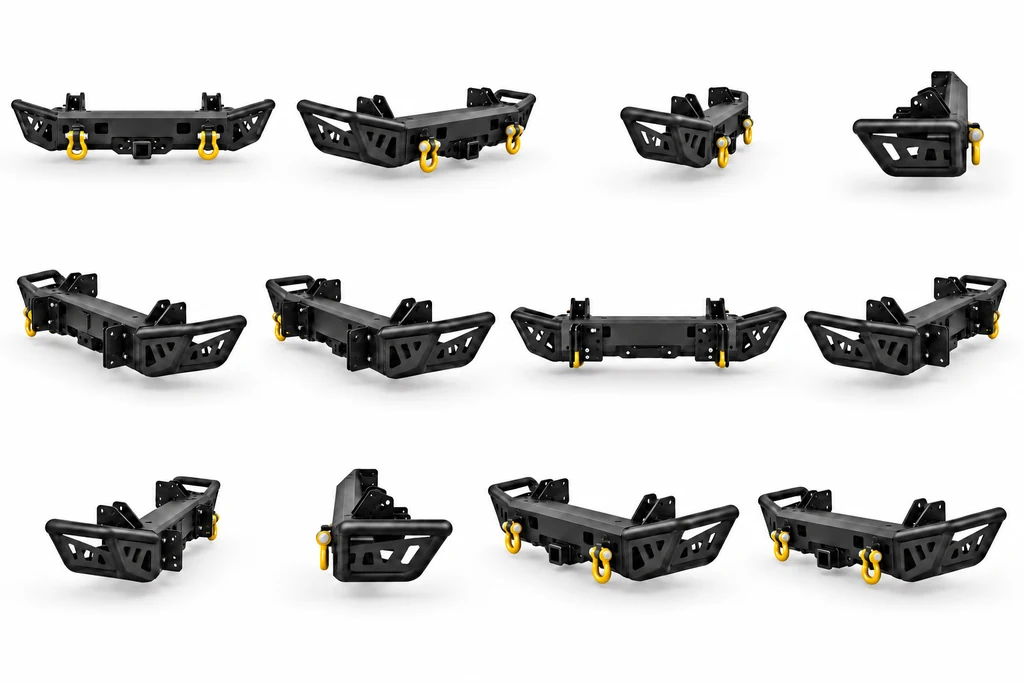
360° spins without a stand
Frame sets of 24, 36 or 72 views for the 360° viewer on your product page. The camera turns around one fixed axis at one scale, so the part never jumps, drifts or tilts between frames; more formats on 3D product animation.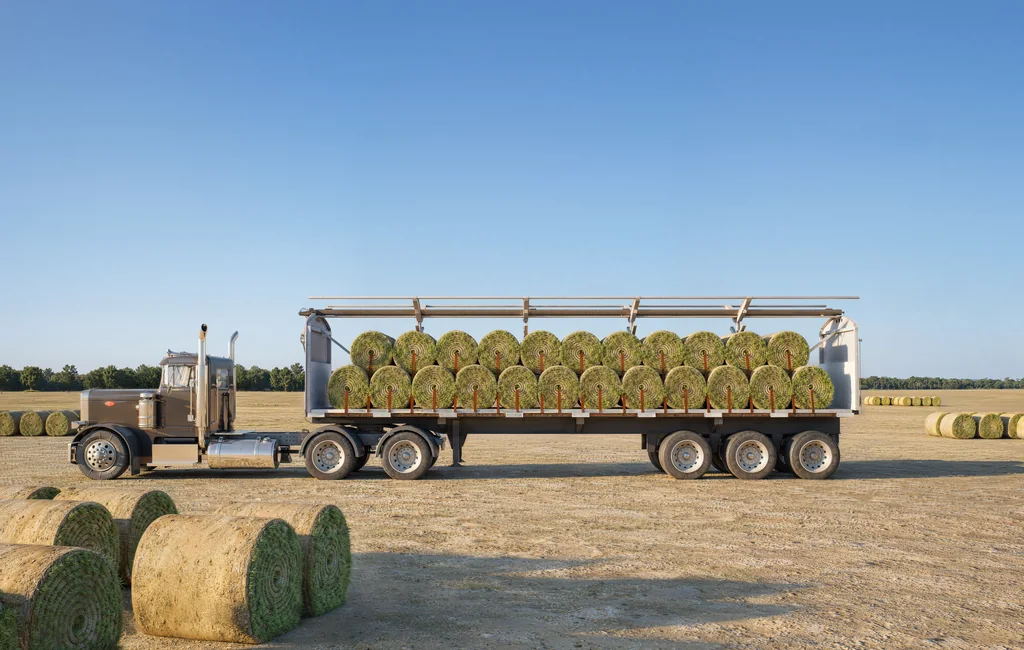
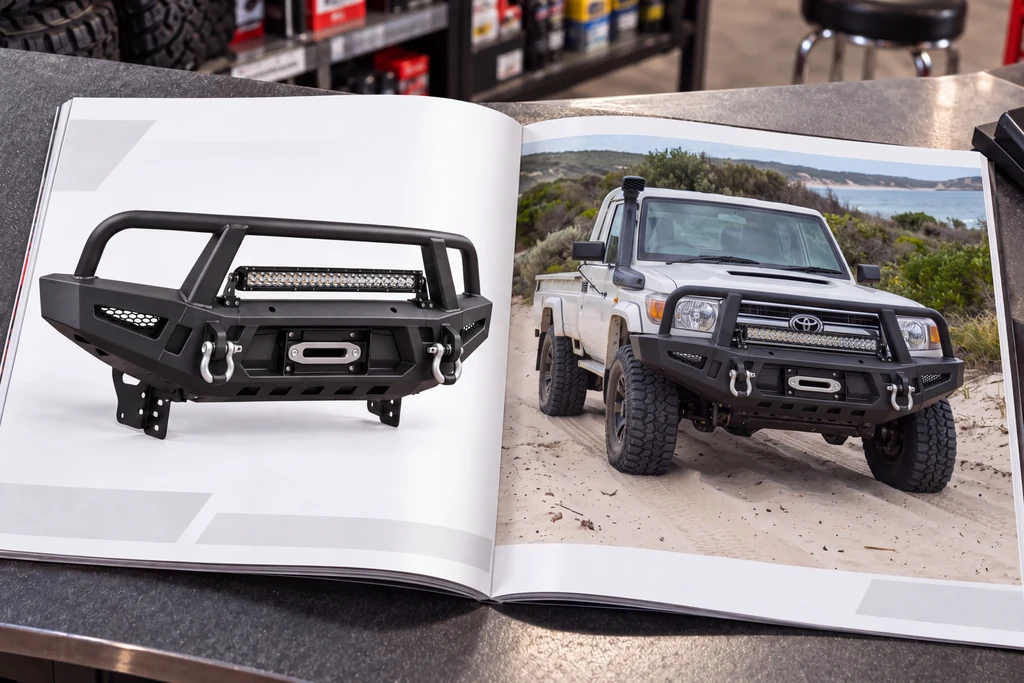
The part fitted to the vehicle
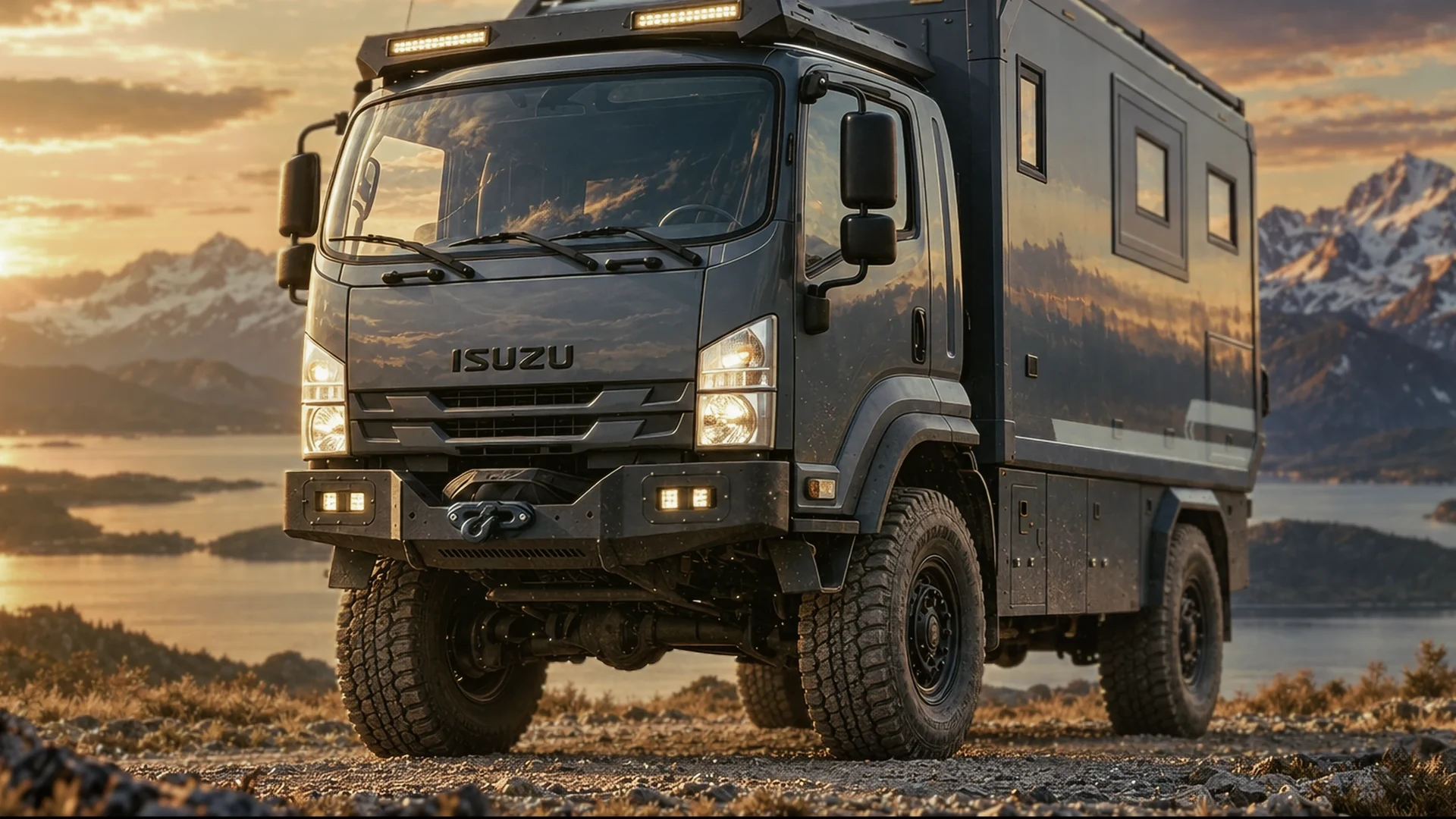
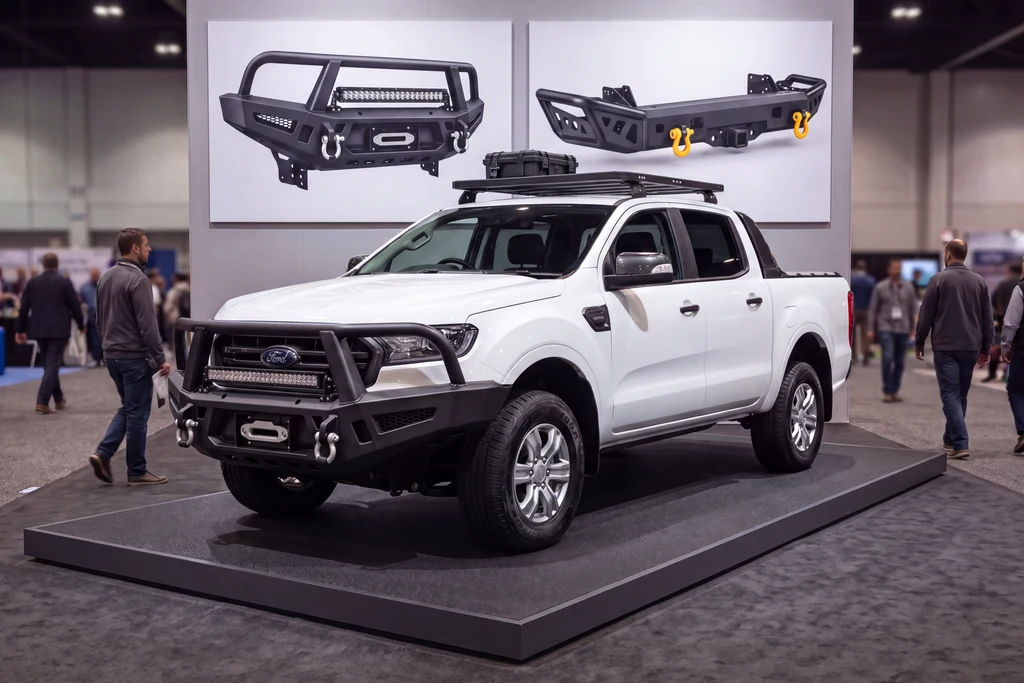
The accessory on the vehicle it is made for, from the angles a buyer checks before ordering. We model the vehicle once and fit every part to it in 3D, so fitment images for each model and trim come without bringing a vehicle into a drive-in studio.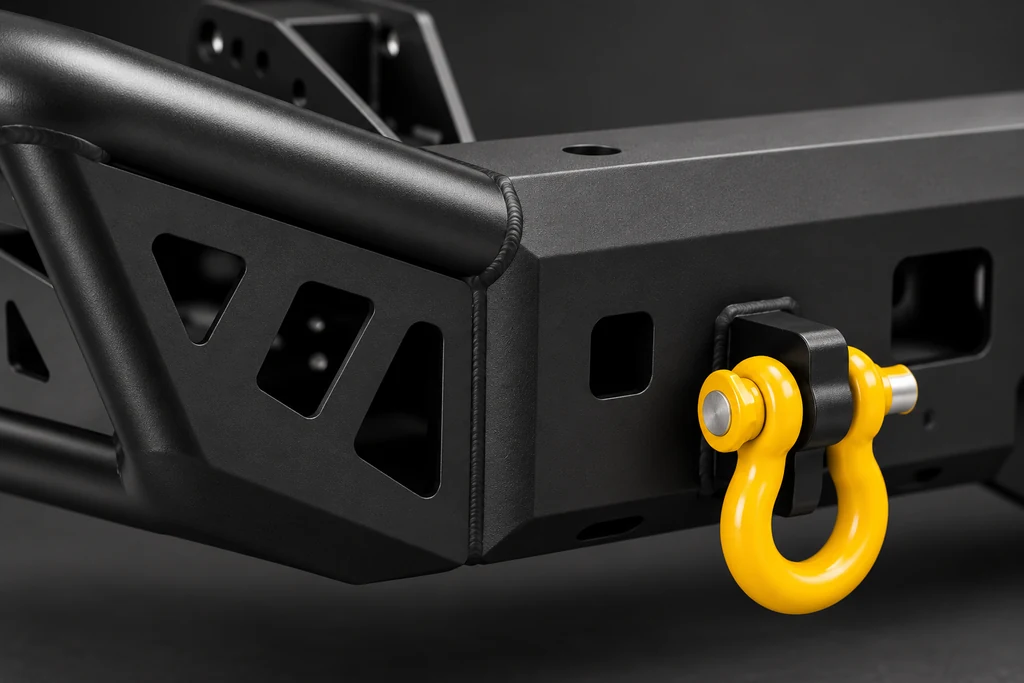
Welds, powder coat and close-ups
Textured and gloss powder coat, galvanised steel, aluminium, rubber and chrome rendered from samples or photos of your finish. Close-ups show the welds, the laser-cut details and the hardware that tell a buyer this is a strong part.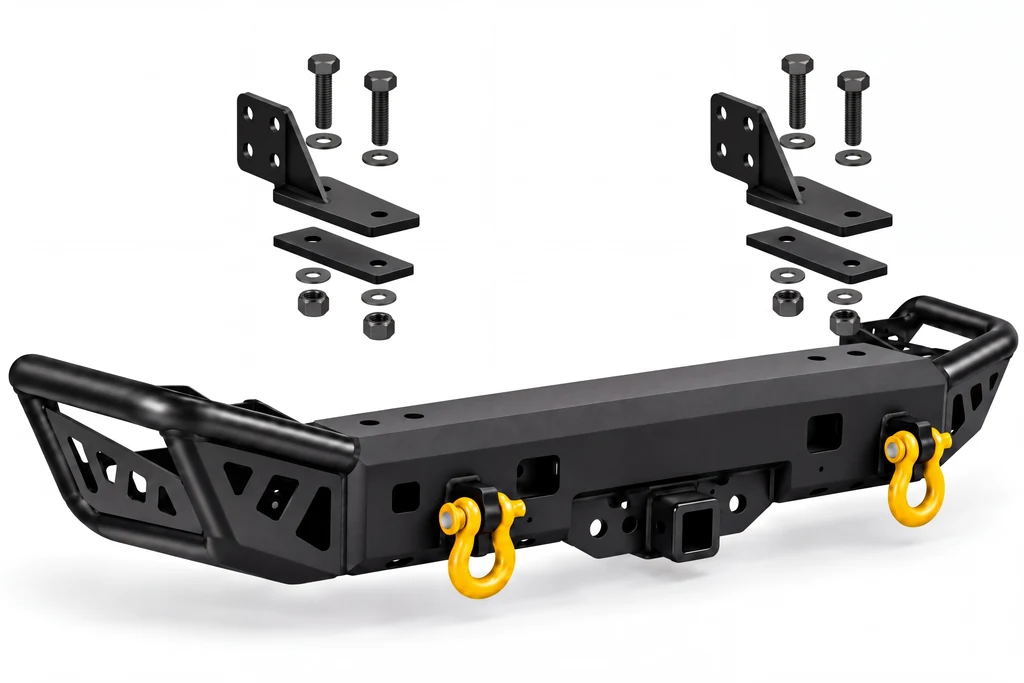
Exploded views and install guides
Brackets, bolts and mounting plates pulled apart in the order they are fitted, straight from your CAD. The views go into install instructions, dealer training and the product page, and into an assembly animation when the steps need to move.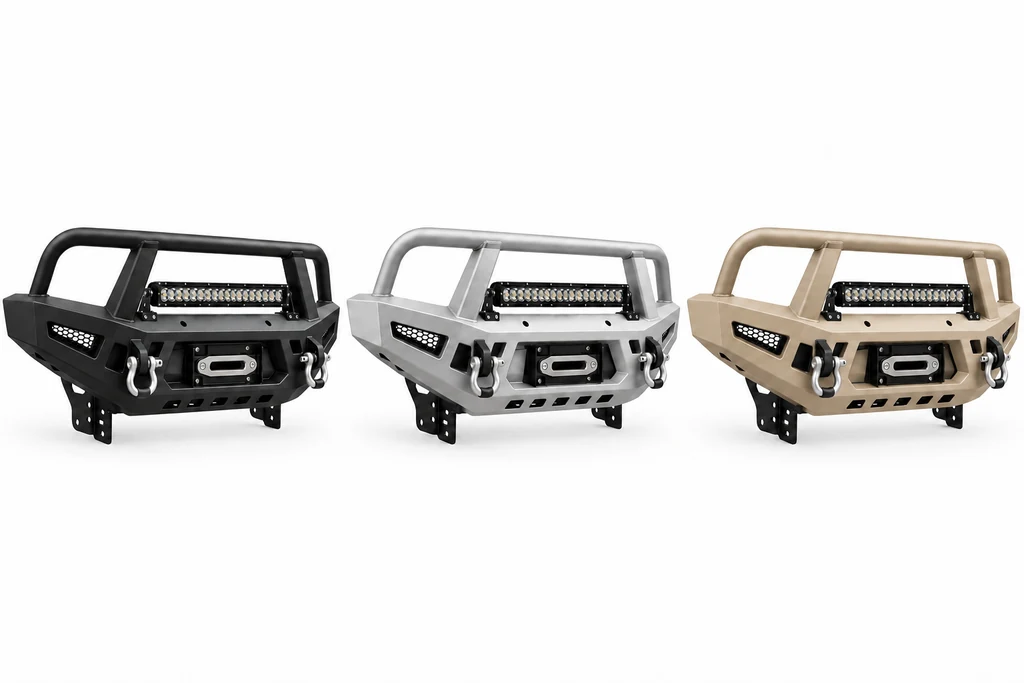
Every colour, fitment and option
Once the part is modelled, a new powder-coat colour, a fitment for another vehicle or an added light bar or winch is a change to the same model, not a new shoot. Every variant is rendered with the same camera and light, so the range looks consistent.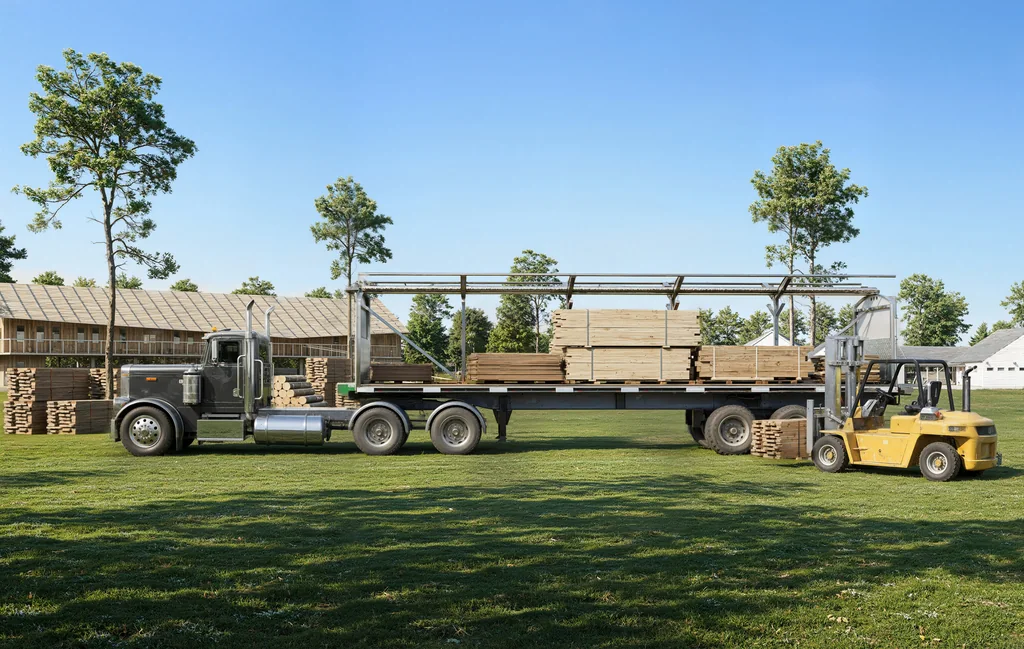
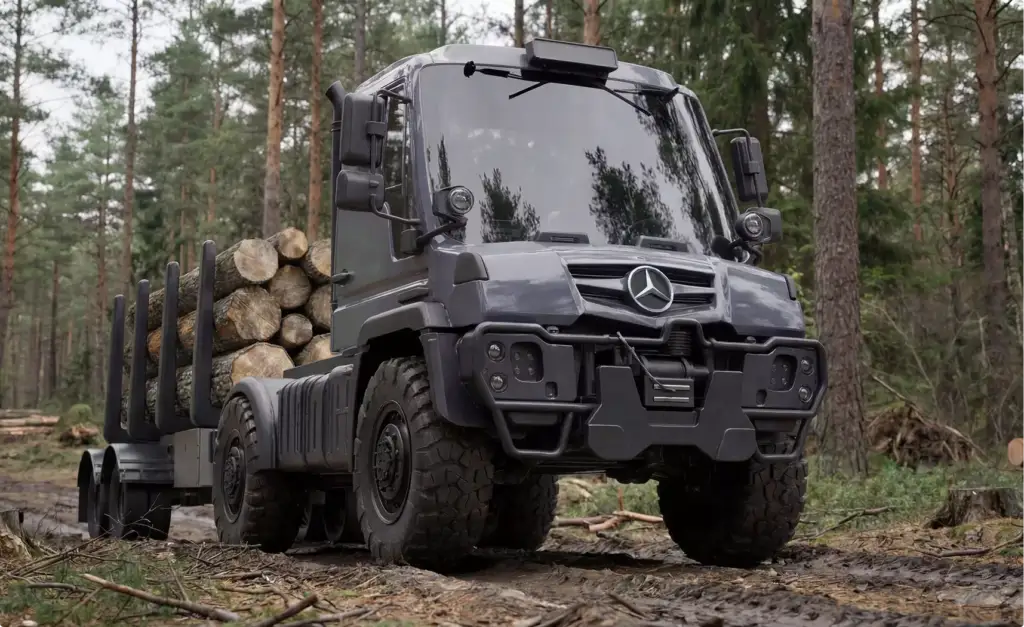
Truck and trailer equipment
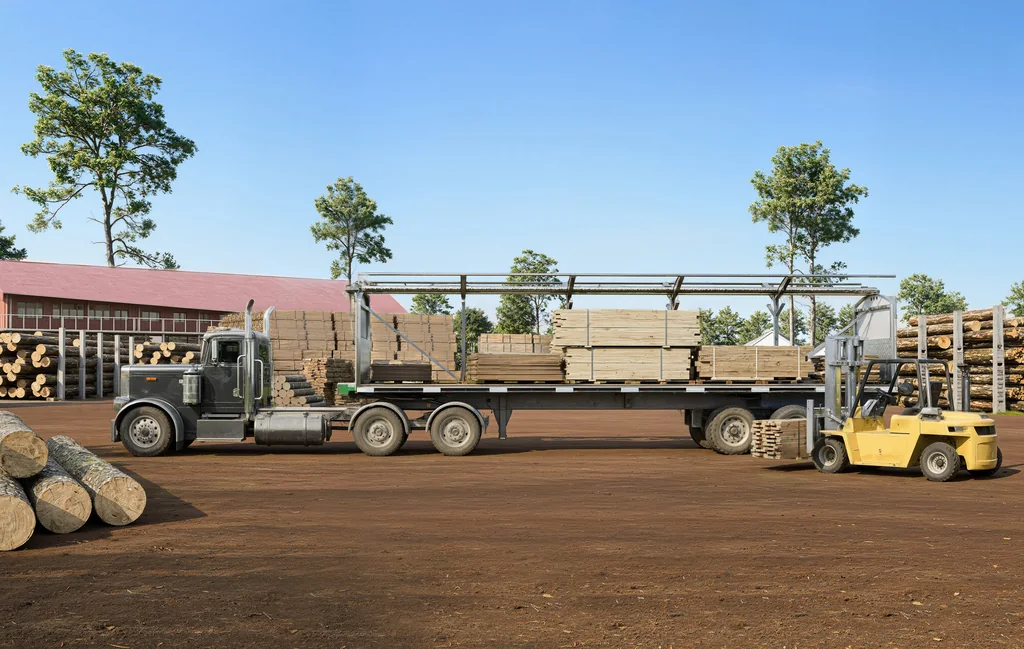
Tarp systems, truck bodies, racks, toolboxes and cranes shown open, closed, loaded and at work. Equipment makers use the images for catalogs, dealers and trade shows; see car and truck rendering for whole vehicles.
Which images you need first depends on who has to say yes next.
An online shopper, a distributor, a dealer and a trade show visitor decide on different images. We start with that decision, then choose the angles, the fitment views and the spins that win it.
- Free
- No obligation
- NDA on request
Auto Parts and 4x4 Accessory Rendering: Product Images Without a Photo Shoot
Most studios sell you renders. We work out which images will move your parts.
Ask a rendering studio what you need and you get a quote for images. We start from the decision you need: a shopper who adds the part to the cart, a dealer who stocks it, a distributor who lists your range, a fleet buyer who orders it for every vehicle.
Send one email and our producer replies with a plan for your range: which images, spins and fitment views, for whom, in what order, and what it takes. The list of renders is the end of that plan, not the beginning.
Free, and yours to keep even if you never work with us.
Thank you – your request has been sent.
Our producer is reading your request now and will write back with the plan: which images, for whom, and in what order.
360° spins
360° Spins of Auto Parts Without a Stand, Drift or Retouching
Why do our 360° spins of parts jump, and how do we get a smooth one?
A photographed spin jumps because the part sits on a stand that is never perfectly centred, level or still, and every frame then needs the stand retouched out and the part re-aligned by hand. A rendered spin has no stand: the virtual camera turns around one fixed axis at one scale, so every frame lines up.
- One fixed axis The part turns around the same centre in every frame, with no jumping up, down or sideways.
- One scale The part never grows or shrinks between frames, whatever its shape.
- Level and straight No tilt from a part that hung crooked on the stand.
- Nothing to remove No stand, no shadow of the stand and no hidden areas to reconstruct.
- Any frame count 24, 36 or 72 frames, sized for the 360° viewer on your product page.
- White and transparent Every frame as a pure white JPEG and as a transparent PNG.
Vehicle equipment work
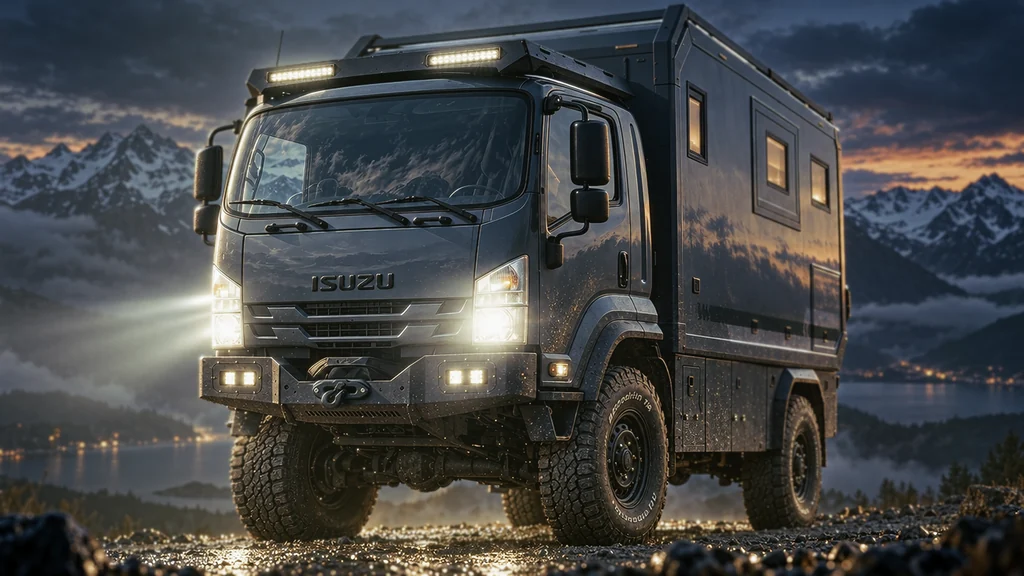
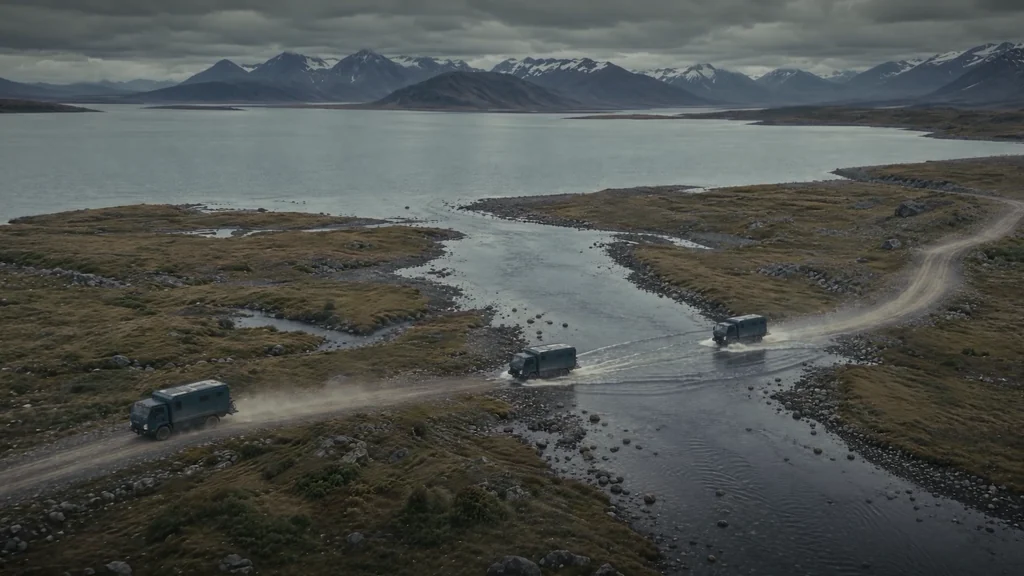
Vehicle equipment and truck renders from our studio
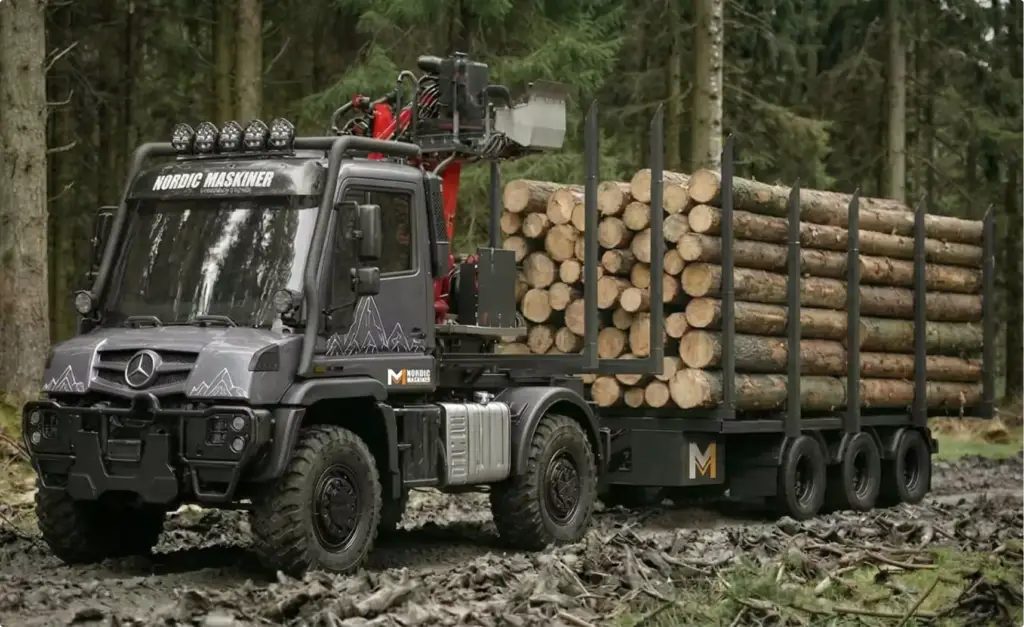
Renders and a film for an expedition truck camper builder, a rolling tarp system on flatbed trucks and trailers, and a forestry truck with a loading crane.
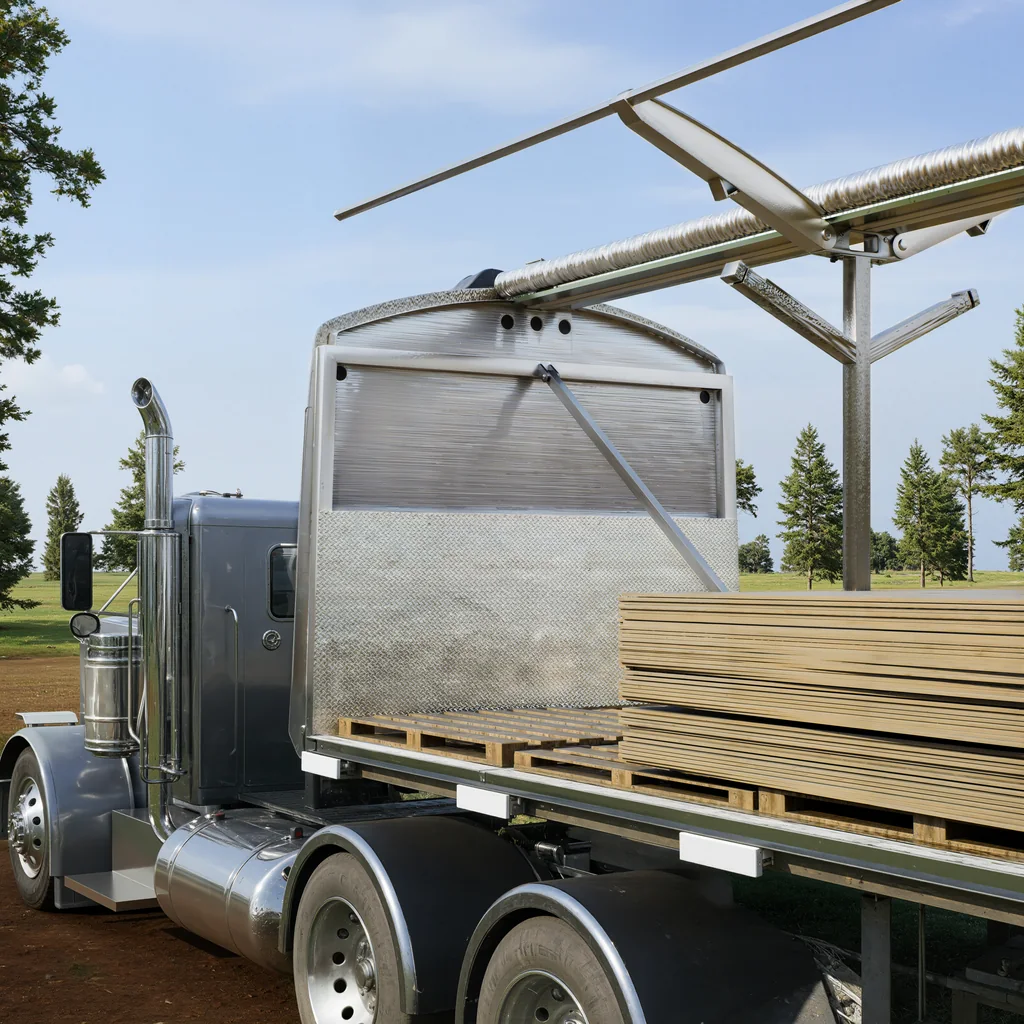
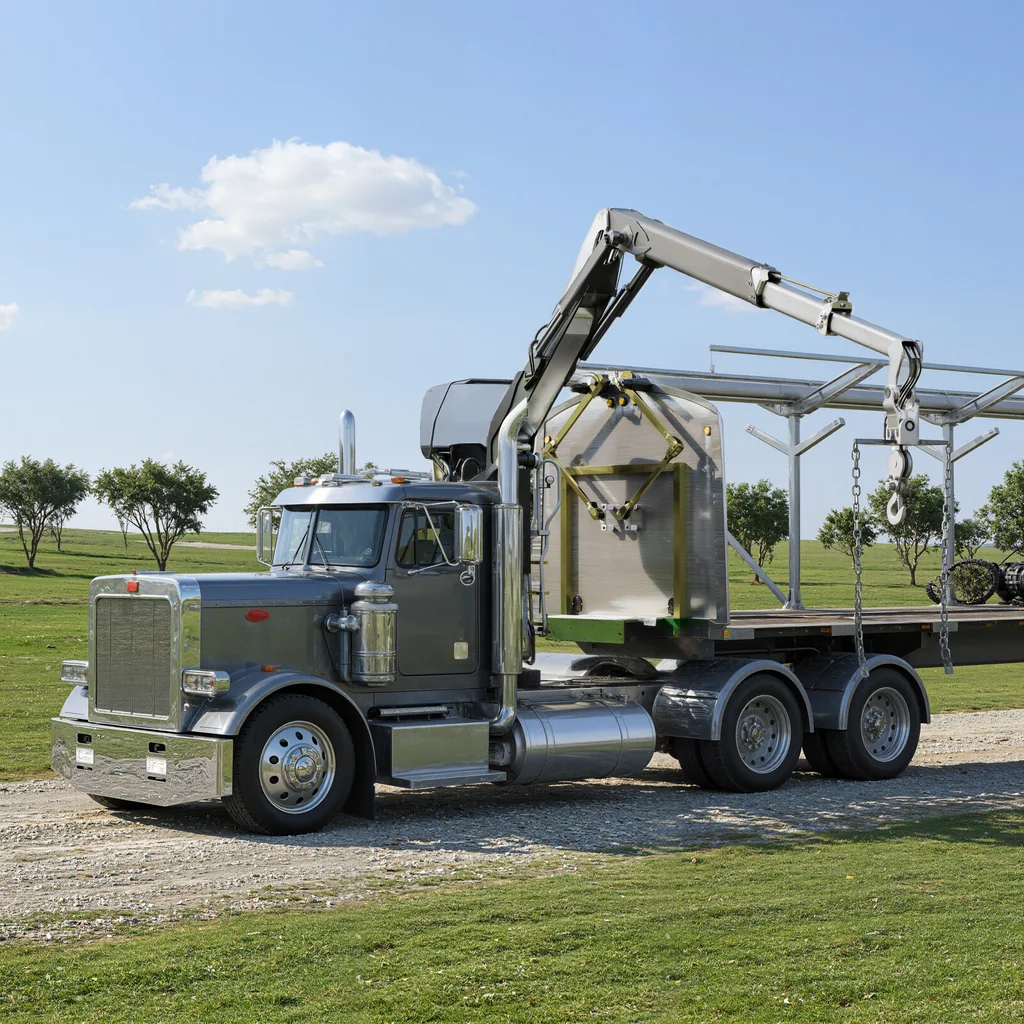
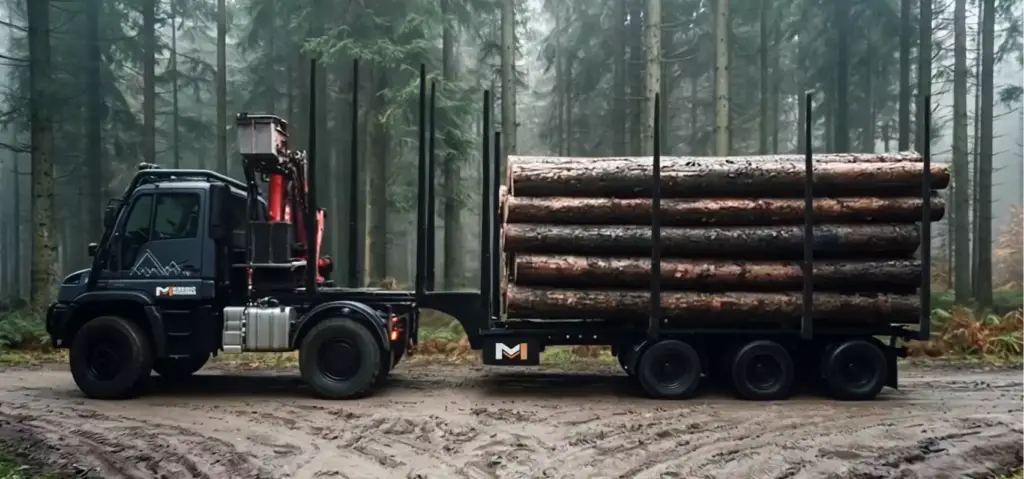
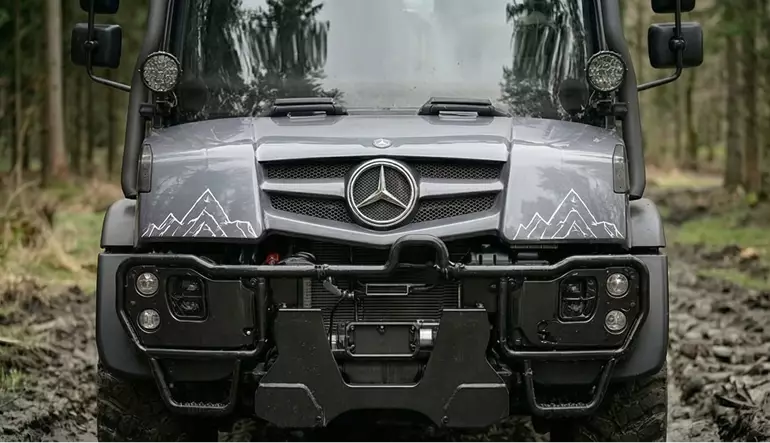
Free: the full portfolio
Pick your product and we will send a hand-picked set of vehicle and equipment renders in full resolution, matched to what you make.
Your product
- Free
- Sent within one business day
- No sales call
Trusted by leading teams











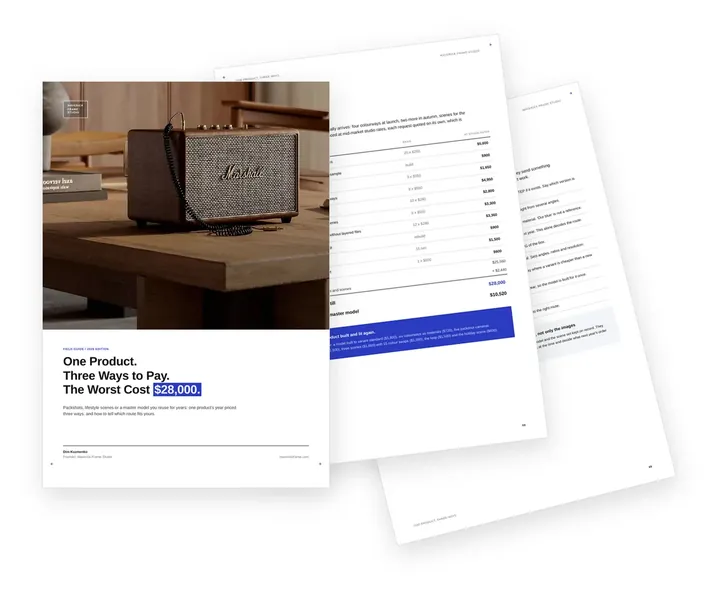
Free guide: one product, three ways to pay, and the one that cost $28,000
None of the brands above started with a forty-page specification. They started by choosing a route: packshots, lifestyle scenes or a master model for every colourway after. Bought still by still, one product's year of product rendering came to $28,000; from one master model, $10,520. The guide prices all three routes and shows which one fits your range.
- Free
- Instant download
- No sales call
If it didn't open, download it here.
Download the PDF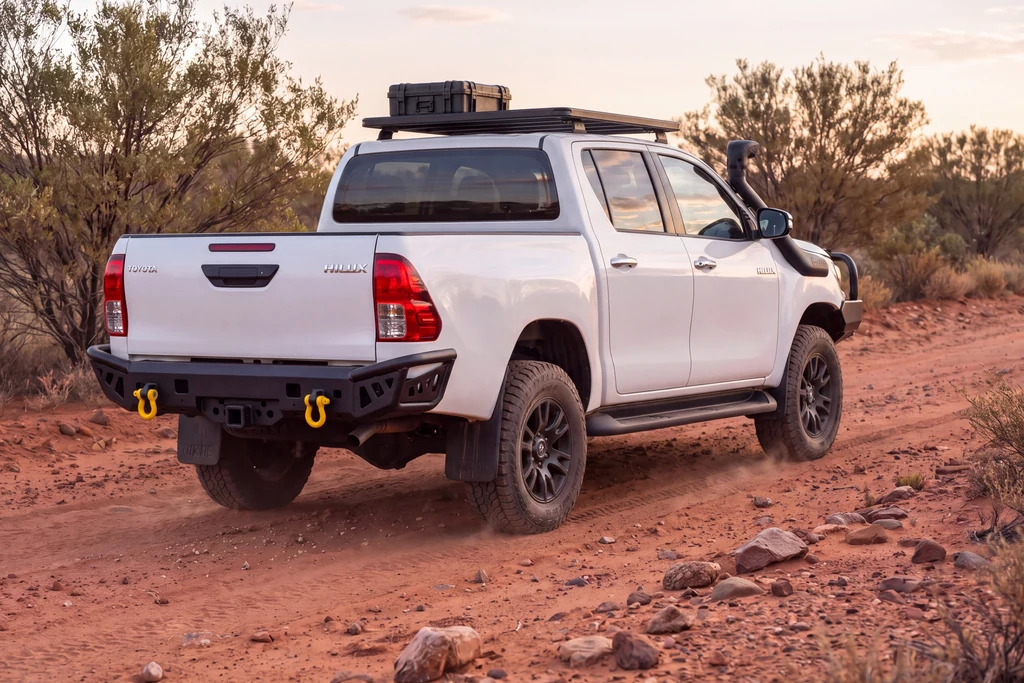
Pick your side of the parts business. Get the playbook written for it.
A manufacturer, a store, a dealer and an agency order the same auto parts renders for different reasons, and each loses time in a different place. Choose yours: the images that move your decision, a realistic scope and the brief mistakes we see most from your side.
- Free
- Instant download
- No sales call
If it didn't open, download it here.
Download the PDFFitment images
4x4 Accessories Fitted to the Vehicle Without a Drive-In Studio
How do we show our bar on every vehicle it fits without shooting each one?
Render the vehicle once and fit each part to it in 3D. A bull bar, rear bar, roof rack or toolbox is shown on every model and trim it fits, from the same angles, so the buyer sees the fitment before ordering and no vehicle has to be booked into a studio.
- One vehicle model, many parts Every accessory of the range on the same vehicle, angle and light.
- Every fitment The same part on each vehicle model, trim or cab it is made for.
- Mounting and clearance Close-ups of the mounting points, bolts and the space around them.
- Outdoor scenes for ads The fitted vehicle on a track, a beach or a campsite for campaigns and social media.
- Catalog pages The same fitment views at print resolution for dealer and distributor catalogs.
Common auto parts image problems
Auto Parts Product Image Challenges We Solve
-
01 Happened to us
The stand is in every photo
Parts shot on a stand need the stand, its shadow and the hidden areas retouched in every frame.
Our fixA rendered part has no stand: nothing to remove and nothing to reconstruct.
-
02 Happened to us
360° spins jump and drift
A part that is not centred or level on the turntable moves up, down and sideways between frames.
Our fixThe virtual camera turns around one fixed axis at one scale, so every frame lines up.
-
03 Happened to us
Black powder coat turns into a flat shape
Textured black steel loses its welds, edges and texture under studio light.
Our fixWe light every part to show its edges, welds and the real powder-coat texture.
-
04 Happened to us
Every fitment needs a vehicle
Showing a bar on each vehicle model means booking vehicles and a drive-in studio.
Our fixWe model the vehicle once and fit each part to it in 3D.
-
05 Happened to us
A new colour means a new shoot
Each powder-coat colour, option or new model year would need its own photo session.
Our fixA new colour or option is a change on the existing model and scene.
-
Had any of these? Tick them.
12 questions to ask before the next product drop
Your PDF is ready.If it didn't open, download it here.
Download the PDF
Auto parts images by product stage, from CAD to the next model year
Each stage of a part range needs different images, and one 3D model of each part serves all of them. Start with the stage you are in; everything rendered earlier carries over to the next one.
A part shown on white in the store can be fitted to the vehicle for ads, spun for the product page and recoloured for the next model year from the same model.
Free: the e-commerce visuals roadmap
Which images to order from pre-launch to the next seasonal refresh, what one 3D model carries over, and what share of the budget each stage takes.
Where is your part range now?
- Free
- Instant download
- No sales call
If it didn't open, download it here.
Download the PDFPre-launch
Pre-launch: hero renders and a 360° spin from CAD for the website, dealers and pre-orders before the first batch is fabricated.
Listing
Listing: every part on pure white and as a transparent PNG, sized for your online store, marketplaces and distributor catalogs.
Launch
Launch: the accessory fitted to the vehicle, 360° spins and a short feature or install video for the product page, ads and social media.
Variants
Variants: every vehicle fitment, powder-coat colour and option rendered from the same model the day it is added.
Refresh
Refresh: new model years, print catalogs and trade show graphics without bringing parts or vehicles back to a studio.
Exact geometry
Exact Part Geometry From CAD, Not AI-Filled Gaps
Will the images show our real part, with nothing invented?
Yes. The images come from your CAD, so every bracket, hole, weld and laser-cut logo is where it is on the part you fabricate. Retouching a photo or filling it with an AI tool guesses what the stand covered; a model built from CAD does not need to guess.
- From the fabrication files STEP, SolidWorks, Inventor and other CAD files used to make the part.
- Hidden sides included The back, the underside and the mounting face are modelled, not reconstructed.
- Checked against the part Close-ups are compared with your samples or photos before final rendering.
- Updated with the design When the part changes, the model is updated and every image follows.
Pricing
How Auto Parts Rendering Projects Are Quoted
Auto parts rendering cost depends on the number of parts and variants, whether the 3D model is built from CAD or from drawings and photos, the number of angles, spins and fitment scenes, and the revisions. We quote every project for its exact scope after seeing your files and your brief.
Per Project
Pricing depends on the number of parts and variants, angles, 360° spins, fitment scenes and revisions.
Best for: A launch set for one part or a small range with a fixed scope.
Hourly Most Popular
Pay for the hours spent on your parts, from one new colour to an exploded view for the install guide. A simple way to start without a long-term commitment.
Best for: A few parts on white, a new colour for an existing model and updates after a design change.
Subscription
Monthly production capacity, booked in hours, for a steady flow of new parts, colours, fitments and listing images.
Best for: Accessory brands and parts stores that add products every season and want the same team and predictable monthly capacity.
Why Choose Us
Why auto parts and 4x4 accessory brands choose us for product images
From one part on white to the images of a whole range, we keep every part exact to your CAD, the finishes true and every file ready for the channel it goes to.
- 01
Built from your CAD files
STEP, IGES, SolidWorks, Inventor, Creo, Fusion 360, Rhino and other formats; the part on screen matches the part you fabricate.
- 02
Stills, PNGs and spins from one model
White shots, cut-outs, 360° spins and fitment images come from the same 3D model, so the range looks like one catalog.
- 03
Confidential before launch
New parts, CAD files and release dates stay under NDA until you announce them.
- 04
Dedicated project manager
One person knows your range, your vehicles and your deadlines, so you never re-explain the project.
- 05
White-label for agencies
We can work under your agency brand; your client sees your team, not ours.
- 06
The model is yours
On request, exclusive commercial rights to the finished 3D model and its source files pass to you under the contract.
Check a start date for your auto parts renders
Tell us which parts and vehicles you need and when the store listings, catalog or trade show go live. Within one business day we reply with a start date, the team we would put on it and a price range.
Renders
Deadline
- Reply within one business day
- No obligation
Choosing the method
Auto Parts Photos on a Stand vs CGI From CAD: How They Compare
Should we keep photographing our parts or render them from CAD?
For a range of parts, CGI from CAD is usually the cleaner base: there is no stand, the spin lines up and a new colour is a change, not a reshoot. Photos still work for a few existing parts, and we touch them up in Photoshop when a project needs it. CGI needs CAD, or drawings and photos to model from.
| Photos on a stand | CGI from CAD | AI-filled photos | |
|---|---|---|---|
| What you need to start | Finished parts, a turntable, a stand and a studio | CAD files, or drawings and photos to model from | Photos of the parts |
| Stand and shadows | Retouched out of every frame | There is no stand | Removed by the tool, edges vary |
| Areas hidden by the stand | Reconstructed by hand | Modelled from CAD | Guessed by the tool |
| 360° alignment | Each frame re-centred by hand | One fixed axis by design | Not reliable |
| New colour or fitment | A new shoot | A change on the same model | A new generation that may change the part |
| Finish texture | True to the sample | Matched to your sample or photos | Often smoothed out |
Remote CGI team, your release calendar
Auto Parts Rendering Support Worldwide
We help 4x4 and aftermarket brands, equipment makers, parts stores and their agencies in the US and Canada, Latin America, the UK and Europe, Australia and the Gulf show their parts without a photo shoot.
One manager for your range
Discuss your parts in English with one project manager who knows your range, your vehicles and your release dates.
CAD and reviews online, under NDA
Send CAD files, part photos and finish samples from anywhere; reviews, feedback and delivery all happen online and under NDA.
Dates set by your releases
We adapt to your time zone and plan the work around your trade shows, catalog print dates and new model releases.
Book a 30-minute call
Which day suits you?
What time?
Where should we send the invite?
- 30 minutes
- Free, no obligation
- Invite by email
30-second auto parts visuals quiz
Not sure which auto parts images you need first? Find your fit
Answer four quick questions about your parts and we’ll match you with the right images, spins and fitment views, plus a free, tailored next step.
What do you make or sell?
What do you need first?
What do you have today?
Who runs your marketing?
Almost there — where do we send it?
Your tailored plan and a free next step for your parts.
No spam — we only email about your parts.
A product image plan built from your CAD, ready for every channel
We’ll email your tailored auto parts visuals plan shortly.
FAQ
Questions about auto parts and 4x4 accessory rendering
Didn’t find your question?
Ask about your parts, your CAD files or your release date. A producer replies within one business day, with an answer, not a sales call.
What is auto parts rendering?
Auto parts rendering is the making of photoreal product images of a part or accessory from its CAD files instead of photographing it. Brands and stores use it for white-background shots, transparent PNGs, 360° spins and fitment images for the online store, marketplaces, dealer catalogs and trade shows.
Our parts are already photographed on a stand. Can you fix the photos?
We touch up photos in Photoshop when a project needs it, but photo retouching is not a separate service. For a range of parts it is often cheaper and cleaner to build the 3D model from CAD and render it correctly from the start: there is no stand to remove, nothing hidden to reconstruct, and every 360° frame turns around the same axis.
How many frames does a 360° spin of a part need?
Most product page viewers use 24, 36 or 72 frames for one full turn; 36 frames, one every 10 degrees, is the common choice. We render the number and size your viewer expects, on white or transparent, and every frame shares the same axis, scale and light.
Can you deliver transparent PNGs and pure white JPEGs of the same part?
Yes. Each view is rendered once and delivered both as a transparent PNG and as a JPEG on pure #FFFFFF white, at the resolution you need for print catalogs and the web. The files are named and sorted by part and view, ready for your store or catalog.
Can you show our accessory fitted to the vehicle?
Yes. We model the vehicle and fit your part to it in 3D, so a bull bar, rear bar or roof rack can be shown on each vehicle model and trim it fits, from the angles buyers check. The same scenes work outdoors for ads and on white for the product page.
What CAD formats do you accept?
Any common format: STEP, IGES, SolidWorks, Inventor, Creo, Fusion 360, Rhino and others. Flat DXF files for laser cutting are not enough on their own; with them, drawings, dimensions and photos of the part, we can model it. Your files stay confidential under NDA.
How do you make black powder coat and steel look real?
We set up each finish separately, from textured and gloss powder coat to galvanised and stainless steel, and light the part so its edges and welds read. Close-ups are checked against your samples or photos of the finished part before final rendering.
Will the images show anything that is not on the real part?
No. The images come from your CAD geometry, so brackets, holes, welds and laser-cut logos are where they are on the real part. Nothing is filled in by an AI tool, and close-ups are checked against your samples or photos before final rendering.
Can you make exploded views for install instructions?
Yes. Brackets, bolts and mounting plates are pulled apart in the order they are fitted, straight from your CAD, for install guides, dealer training and the product page. When the steps need to move, the same model becomes an assembly animation.
How long does an auto parts rendering project take?
As a guide, the first draft of a still is ready in 3–5 business days after a complete brief, and a set of 5–8 views takes 2–3 weeks. An animation of up to a minute takes 4–6 weeks. Each still includes two rounds of revisions on the draft and one on the final.
Can you work white-label for our agency?
Yes. We produce the renders and spins under your agency brand, and your client deals with your team only. You get every image in the sizes your catalog and media plan need, and we keep the client, the CAD files and the release dates confidential under NDA.
Free Test Render
Start With a Free Test Render of Your Part
We show our quality on your own product before you commit: send the CAD file or photos of one part, and we render one test image of it.
We reply by email within one business day with what we need for the test render and the next steps. By submitting, you agree to our Privacy Policy.