Unreal Engine 5.9 is the next Unreal Engine 5 release from Epic Games. Its first build, the Unreal Engine 5.9 MegaJam Preview, came out on November 9, 2026 on the Epic Games Launcher and GitHub. The headline changes are Lumen World Cache, correct sorting of overlapping glass, faster Nanite culling, experimental AI tools (Unreal MCP, Unreal Assistant and Unreal Canvas) and an experimental target that runs projects in a web browser.
Release status, updated November 9, 2026: 5.9 is in Preview. Epic treats Preview builds as unstable until the final release and plans the full 5.9 release for 2027, with no date yet. Unreal Engine 5.8 remains the latest full release. We update this page with each new Preview, the full release and the versions after it.
Below: the release timeline, every headline feature with its status, what each one changes for architectural visualization, and when it makes sense to move a live project to the new version.
Unreal Engine Latest Version and Release Timeline
Epic confirmed 5.9 on November 3, 2026 in a post on the official Unreal Engine account on X and said the Preview would follow the next week. It arrived on November 9 as the MegaJam Preview. Epic started this build about a week earlier so it would be ready for the 2026 Epic AI MegaJam on November 12–15, and says it had a shorter QA pass than usual.
| Version | Preview | Full release | Status |
|---|---|---|---|
| Unreal Engine 5.9 | November 9, 2026 (Preview 1) | Planned for 2027, no date yet | Preview |
| Unreal Engine 5.8 | May 12, 2026 | June 17, 2026 | Latest full release |
For comparison, 5.8 went from Preview to full release in 36 days. Epic has not promised that pace for 5.9: the Preview announcement only places the full release next year.
Interest follows full releases more than previews. In US Google data from DataForSEO, searches for “unreal engine 5.8” rose from 140 a month in November 2025 to 3,600 in June 2026, the month 5.8 shipped.
What’s New in Unreal Engine 5.9
These are the headline changes from the 5.9 Preview release notes and Epic’s Preview announcement. Epic marks some features as Experimental. For the rest the notes give no status, so the table says “Not stated”.
| Feature | What it does | Status in Preview | Matters for archviz |
|---|---|---|---|
| Lumen World Cache | Lumen builds its lighting cache at runtime by path tracing the scene instead of using per-mesh cards. Needs Hardware Ray Tracing, enabled per project | Not stated | High: interiors, imported CAD models |
| Order-independent transparency (AVBOIT) | Sorts overlapping translucent surfaces correctly whatever order they are drawn in, on Nanite and non-Nanite meshes | Not stated | High: glazing, curtain walls, vehicle lights |
| Nanite culling | Automatic culling improvements with no content changes; gains grow with scene size | Not stated | Medium: masterplans, dense scenes |
| Dynamic Wind for Nanite foliage | GPU-simulated sway and flutter for Nanite plants, reacting to local gusts and contact | Experimental | Medium: landscape animation |
| Ambient Lighting Volumes | Box or sphere volumes that tint or darken sky light when Lumen is not the GI method | Experimental | Low to medium: lighter real-time apps |
| Material Translator | Alternative material-to-shader system with an Evaluate node for HLSL-style expressions and line-level error reporting | Experimental | Low for now |
| Shadow debugging views | Virtual Shadow Map overview, cascade colouring and Far Shadow controls | Not stated | Medium: troubleshooting |
| Unreal MCP | Starts with the editor and gives AI agents more toolsets, including a Fab toolset for finding and installing assets | Experimental | Medium: scene prep automation |
| Unreal Assistant | Panel inside the editor for your own AI coding agent, connected to Unreal MCP | Experimental | Medium |
| Unreal Canvas | Generates images, 3D meshes and video with your own API keys; Canvas Bridge exposes Movie Render Graph rendering as MCP tools | Experimental | Medium: concept stage |
| Python scripting | More Python APIs across materials, PCG, Niagara, audio, physics and UI | Not stated | Medium: pipeline tools |
| Web target (WebAssembly and WebGPU) | Runs projects in a web browser; needs a source build and a C++ project | Experimental | High later: configurators, tours |
Lumen World Cache and Sorted Glass: The Changes Archviz Will Feel
Lumen is the real-time global illumination that makes Unreal usable for photoreal interiors. Until now it has relied on mesh cards, small captures of each mesh that Lumen uses to work out bounced light. Architectural scenes are a hard case for that approach: thin walls, merged meshes from CAD exports and long rooms lit only through windows. Lumen World Cache drops the cards and path-traces the scene to build the cache at runtime, and Epic says no card cooking or mesh fix-up is needed.
Two limits matter. It needs Hardware Ray Tracing, so it does nothing on machines or targets without a ray-tracing GPU. It is also switched on per project, so existing scenes keep their old lighting until someone enables it and checks the result.
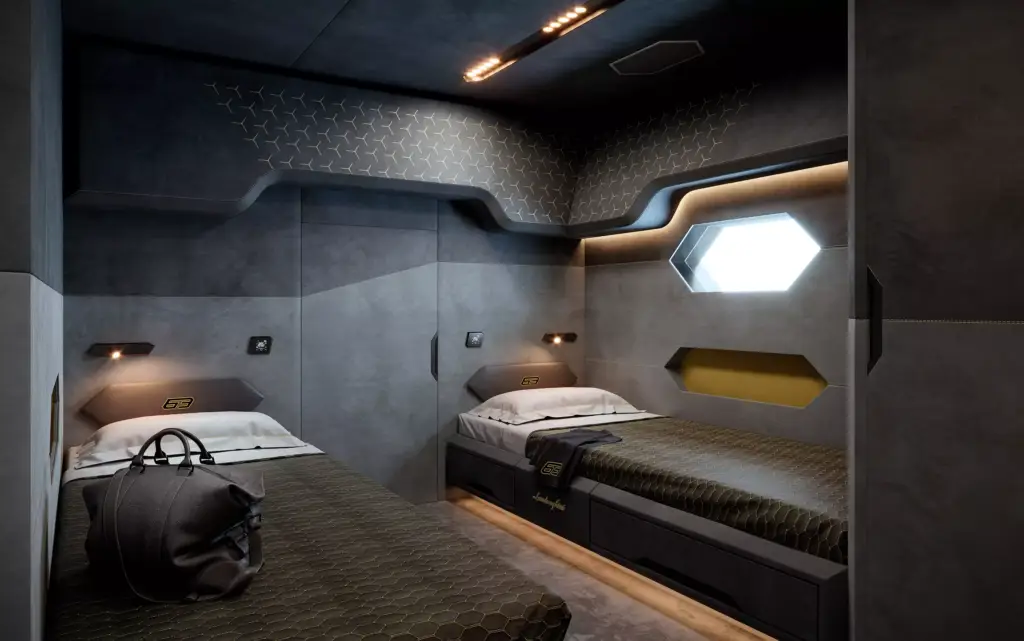
The second change is glass. With AVBOIT, overlapping translucent surfaces sort correctly whatever order they are drawn in. In archviz that means glazing seen through glazing: a curtain wall behind a glass balustrade, a shower screen reflected in a mirror, the layered lenses of a car headlight. Epic adds one rule: translucent materials must output only their own colour, so older glass materials built around sorting workarounds may need a pass before they look right.

Nanite culling works without content changes and helps most in large scenes, and Dynamic Wind gives Nanite trees and shrubs believable motion in flythroughs. Both suit masterplan and landscape animation, though Dynamic Wind is still Experimental.
AI in Unreal Engine 5.9: Unreal MCP, Unreal Assistant and Unreal Canvas
Most of the 5.9 Preview announcement is about AI. Unreal MCP is the editor’s Model Context Protocol server: it now starts with the editor and gives AI agents more toolsets. Unreal Assistant is a panel inside the editor where you connect the AI coding agent you already use, and the release notes list integrations including Claude Code and Google Gemini. Unreal Canvas generates images, 3D meshes and video with your own API keys, in the editor or as a web app, and its Bridge lets an agent call Movie Render Graph renders as MCP tools.
For an archviz team the near-term value is in repetitive scene work rather than design: sorting and renaming imported assets, setting up camera sets, queuing render passes, checking a scene against a delivery checklist. All of these tools are Experimental, and the expanded Python API is the steadier route for the same kind of pipeline scripting today.
Expect this area to move fast. US searches for “unreal mcp” grew from 140 a month in October 2025 to 880–1,000 a month in July to September 2026, according to DataForSEO.
Unreal Engine in the Browser: WebAssembly and WebGPU
5.9 brings back the web as a target platform: projects compiled to WebAssembly and rendered with WebGPU in the browser. For real estate and product work this is the most interesting long-term change. Today an Unreal-quality interactive apartment selector or 3D product configurator in a browser usually means Pixel Streaming, where a cloud GPU renders the stream for each viewer. A native web build would run on the viewer’s own device instead.
It is not ready for client delivery yet. The target is Experimental, needs a source build of the engine and a C++ project, and the notes do not say which rendering features run on WebGPU. Treat it as something to test on a small scene, not something to promise in a proposal.
Should You Move a Live Project to Unreal Engine 5.9?
Not while it is in Preview. Epic itself says Preview builds should be treated as unstable until the final release and asks users to test them on copies of their projects.
- Test on a copy. Open a duplicate of the project in 5.9 and keep production on the version it started in.
- Check plugins first. Code plugins from Fab are built per engine version and often lag a new release.
- Review glass and water. With the new transparency sorting, recheck glazing, water and light materials that relied on sorting workarounds.
- Know your GPUs. Lumen World Cache needs Hardware Ray Tracing on every machine that renders the project.
- Switch between projects, not inside one. Start new jobs on 5.9 after the full release and its first hotfix, and finish running jobs on the version they began in.
What Unreal Engine 5.9 Changes for Clients Who Order Renders
If you order renders or animation, the engine version is the studio’s decision and should not change your brief. What 5.9 raises is the ceiling of real-time delivery: cleaner light in complex interiors, glass that renders correctly in walkthroughs, and later, interactive scenes that open in a browser without streaming servers.
Our work in Unreal includes a yacht interior shown in real time and a custom sports car in CGI. If you are planning a walkthrough, configurator or interactive sales tool, see how we run Unreal Engine visualization projects. For the choice between Unreal and Twinmotion, read our guide to Unreal Engine and Twinmotion for architecture.
Turn Ideas Into Visual Stories