To launch an app, pick a release date and work backwards from it. Freeze the interface, run a beta on TestFlight and a Google Play closed test, write the store listing, make screenshots and a preview video, prepare a launch video and a press kit, then submit for review and release to beta users first.
- Set the date: Choose a release window and count back at least six to eight weeks from it.
- Freeze the interface: Lock the screens that will appear in the screenshots and videos before anyone captures them.
- Run the beta: Put the build in front of real users on TestFlight and in a Google Play closed test.
- Write the listing: Draft the name, subtitle, short description and full description for each store.
- Make the screenshots: Export them at the sizes Apple and Google require, with one clear message per frame.
- Record the preview video: Capture 15 to 30 seconds of real in-app footage for the App Store.
- Produce the launch video: Make a longer film for your website, social channels, press and the Google Play listing.
- Prepare the press kit: Collect the facts, the story, the icon, the renders and the video links in one folder.
- Submit for review: Send the build and the metadata to Apple and Google with days to spare.
- Release to your first users: Invite the beta group first, then open to everyone and read every early review.
How Much It Costs to Launch an App
The store fees are the smallest line in the budget: Apple charges $99 per membership year for the Apple Developer Program, and Google charges a one-time $25 registration fee for a Google Play developer account. The real money goes into building the app and into the visuals that have to sell it on the first day, when most people decide whether the listing deserves a download.
The table below shows typical ranges, not quotes. Store fees come from Apple's developer site and Google Play Console Help; the visual production lines are our own studio rates.
| Cost item | Typical range | Source |
|---|---|---|
| Apple Developer Program | $99 per membership year | Apple Developer |
| Google Play developer account | $25, one time | Google Play Console Help |
| App Store commission for small developers | 15% on paid apps and in-app purchases, for developers under $1M in yearly proceeds | Apple App Store Small Business Program |
| Google Play service fee | 15% on the first $1M of yearly revenue; 15% on auto-renewing subscriptions | Google Play Console Help |
| Device renders and product stills | About $180 to $270 per still (4 to 6 hours at $45/hour) | Maverick Frame Studio rates |
| Animated launch video | $45/hour, 2 to 4 weeks for 30 seconds | Maverick Frame Studio rates |
Two notes on the fees. Eligible nonprofits, accredited schools and government bodies can ask Apple for a fee waiver. Google's fee structure differs in a few markets: in the US, the UK, the EEA, Australia and Japan it is shown as a 10% service fee plus a 5% billing fee. If your app is the front end of a subscription software business, settle the company decisions first in our guide on how to start a SaaS company, then plan the launch.
App Launch Timeline: Work Back From the Release Date
Most launch plans fail on order, not effort: screenshots get captured from a build that still changes, the video is briefed in release week, and the Google Play test starts too late. Here is the order that avoids rework:
- Eight weeks out: freeze the screens that will sell the app. Brief the launch video now, because a 30-second CGI film takes us two to four weeks from a full brief, and an AI-led film about a week.
- Six weeks out: start the beta. Google needs 14 days of continuous testing for new personal accounts, and Apple reviews your first external TestFlight build.
- Four weeks out: write the listing, export the screenshots and record the preview video from the frozen build.
- Two weeks out: submit both builds. Apple says it reviews at least 50% of submissions in under 24 hours and 90% in under 48 hours, but an incomplete submission takes longer, and a rejection resets your clock.
- Release week: send the press kit, open the app to beta users first, then to everyone.
If you want a public page before the release, Apple lets a brand-new app go on pre-order with a release day 2 to 180 days after the pre-order is published. On release day, the app downloads automatically to the devices of everyone who pre-ordered.
App Beta Testing With TestFlight and Google Play
A beta does two jobs, because it finds the crashes before reviewers do and it also shows you which screens people actually use, which tells you what to put on the first screenshot.
TestFlight beta for iOS apps
Apple's TestFlight lets you add up to 100 internal testers from your team and invite up to 10,000 external testers. The first build you send to external testers must pass App Review for TestFlight. Each build stays available for 90 days, so plan to upload fresh builds if the beta runs longer than expected or if testers find serious problems late.
Google Play closed test for Android apps
If you opened a personal Google Play developer account after November 13, 2023, you must run a closed test with at least 12 testers who stay opted in for at least 14 days in a row before you can apply for production access. This rule alone adds two weeks to many first launches, so recruit testers before the build is ready.
Ask testers three things: where they got stuck in onboarding, which feature they would show a friend, and what they expected the app to do that it does not. The second answer is your first screenshot.
App Store Listing: Name, Subtitle and Description
The listing is the page where people decide in a few seconds, so every field has to work hard. On the App Store, the app name must be between 2 and 30 characters, and the subtitle can be up to 30 characters. On Google Play, the short description is limited to 80 characters.
- Name: the brand plus, if space allows, the main job of the app.
- Subtitle or short description: one concrete benefit, not a slogan.
- Description: the first lines carry the decision; put the problem and the outcome there, and the feature list below.
Apple's guideline 2.3.7 asks for accurate metadata: no trademarked terms, no names of popular apps, no pricing information and no irrelevant phrases packed in to game search. Write each store's text separately, and localize it for every market where you release.
App Screenshot Sizes and What Each Frame Should Say
Screenshots do more selling than the description, because people scroll through the images and rarely read the text below them.
App Store screenshot requirements
Apple asks for at least one and up to 10 screenshots per device size, in JPEG or PNG, with no transparency. For large iPhones with the Dynamic Island, the accepted portrait sizes are 1320 x 2868, 1290 x 2796 or 1260 x 2736 pixels. If your app runs on iPad, 13-inch iPad screenshots are required: 2064 x 2752 or 2048 x 2732 pixels in portrait. Guideline 2.3.3 says screenshots should show the app in use, not just the title art, login page or splash screen, though text and image overlays are allowed.
Google Play screenshot requirements
Google Play takes up to 8 screenshots per device type, in JPEG or 24-bit PNG without alpha. Each side must be between 320 and 3,840 pixels, and the long side cannot be more than twice the short side. You also need a 1024 x 500 feature graphic to publish, and a 512 x 512 icon.
How to plan the app screenshot sequence
Treat the set as a short story, in which frame one shows the main outcome, frames two and three show the features beta users liked most, and the rest answer doubts such as privacy, pricing model or sync. Give each frame one headline of a few words. If the screens themselves are not final, finish the mobile app design before anyone exports a single frame, because every UI change later means a new set of screenshots in every size and language.
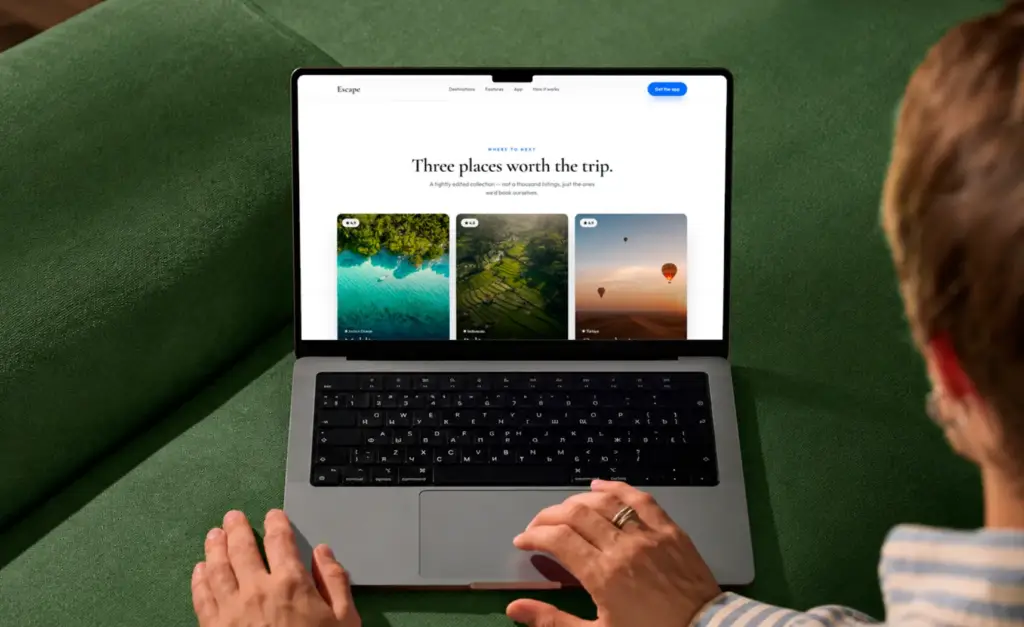
For an example of product design carried through to release, see how we turned trip-planning chaos into a launch-ready travel app.
App Preview Video Rules on the App Store and Google Play
The two stores treat video very differently, and this difference decides how many separate videos you need to produce before the release date.
On the App Store, an app preview runs from 15 to 30 seconds, and you can upload up to three per device size and language. Files can be .mov, .m4v or .mp4, up to 500 MB, at no more than 30 frames per second. Apple says previews may only use screen captures of the app itself: no fingers tapping the screen, no over-the-shoulder shots. You may add narration and text overlays. Previews autoplay with the sound muted, so the story must work without audio.
On Google Play, the preview video is a YouTube link. The video must be public or unlisted, embeddable, not age-restricted, and free of ads, so monetization has to be off. Only the first 30 seconds autoplay, so the app needs to appear early.
The practical result: the Apple preview is a screen recording with captions, while a cinematic film with device renders and people belongs on your website, social channels, press kit and the Google Play listing. Plan both from the start instead of cutting one into the other at the last minute.
App Launch Visuals to Prepare and What They Cost
Beyond the store assets, a launch needs visuals that work off the store: on the landing page, in ads, in pitch emails and in articles. These are the pieces worth having before release day:
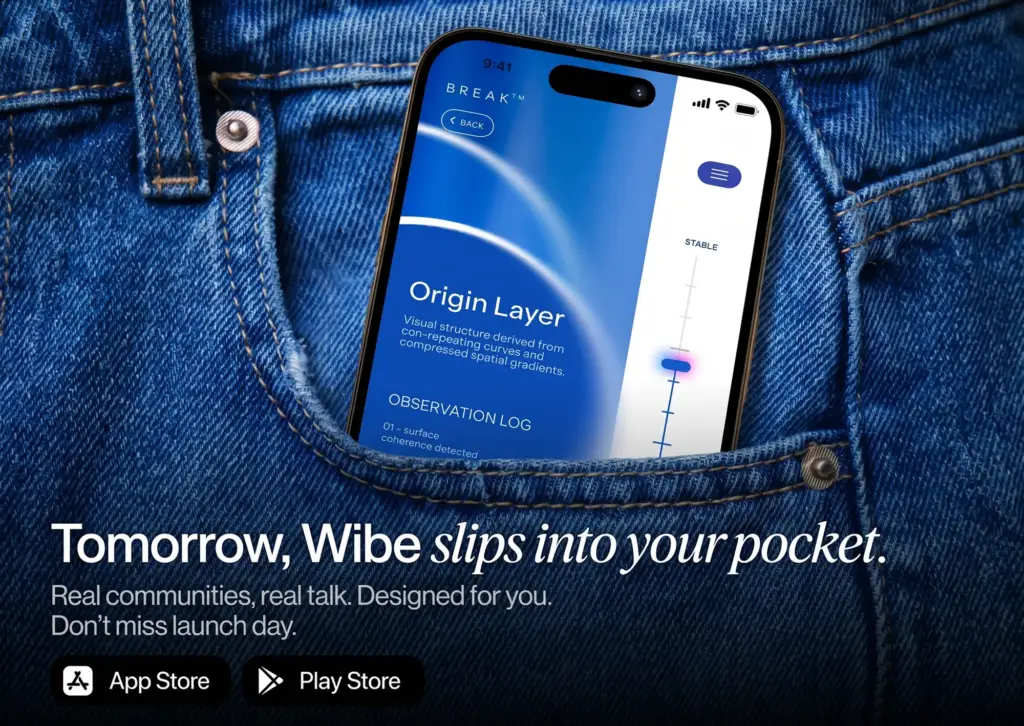
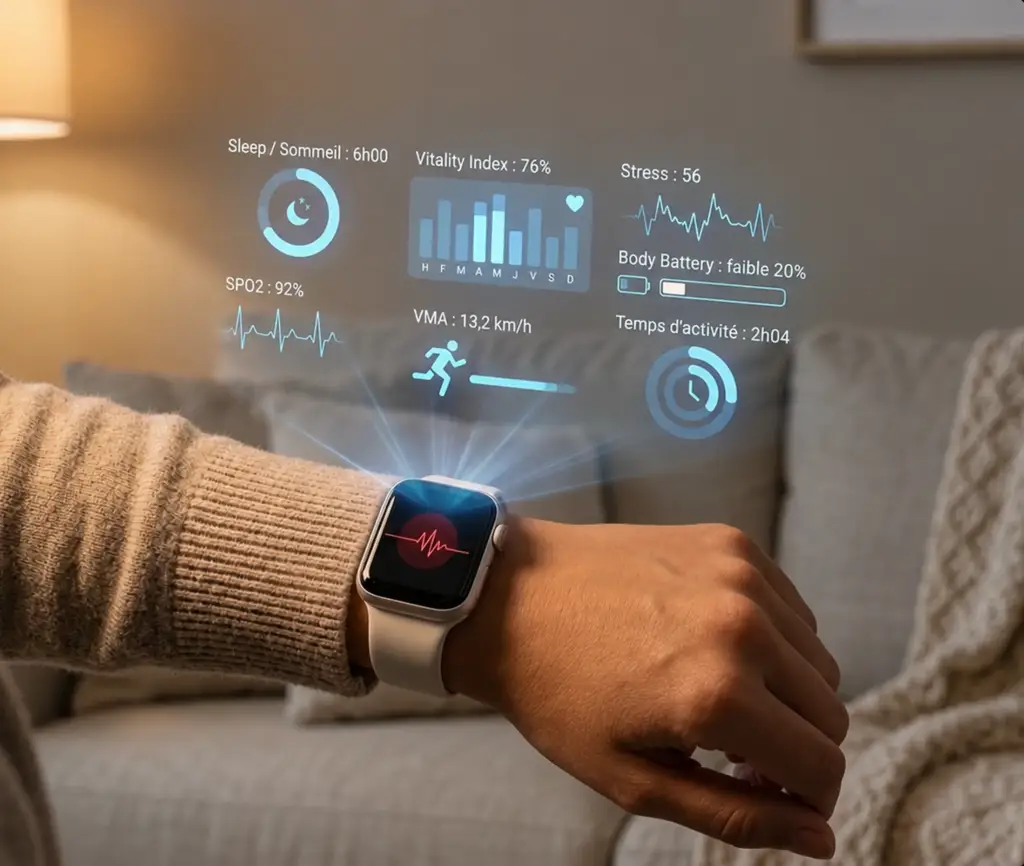
- Device renders: the app on phones, tablets or watches in 3D, for the website hero, the press kit and ads. A render does not need a finished photo shoot or hardware in hand.
- A launch film: 30 to 90 seconds that explain the problem and show the app solving it. Our product launch video production covers this, in CGI, motion graphics or AI-led formats.
- Short cutdowns: vertical and square versions of the film for social channels, made from the same project.
- Feature graphic and social banners: built from the same renders so the visual language stays consistent.
In our studio, we make explainer videos, product demos and launch films for SaaS products and apps, in 2D and 2.5D motion as well as 3D. Our product and animation rate is $45 per hour. A product still takes about 4 hours on a white or studio background and about 6 hours as a lifestyle scene, and a first draft of a still takes about three to five working days from a full brief. Product animation is billed at $45 per hour, and a 30-second CGI spot usually takes 2 to 4 weeks from a full brief. As a guide, a 30-second CGI film takes two to four weeks, and an AI-led 30-second film about a week. Across the market, animation usually costs $1,000 to $3,000 per minute from freelancers and $3,000 to $8,000 from studios. For a full breakdown, see our 3D rendering pricing guide.
App Press Kit and Launch-Day Outreach
Journalists, newsletter writers and partners decide fast, and they usually skip apps that make them hunt for material, so one shared folder or page should hold:
- a two-sentence description and a one-paragraph story: who has the problem and how the app solves it;
- the release date, the platforms, the price model and the store links;
- the founder's name, a short bio and a contact for interviews;
- the icon and logo in high resolution, plus light and dark versions;
- three to five device renders and a full screenshot set;
- a link to the launch film and to the store preview.
Send the kit under embargo a few days before release to the writers who cover your category, and post in the communities where your users already talk. Keep the outreach narrow, because ten writers who genuinely care about the category are worth more than a mass list of contacts who will never open the email.
App Business Plan: The Numbers to Model Before Release
An app business plan does not need to be long, but it needs the numbers that decide whether the launch can pay back. For an app, it should contain:
- The user and the problem: who downloads the app, in which moment, and what they use today instead.
- The store competition: the five apps that rank for your main search terms, their ratings and what reviewers complain about.
- The revenue model: paid download, in-app purchases, subscription or ads, with the price points you will test.
- Store fees: model the 15% commission tiers from the start, so your margin is real.
- Retention: the share of users you expect to keep after day 1, day 7 and day 30, because a launch spike without retention is a cost, not a result.
- The launch budget: developer accounts, beta incentives, screenshots, video, renders and paid tests.
- Runway: how many months you can fund updates and support if growth is slower than planned.
Revisit the plan after the first month of real data and replace each guess with the measured number.
App Release Day and the First Weeks With Real Users
Release day is the start of the work, not the end of it. Open the app to your beta group first and ask them for an honest rating. Then open it to everyone and send the press kit. In the first weeks:
- reply to every review, especially the critical ones;
- watch crash reports and onboarding drop-off every day;
- ship small fixes quickly instead of saving them for one big update;
- refresh the first screenshots once you see which feature new users really adopt.
Use this app launch checklist again for every major update. Each new version is a smaller launch with the same order: freeze the screens, test, update the listing and visuals, then submit.
Turn Ideas Into Visual Stories