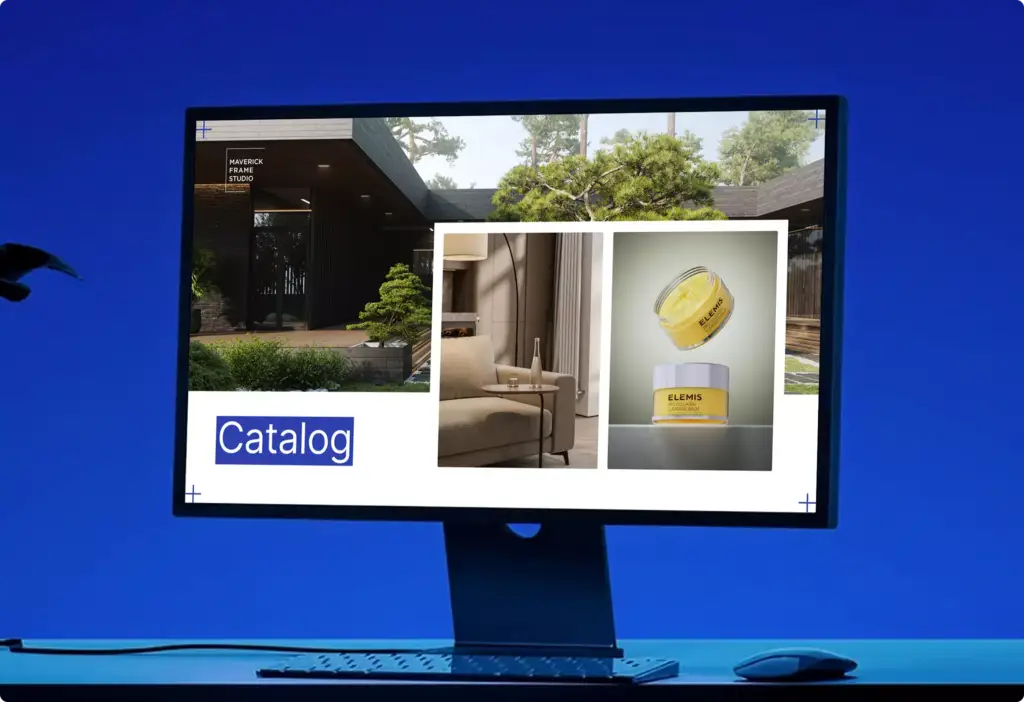
Seedream 5.5 is the image model ByteDance Seed released on November 9, 2026. ByteDance says it keeps an image stable across up to 100 rounds of editing, leaves unedited areas unchanged at the pixel level, outputs transparent RGBA images natively, and renders small, dense text more accurately than Seedream 5.0 Pro.
This is a first look from the production side. We make 3D product, packaging and architectural renders, and AI image tools now sit in the same pipeline as CGI. So we read the release with one question: which parts of a visual brief can it take over, and which still need a 3D model? We have not run client work through 5.5 yet. Everything below comes from ByteDance’s announcement and the API pages published on November 9–10, 2026, and we will update this page after our own tests and with each new Seedream release.
Seedream 5.5 at a Glance
| Spec | Seedream 5.5 |
|---|---|
| Released | November 9, 2026, by ByteDance Seed |
| Where it runs | Gradual rollout in Jimeng, Doubao, Doubao Work and Volcano Engine Ark; third-party APIs such as WaveSpeed and Atlas Cloud, and Higgsfield, already list it |
| Editing | Up to 100 rounds of continuous edits on one image; ByteDance says unedited areas stay pixel-identical, with no color drift |
| Transparency | Native RGBA output with transparent or semi-transparent backgrounds; APIs expose a background option: auto, transparent or opaque |
| Reference images | 1 to 10 per edit request on the WaveSpeed and Atlas Cloud endpoints |
| Resolution | 1K, 1.5K and 2K tiers; WaveSpeed lists 2K as 2816 × 1584 px at 16:9 |
| Layer decomposition | A separate endpoint that splits an image into a base plus transparent PNG layers |
| Price | From $0.02 per image and $0.028 per edit on WaveSpeed; about 0.28 yuan for a 2K square edit on Volcano Engine Ark, according to Leiphone |
| Pro version | Announced by ByteDance, no date given |
What Is New in Seedream 5.5
ByteDance pitches 5.5 as a model for production work rather than one-off pictures. The release adds three things.
Multi-round editing without drift
Most image models change more than you ask for. Edit the label, and the shadow shifts; edit the shadow, and the color of the product moves. After five or six rounds the picture no longer matches the approved version. Seedream 5.5 targets exactly this. ByteDance says you can chain up to 100 instruction edits on one image while the areas you did not touch stay unchanged at the pixel level. If that holds, the model becomes usable for the slow back-and-forth of client feedback, not only for first drafts.
Native transparent RGBA output
Seedream 5.5 can generate an image with an alpha channel, so a product, a prop or a graphic comes out as a cut-out asset with a transparent or semi-transparent background. Until now that meant a second step: generate on a plain background, then remove it with a separate tool. The API pages show it as a background switch, and transparent output is always a PNG.
Realism and small text
ByteDance also claims better light, materials and skin texture, and more accurate dense, small text, including complex Chinese characters. In its own tests on the MagicArena platform, expert raters scored six scenarios: e-commerce, marketing, film and TV, games, office and fashion design. Against Seedream 5.0 Pro, scores rose in all six, and the usable rate more than doubled in film and TV and in office work. ByteDance reports a severe text-breakage rate of 0.4% and a minor one of 1.7%, and says 5.5 leads GPT Image 2.5 Sunburst and Google’s Nano Banana 2.1 on text structure and realism. No independent scores were published at launch, so treat these as vendor numbers.
Seedream Release History: 4.5 to 5.5
ByteDance has shipped a new Seedream every 83 to 134 days, so this page will change again. The versions so far:
| Version | Released | Days since previous |
|---|---|---|
| Seedream 4.5 | December 3, 2025 | — |
| Seedream 5.0 Lite | February 24, 2026 | 83 |
| Seedream 5.0 Pro | July 8, 2026 | 134 |
| Seedream 5.5 | November 9, 2026 | 124 |
A fast Seedream 5.0 Flash tier, capped at 2K, also sits beside these on platforms such as Higgsfield. A Seedream 5.5 Pro is announced but has no date yet.
Seedream 5.5 for Product and Packaging Visuals: Where CGI Still Wins
Packaging is where the text claim matters most. A carton or a jar label carries approved artwork: brand name, claims, dosage, legal lines. On a pack shot, that text is not a creative choice. It has to match the print file letter for letter.
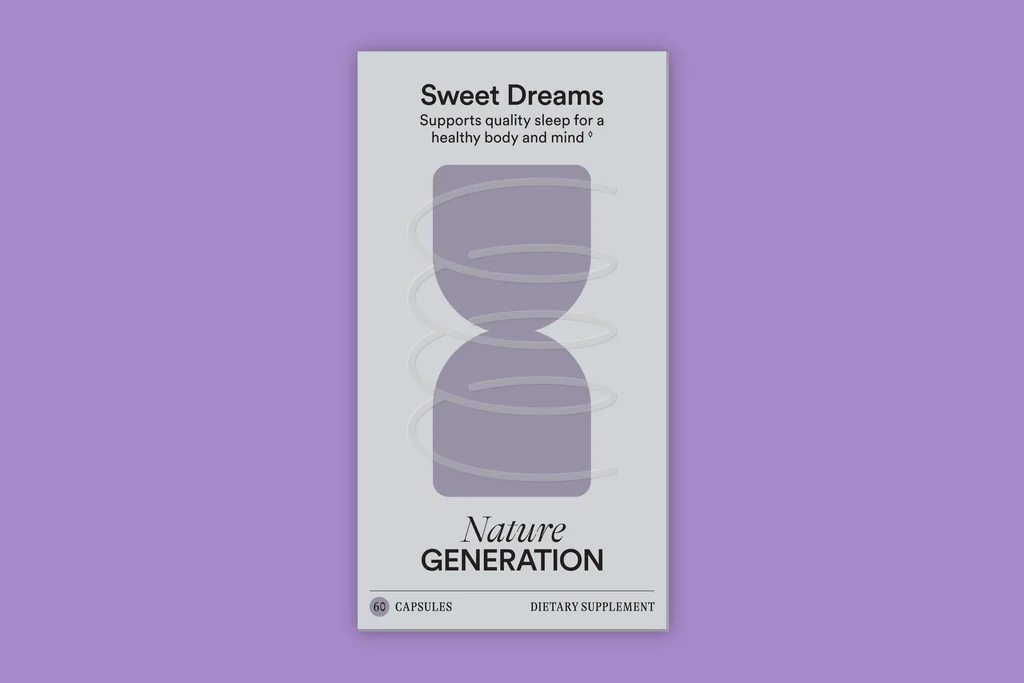
A 0.4% severe text-breakage rate is good for a generator. It is still not zero, and “minor breakage” on a supplement label can mean a wrong number. That is why we keep this split:
- The product itself comes from the 3D model. Shape, label artwork and logo are rendered from the CGI master, so they never drift between shots.
- The scene around it can come from AI. Backgrounds, props, seasonal variants and quick mood options are where multi-round editing saves the most time.
- Every AI edit goes back on top of the master. If the label moved even slightly, the product layer is replaced with the original render.
Native transparency is useful in the same workflow, but it is not new for CGI. A 3D renderer already outputs an alpha channel for every frame, which is how we deliver marketplace images and 360 spins on a transparent background. What Seedream 5.5 adds is transparency for the generated parts: a splash, a plant, a prop, ready to drop into a layout.
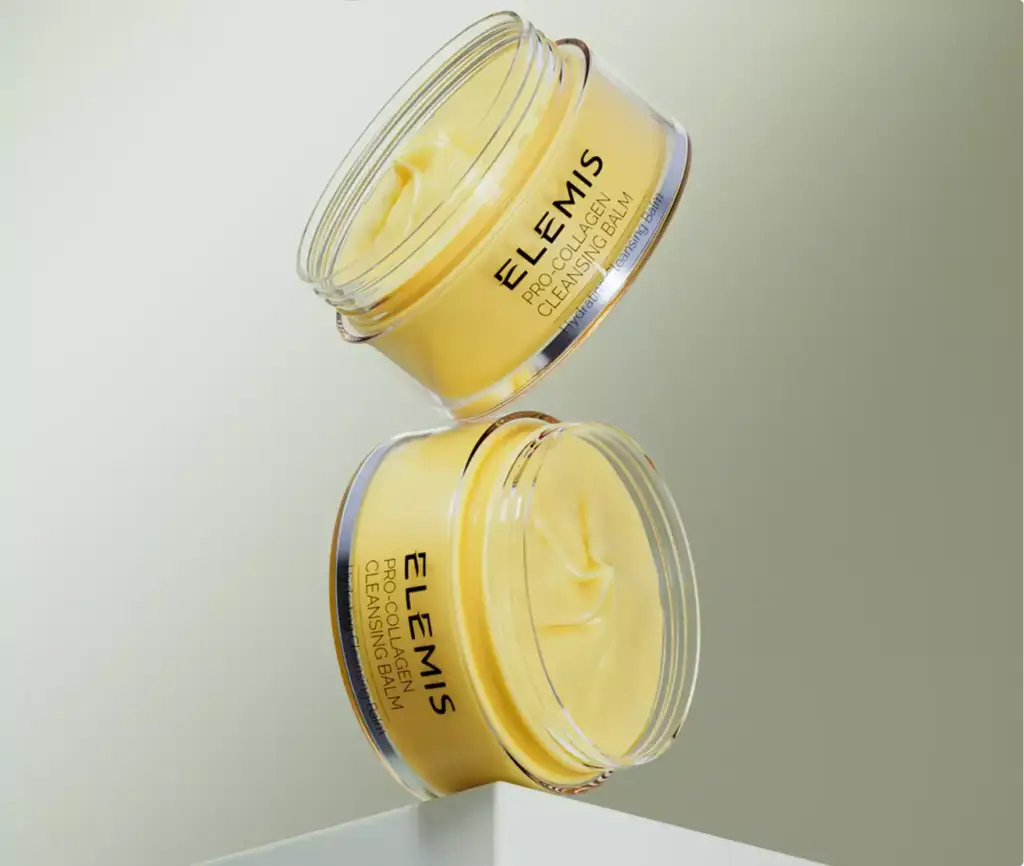
Glass, liquids and soft shadows are the real test of the RGBA claim. A clean alpha around a matte box is easy. A jar rim that lets the background show through, or a shadow that should fade rather than stop, is where cut-out tools fail. If you plan to use Seedream 5.5 transparent output on a product page, check it on a dark and a light background before it goes live. For anything the client has signed off at pixel level, our 3D packaging rendering remains the safer source.
Seedream 5.5 vs GPT Image 2.6 for Editing Work
OpenAI released GPT Image 2.6 five days earlier, so many teams will compare the two. They solve editing in different ways.
| Point | Seedream 5.5 | GPT Image 2.6 |
|---|---|---|
| Released | November 9, 2026 | November 4, 2026 |
| How you edit | Instruction edits, up to 100 rounds, unedited areas kept pixel-identical (vendor claim) | Markup layer to point at the area to change, plus saved reference images |
| Special outputs | Transparent RGBA PNG; layer decomposition endpoint | Animated GIF and SVG |
| Pricing model | Per image on resale APIs, from $0.02 | Per token: $30 per 1M image output tokens |
| Best first test | Long feedback loops on one approved image | Precise local edits you can point at |
We covered the OpenAI model in our GPT Image 2.6 first look. Neither model removes the need for a 3D master when the product geometry and label must be exact, because both still redraw pixels rather than read a model. Our guide to diffusion models explains why generated geometry drifts in the first place.
Seedream 5.0 Pro Layers: Turn a Finished Image into Editable PNG Layers
Layer decomposition is a separate Seedream endpoint that arrived with Seedream 5.0 Pro on July 8, 2026. It takes one finished image and returns a base image plus up to 16 transparent PNG layers. Each layer comes with its stacking order, position, a name and a short description. An optional prompt tells the model which elements to separate, for example “bottle, cap, label text, shadow.”
On November 10, 2026, Runway added it to its API as Seedream 5 Pro Layers (seedream5_pro_layers). A day later Runway switched billing from 18 credits per decomposition to a price per returned image: 3 credits at 1K or 1.5K and 5 credits at 2K or auto. The base image and every layer count, so a 16-layer result at 2K is 17 images, or 85 credits.
API resellers also list a Seedream 5.5 version of the same endpoint with up to 99 layers per request. Availability varies by platform, so check that the 5.5 endpoint is live where you work before you plan a job around it.
| Item | Seedream 5.0 Pro layer decomposition |
|---|---|
| Input | One finished image per request, plus an optional prompt |
| Output | Base image plus up to 16 transparent PNG layers with order, position, name and description |
| Sizes | 1K, 1.5K, 2K or auto; layers are always PNG |
| Runway API price | 3 credits per returned image at 1K/1.5K, 5 at 2K/auto (from November 11, 2026) |
| Failure mode | If one layer fails, the whole request fails; asking for more elements than the layer limit can merge or drop content |
Where it helps in product and packaging work: a client sends a flat key visual or an old render and no layered file survives. Decomposition gives a usable stack in one call, so a retoucher can move the product, change the background or swap a headline without masking by hand.
Where to be careful:
- Hidden areas are invented. Whatever sat behind the product is filled in by the model. Check the base image before you move the product.
- Glass and fine edges. Transparent bottles, hair and fringes are where layer edges break first; zoom to 100%.
- Labels. Text can come out as its own layer or stay baked into the product. Either way, compare it with the approved artwork.
- The product itself. For catalog and e-commerce frames, replace the decomposed product layer with the original render, just as with any AI edit.
Where to Use Seedream 5.5 Today
ByteDance’s own announcement names four places: the Jimeng creative app, the Doubao assistant, Doubao Work and the Volcano Engine Ark developer platform. All four are aimed at the Chinese market, and the rollout is gradual. According to Leiphone, the Ark API goes live “soon”, with no date.
Outside China, the faster route is a third-party API. WaveSpeed lists three Seedream 5.5 endpoints (text-to-image, edit and layer decomposition), Atlas Cloud lists the same three, and Higgsfield offers Seedream 5.5 with 1K, 1.5K and 2K output and a transparent-background option. Three cautions before you plan a project on them:
- Prices are the reseller’s, not ByteDance’s. They differ between platforms and change with resolution and settings.
- Claims differ too. One reseller page advertises “80+ round editing” in one place and “100+” in another; ByteDance’s own figure is up to 100.
- Check the license terms of the platform you use before AI images go into paid client work.
The layer decomposition endpoint (Seedream 5.0 Pro) is also in the Runway API since November 10, 2026.
How to Test Seedream 5.5 on a Client Brief
Vendor demos show the best case. Before 5.5 goes into a paid job, run it on a real brief and measure what breaks client work:
- Start from an approved master. Use one CGI render the client already signed off, so you have a reference for every pixel that must not change.
- Chain ten edits, one change each. Background, light, prop, color of a surface, and so on. Keep each instruction short.
- Check the pixel claim. Put each result over the master in a difference blend. Anything outside the edited area that is not black has drifted.
- Read the label after every round. Compare brand name, claims and numbers with the print file, not with the previous round.
- Make one transparent PNG of a glass product and place it on a dark and a light background. Look at the rim and the shadow.
- Log the cost of each call on the platform you use; do not budget from a per-image figure in a blog post.
We will run this sequence on the Nature Generation carton and the glass jars above and add the results here. If you are weighing AI video against an existing pipeline too, our first look at Pika H3 Flex uses the same method.
Turn Ideas Into Visual Stories