AI video for real estate uses artificial intelligence to turn listing photos or a text prompt into a short marketing video — an animated walkthrough, a social clip, or a property tour — in minutes, with no camera crew. It works best for properties that already exist and have been photographed. For unbuilt or off-plan projects, purpose-built 3D animation still does the heavy lifting.
The category has grown fast: search interest in AI real estate video tools is up several times year over year, and the first page of Google is now crowded with photo-to-video apps promising a finished tour in two minutes. This guide explains how the technology actually works, which tools fit which job, how to make a video step by step, and — the part most tool pages skip — where AI video quietly breaks down and what to use instead.
How AI real estate video generation works
AI real estate video generation converts static inputs — photos or a written description — into moving footage by predicting how a scene should animate. Under the label "AI video" sit three distinct approaches, and knowing which one a tool uses tells you what it can and cannot do.
- Photo-to-video — takes your existing listing photos and adds simulated camera motion: pans, parallax, slow push-ins. The room is real; only the movement is generated. Fastest path to a social clip from a finished listing.
- Text-to-video — generates footage from a written prompt using models such as Kling, Luma, or Veo. It invents the imagery, so output is cinematic but not a faithful record of a specific property.
- AI editing and assembly — auto-cuts your own clips, then layers captions, music, voiceover, and branding. Here AI speeds up post-production rather than creating the footage.
Most consumer real estate apps combine the first and third: they animate your photos, then auto-assemble the result into a captioned reel. That pipeline is excellent for listings you can photograph — and structurally unable to show anything that isn't already built.
Best AI video tools for real estate in 2026
The best AI video tool for real estate depends on your input and goal: photo-to-video apps win for fast listing reels, general generative models win for cinematic prompt-based shots, and script-to-video editors win for narrated tours. The main options agents and marketers reach for today:
| Tool | Type | Best for |
| Kling AI | Image / text-to-video | Realistic motion, cinematic short clips with few artifacts |
| Luma (Dream Machine) | Image / text-to-video | Turning listing photos into smooth cinematic walkthroughs |
| Google Veo | Text-to-video | High-fidelity generative shots from a written prompt |
| Invideo AI | Script-to-video / editing | Full narrated listing videos with captions and voiceover |
| Photo-to-video apps (AutoReel, PropertyVideos.ai, VideoTour.ai) | Photo-to-video | Fast, low-cost social tours built from existing photos |
None of these replaces a purpose-made asset for a property that hasn't been built. They accelerate marketing for finished listings. For AI applied to still imagery rather than motion — renders, virtual staging, and enhancement — the trade-offs differ, which we cover in our guide to the best AI rendering tools.
How to make an AI real estate video step by step
To make an AI real estate video, gather your assets, pick a tool that matches your goal, generate from photos or a prompt, then refine and brand the output. A repeatable workflow:
- Gather your assets — high-resolution photos, the floor plan, and key listing details (rooms, features, location hooks).
- Match the tool to the job — photo-to-video for a quick finished-listing reel, text-to-video for a cinematic hero shot, script-to-video for a narrated tour.
- Upload photos or write the prompt — feed in the images, or describe the scene, style, and mood you want.
- Set style, motion, length, and aspect ratio — choose cinematic vs. clean, motion intensity, clip length, and a vertical 9:16 frame for social.
- Add captions, music, voiceover, and branding — layer on your logo, contact details, and a consistent look.
- Review, then export and publish — check for warped geometry, melting reflections, or impossible camera moves before it goes live.
Budget a review pass every time. Generative motion still produces artifacts — bent door frames, drifting furniture, reflections that don't behave — and those errors read as cheap on a high-value listing. AI video is one tactic inside a broader plan; see our overview of real estate video marketing for where it fits alongside walkthroughs and developer films.
Where AI real estate video still falls short
AI real estate video falls short whenever the property can't be photographed as it will be sold. Because photo-to-video animates existing images and text-to-video invents plausible-but-inexact scenes, both struggle with the exact situations where video sells hardest:
- Off-plan and pre-construction — there is nothing to photograph and no accurate reference, so AI cannot show the building that buyers are actually purchasing.
- Renovations and structural changes — AI can't truthfully depict a wall removed, a kitchen redesigned, or a floor added; it can only restyle what already exists.
- Hero and luxury shots — at high price points, artifacts and warped geometry erode trust exactly where polish matters most.
- Brand and spec consistency — generative output drifts between runs, making it hard to match a developer's materials, finishes, and guidelines shot to shot.

In our studio, the pattern is consistent: AI photo-to-video is a strong top-of-funnel accelerator for finished listings, but it hits a wall the moment the property doesn't exist yet. Off-plan towers and pre-construction homes can't be filmed or photo-animated — buyers commit off a render or an animation, not a floor plan. That's where a 3D model built from the drawings, not a guess from the AI, becomes the asset that actually closes the sale. — Dim Kuzmenko, Maverick Frame
AI video vs 3D architectural animation: when to use which
Use AI video for fast, low-cost clips of finished listings, and 3D architectural animation for unbuilt, off-plan, or spec-critical projects that must be shown exactly as designed. They solve different problems on measurable axes:
| Axis | AI photo-to-video | 3D architectural animation |
| Source input | Existing photos or a prompt | A 3D model built from plans |
| Works for unbuilt property | No | Yes |
| Accuracy to spec | Approximate | Exact |
| Turnaround | Minutes | Days to weeks |
| Typical cost | Low / subscription | Project-based |
| Best use | Finished-listing social clips | Off-plan, developer sales, hero films |
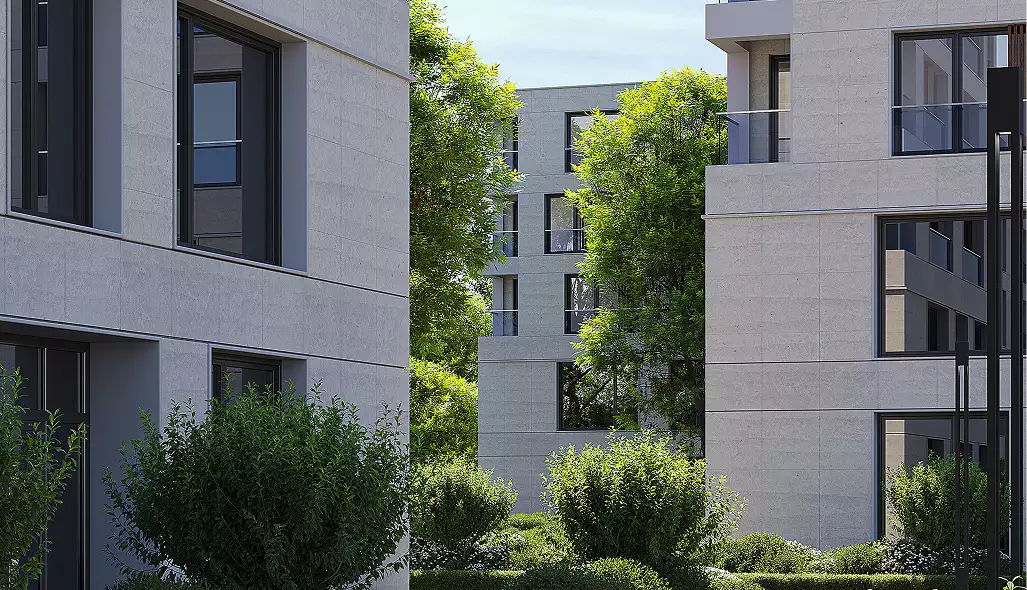
The two are complementary, not rival. Many developers use AI clips to keep social channels active and commission 3D architectural animation for the pre-construction films that carry the actual sale. Pick by the question the buyer is really asking: "show me this home" points to AI video; "show me a home that isn't built yet, exactly as promised" points to 3D.