3D architectural animation is a computer-generated video that moves a camera through or around a building, interior, or site before it is built. Also called architectural animation, it turns drawings or a 3D model into rendered frames with light, materials, and context, so clients, buyers, and planners can see how the space works.
This guide covers the definition, how architects use animation, the production process, what AI can and cannot do, the main types, cost, software, and how to brief a studio.
What Is 3D Architectural Animation?
3D architectural animation is a short CGI video used to visualize architectural designs in motion. It is usually created from a digital 3D model and a sequence of rendered frames, unlike a still render that shows only one viewpoint. The purpose is to help people understand a building, interior, site, or development through movement, scale, sequence, and atmosphere.
A good architectural animation does more than move a camera through a model. It turns technical plans into a visual story that clients, buyers, investors, and public stakeholders can understand quickly. For projects that need motion, pacing, and presentation value, 3D architectural animation services can turn unbuilt spaces into videos for sales, approvals, investor communication, and launch campaigns.
Architectural animation is part of architectural visualization, but it serves a different role than a single image. A still render may show a beautiful facade or room, while animation can show how someone approaches the building or moves through the space. That makes it useful when the viewer needs to understand flow, experience, and context rather than only appearance.
What Architectural Animation Shows
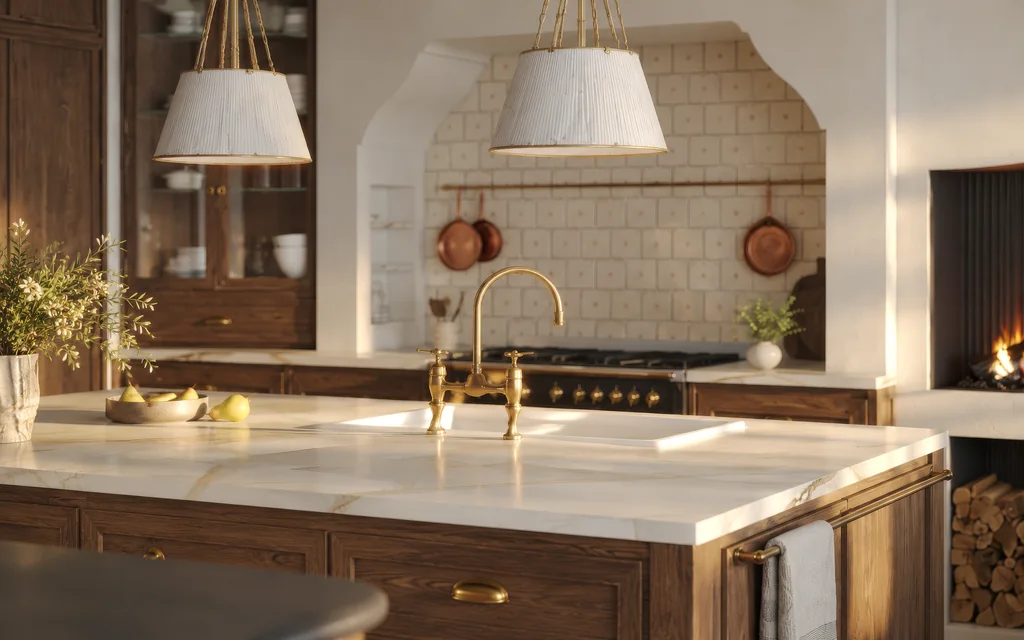
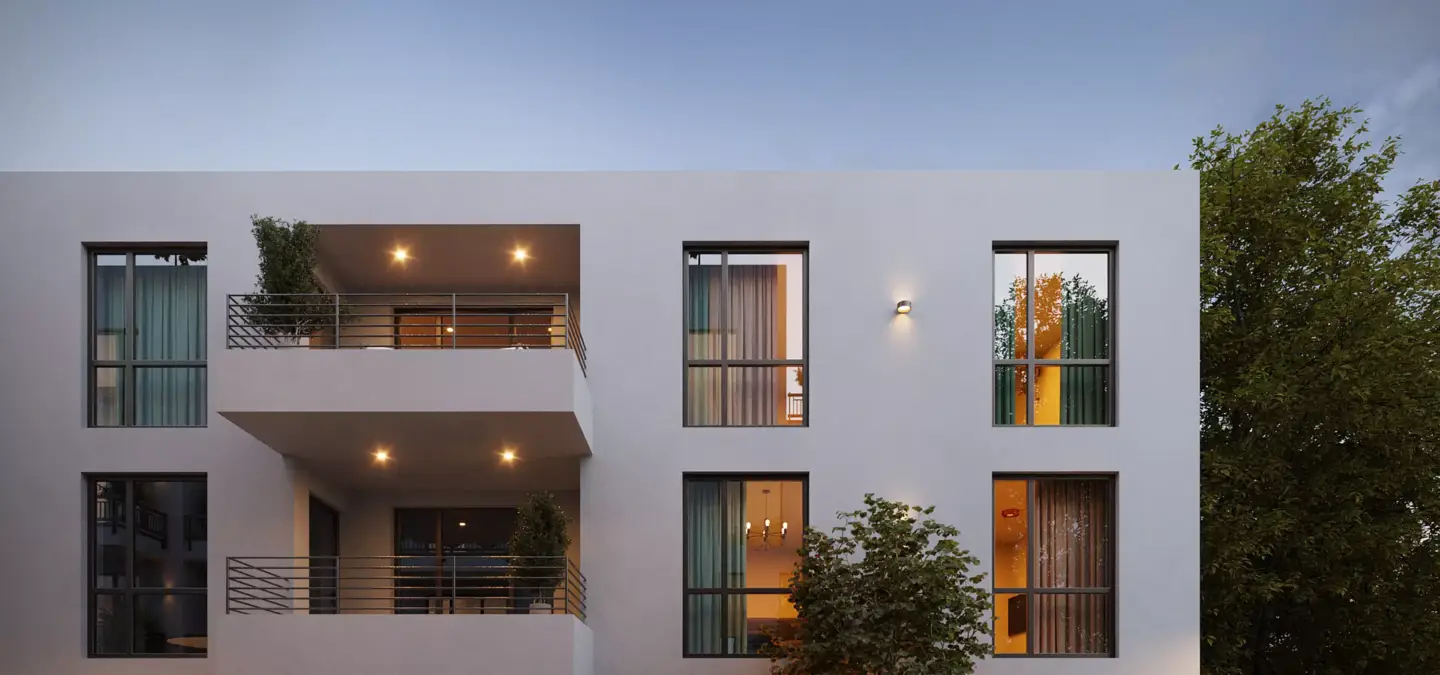
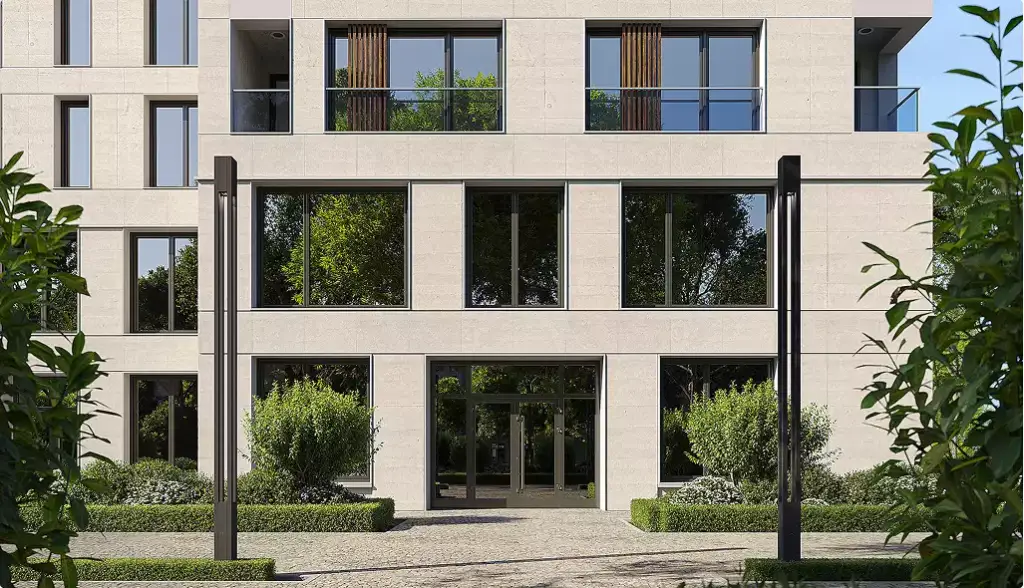
Architectural animation can show interiors, exteriors, landscaping, furniture, people, vehicles, lighting changes, camera movement, material finishes, and spatial flow. It can move through a kitchen, around a tower, across a master plan, or into a lobby to reveal the design step by step. The format helps viewers connect separate design details into one clear experience.
- Exterior building approach.
- Interior room-to-room movement.
- Aerial site overview.
- Master plan or urban development.
- Construction sequence or phasing.
- Cinematic property marketing film.
The exact content depends on the project goal. A design review animation may focus on layout and circulation, while a sales film may focus on atmosphere and lifestyle. A planning presentation may show massing, streetscape impact, landscape, and site access.
Why Animation Is Used Before Construction
Architectural animation is used before construction because it helps people understand a design before it exists physically. Plans, elevations, and BIM data can be precise, but many viewers still struggle to imagine scale or atmosphere from technical documents. Animation closes that gap by showing the project as a moving experience.
This is valuable for approvals, investor confidence, buyer engagement, and client communication. A developer can show a future apartment tower before the model unit is built, while an architect can explain how a visitor enters and moves through the space. Clear motion reduces misunderstandings because viewers see relationships that may stay abstract in drawings.
Animation in Architecture: How Architects Use It
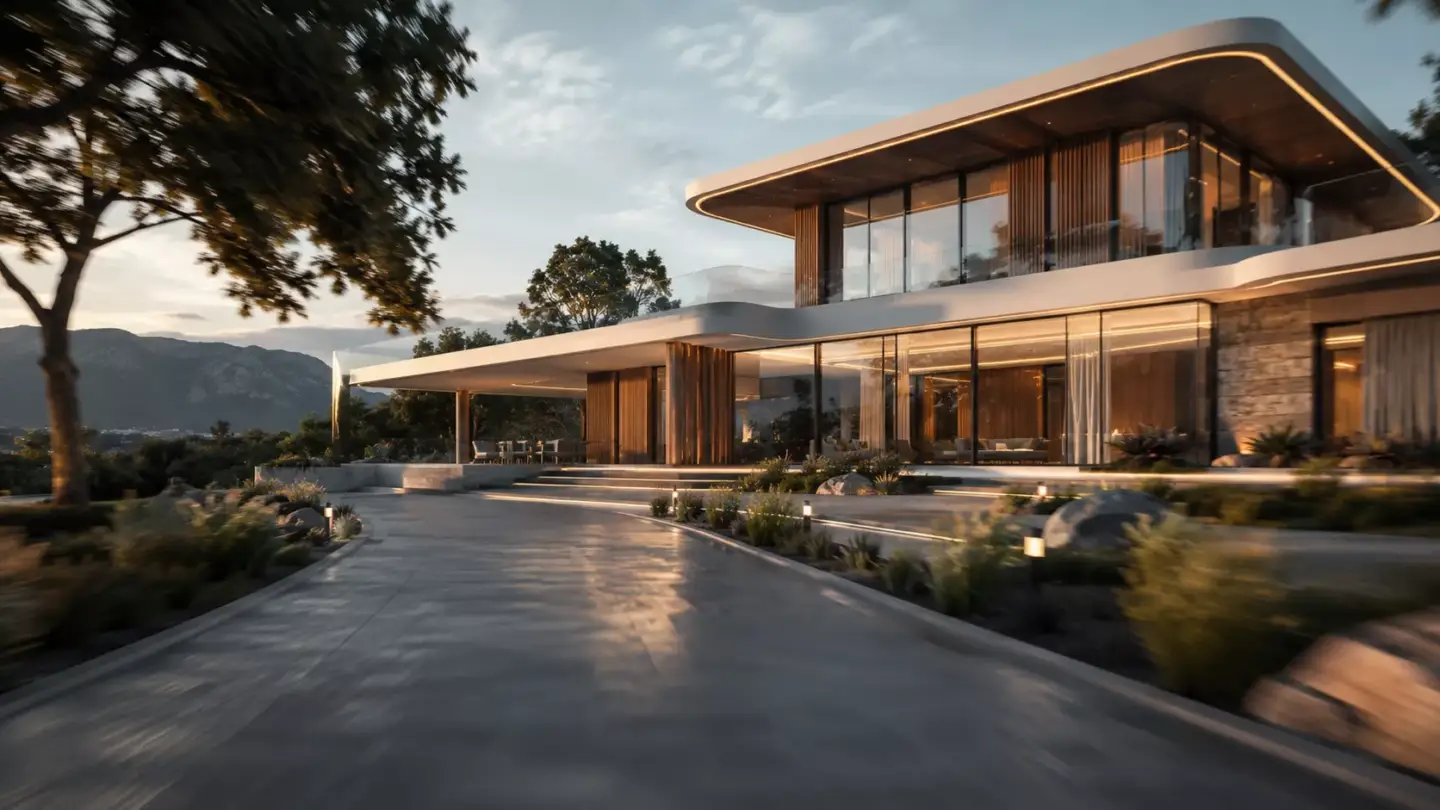
Animation in architecture is used at three points in a project: design review, approvals, and sales. Architects use it to test and explain a design, planning teams use it to show context, and developers use it to sell units before construction starts. Each stage needs a different camera and a different level of finish.
- Design review: a simple white-model animation lets the team and client follow the route from the entrance to key rooms, check sightlines, ceiling heights, and daylight, and catch layout problems while changes are still cheap.
- Approvals and planning: an eye-level street sequence or a slow aerial pass shows massing, setbacks, landscape, and how the building sits next to its neighbors, so committees and residents can read the proposal without drawings.
- Off-plan sales: a finished film with furnished interiors, amenities, and views shows buyers and investors a unit that does not exist yet, and its frames double as stills for the brochure and listing.
The same 3D model can serve all three stages if it is built accurately once. That is why animation and architecture work best together when the visualization team joins early, not only after the design is frozen.
How Architectural Animation Works
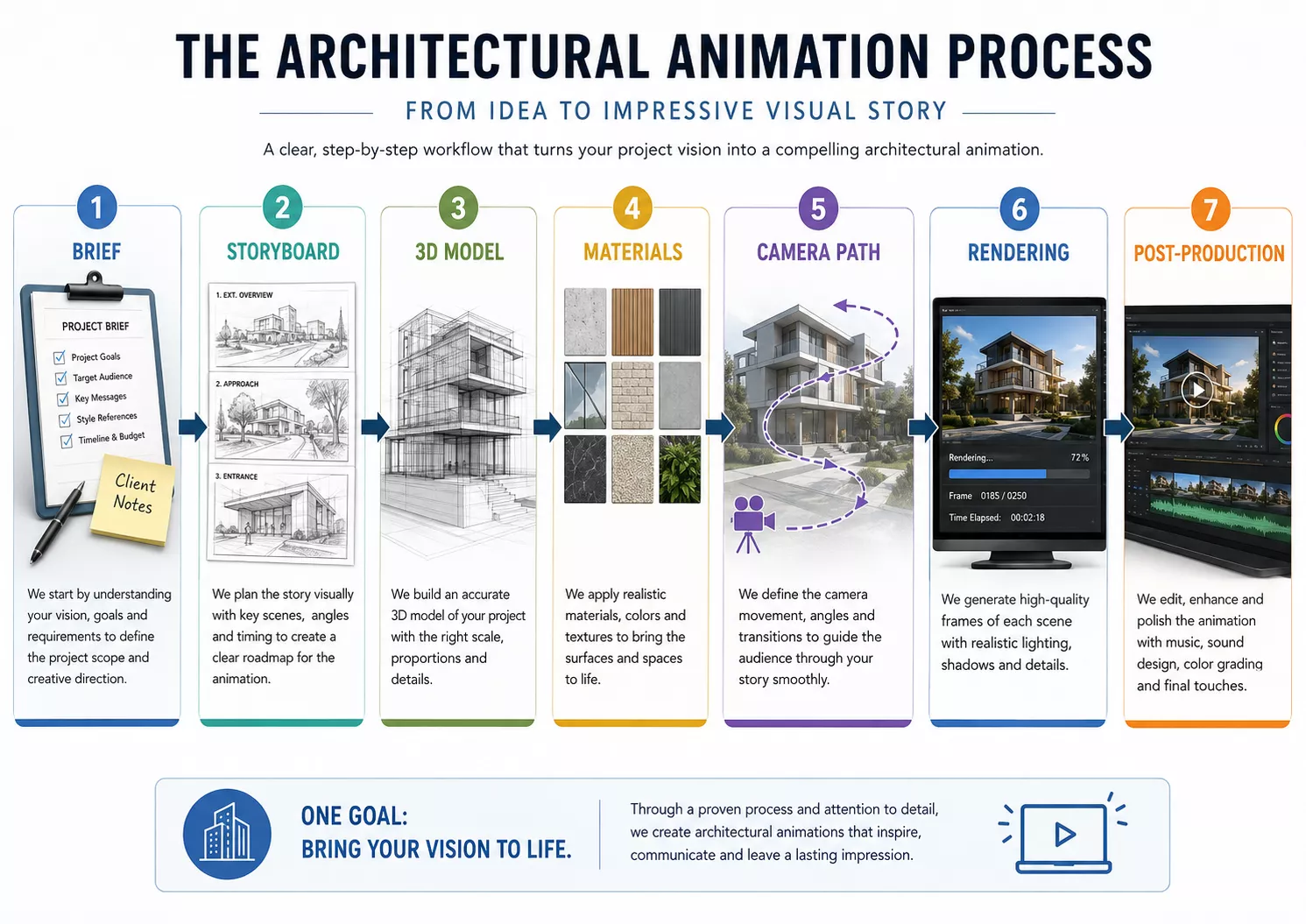
Architectural animation works by converting architectural drawings or 3D models into a moving sequence using camera paths, lighting, materials, rendering, and post-production. The workflow starts with a brief and ends with a polished video file ready for presentations or marketing channels. Each stage affects whether the animation feels credible, clear, and useful.
- Brief and goals: define audience, purpose, length, format, and key spaces.
- Storyboard or camera path: plan what the viewer will see and in what order.
- 3D modeling: build or refine the building, interiors, landscape, and context.
- Materials and lighting: apply textures, finishes, sunlight, artificial light, and atmosphere.
- Camera animation: create walkthrough, fly-through, or cinematic movement.
- Rendering: generate the frames that become the video.
- Post-production: edit, color-correct, add titles, sound, music, or labels.
- Delivery: export for website, sales deck, social media, investor meeting, or planning submission.
The 3D model is the foundation of the production process. If the model is inaccurate, the animation may look polished but still communicate the wrong design. For teams starting with drawings or incomplete files, architectural 3D modeling services can create a clean model that supports animation, still renders, 360 views, and other campaign assets.
From our studio — A lot of architectural animation today isn’t built in a game engine anymore. We render the right frames first — properly composed, properly lit stills made for motion — and then bring them to life with AI. Done well, it’s faster and often looks better.
Dim Kuzmenko, Maverick Frame
Can AI Make Architectural Animations?
Yes, AI can make architectural animations, but only part of the job. Image-to-video models can add camera drift, moving water, people, and changing light to a still frame in minutes, which is useful for mood boards, concept motion, and short social clips.
What AI video still does poorly is the part architects depend on:
- Exact geometry: a model that generates frames can bend window mullions, change floor counts, or invent details that are not in the drawings.
- A planned camera: it cannot reliably hold a measured path through specific rooms in the order a buyer should see them.
- Repeatable revisions: changing one facade material means generating the shot again, and the rest of the frame can change with it.
That is why the 3D model stays in charge. In our workflow, frames are rendered from the accurate model first and AI only adds motion to them, so the geometry comes from the drawings, not from the generator. For the tools themselves, see our review of AI rendering tools for architects.
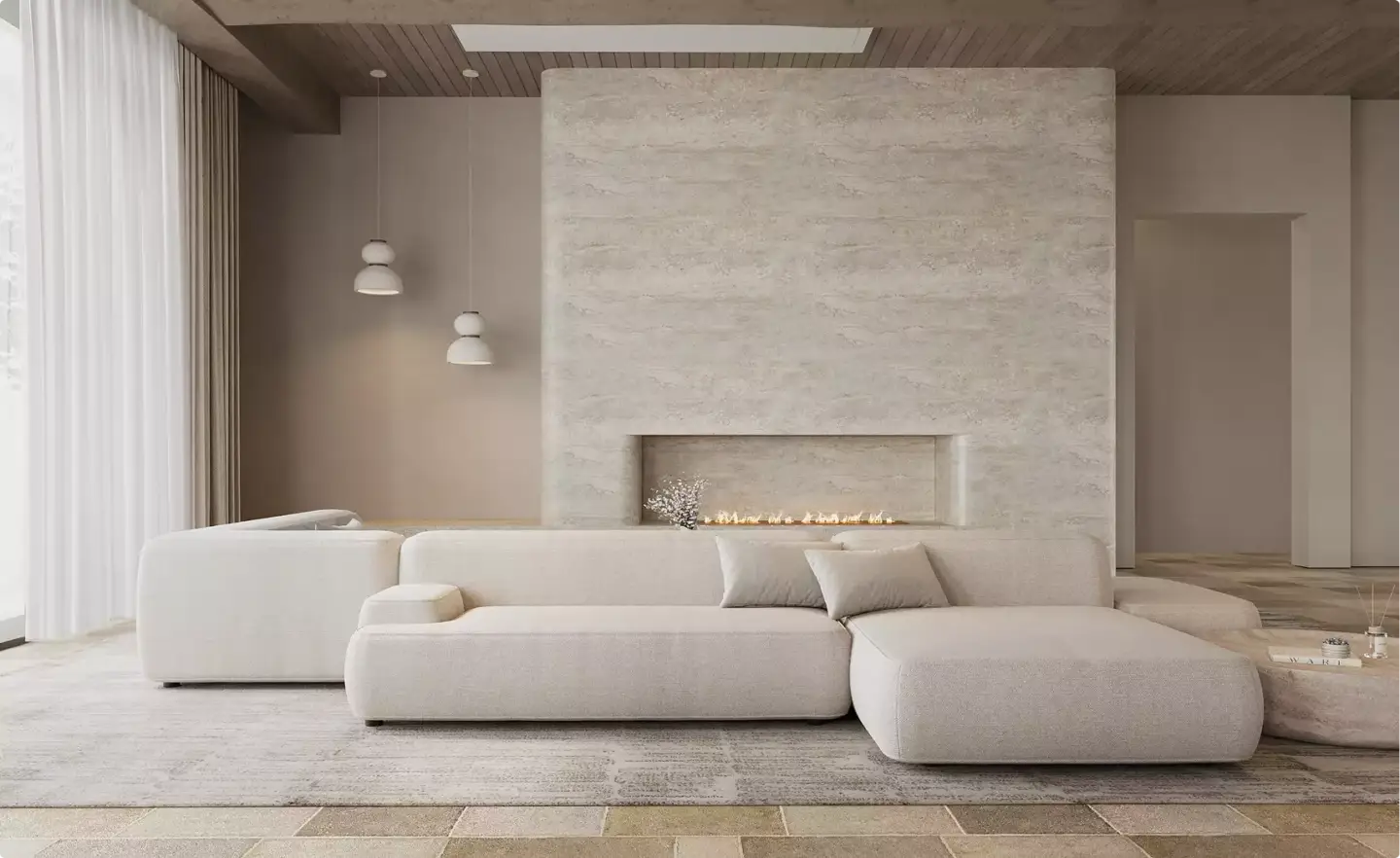
Architectural Animation vs Rendering
Architectural rendering is a still image, while architectural animation is a moving video sequence. Rendering is best for single-view visuals, print materials, hero images, and quick approvals. Animation is better when the viewer needs to understand movement, sequence, scale, atmosphere, or spatial relationships.
| Feature | Architectural Rendering | Architectural Animation |
| Format | Still image | Moving video |
| Best for | One strong view, print, quick approval | Spatial journey, sales presentation, investor pitch |
| Viewer experience | Observes one angle | Moves through or around the space |
| Production effort | Usually faster | Usually more complex |
| Main value | Visual clarity | Visual clarity plus story and movement |
Both formats often work best together. Still renderings can support brochures, listing pages, thumbnails, and print campaigns, while animation can carry presentations, launch videos, and website storytelling. For exterior hero visuals that pair well with animation, 3D exterior rendering services can help show facade design, material quality, scale, and context.
Main Types of Architectural Animation
The main types of architectural animation are walkthroughs, fly-throughs, cinematic films, construction animations, interior animations, and VR-ready or immersive visualizations. Each type answers a different presentation question. The right choice depends on whether the viewer needs to experience a room, understand a site, follow a build sequence, or feel the project’s marketing story.
- 3D walkthrough: eye-level movement through interiors or buildings, best for homes, hotels, offices, and retail spaces.
- 3D fly-through: aerial or drone-like movement around a building, site, or master plan, best for exteriors and large developments.
- Cinematic architectural film: polished marketing video with story, music, branded titles, and emotional pacing.
- Construction or phasing animation: shows how a project will be built over time.
- Interior animation: focuses on furniture, finishes, lighting, layout, and room atmosphere.
- VR-ready or immersive animation: supports headset, 360, or interactive viewing experiences.
A simple walkthrough can make an apartment layout easier to understand. A fly-through can show the wider relationship between buildings, roads, parking, and landscape. A cinematic film can combine both to create a stronger story for sales, leasing, or investor communication.
Walkthrough vs Fly-Through Animation
Choose a walkthrough when the viewer needs to experience interior space. Choose a fly-through when the viewer needs to understand the building, site, landscape, or surrounding context. Many architectural videos combine both formats, starting with an exterior fly-through and moving into an interior walkthrough.
| Need | Choose Walkthrough | Choose Fly-Through |
| Interior layout | Best fit | Limited |
| Site context | Limited | Best fit |
| Buyer experience | Personal and immersive | Expansive and cinematic |
| Best audience | Homebuyers, tenants, interior clients | Developers, investors, planners |
| Best projects | Apartments, offices, hotels, retail interiors | Master plans, resorts, towers, campuses |
A walkthrough feels more human because the camera moves at eye level. It can show how a lobby opens into a lounge or how a living room connects to a balcony. For interior-focused projects, 3D interior rendering services can also provide still visuals that support the animation with polished campaign images.
A fly-through feels broader and more strategic. It can show arrival sequence, building orientation, amenities, roads, neighboring structures, and landscape relationships. This is useful for large sites where the value of the project depends on context as much as architecture.

From our studio — The most common request now isn’t a plain walkthrough. It’s closer to a short film: a fly-through to set the scene, then close-ups of the details, cut together into one clean reel. That mix is what actually holds attention.
Dim Kuzmenko, Maverick Frame
Where Architectural Animation Is Used
Architectural animation is used wherever people need to understand, approve, fund, sell, or promote a building before it is completed. It helps translate design information into a visual experience for non-technical and commercial audiences. The most common uses involve real estate, architecture, design, planning, and investor communication.
- Real estate pre-sales: show apartments, villas, towers, or mixed-use developments before construction.
- Architecture presentations: explain design intent to clients, consultants, and stakeholders.
- Investor pitches: make scale, atmosphere, and commercial potential easier to understand.
- Planning and public communication: show massing, context, streetscape, and public realm impact.
- Interior design: present furniture, finishes, lighting, and circulation.
- Hospitality, retail, and commercial leasing: show experience, flow, and brand atmosphere.
- Websites, social media, and ads: turn project visuals into video assets for digital campaigns.
Motion is useful when a single image cannot explain enough. A hotel project may need to show arrival, lobby flow, room atmosphere, and amenity quality. A mixed-use development may need to show site scale and then bring viewers down to street level.
Benefits of Architectural Animation
Architectural animation improves understanding, speeds up decisions, supports marketing, reduces miscommunication, and makes unbuilt spaces easier to evaluate. It gives viewers a guided experience that can connect exterior context with interior flow. This makes it especially useful for projects where the commercial value depends on confidence before construction.
- Clearer spatial understanding: viewers see how rooms, paths, and exterior areas connect.
- Better client communication: non-technical audiences can understand designs without reading plans.
- Stronger emotional impact: lighting, camera movement, and atmosphere make the project feel real.
- Improved sales and marketing assets: videos work well for websites, sales decks, ads, and listings.
- Earlier design feedback: teams can detect issues before construction or final approval.
- Investor and stakeholder confidence: complex developments become easier to explain.
The benefit should stay grounded in real decisions. Animation does not guarantee sales, approvals, or funding. It does help teams explain the project more clearly and make the future space easier to evaluate.
Architectural Animation Cost Factors
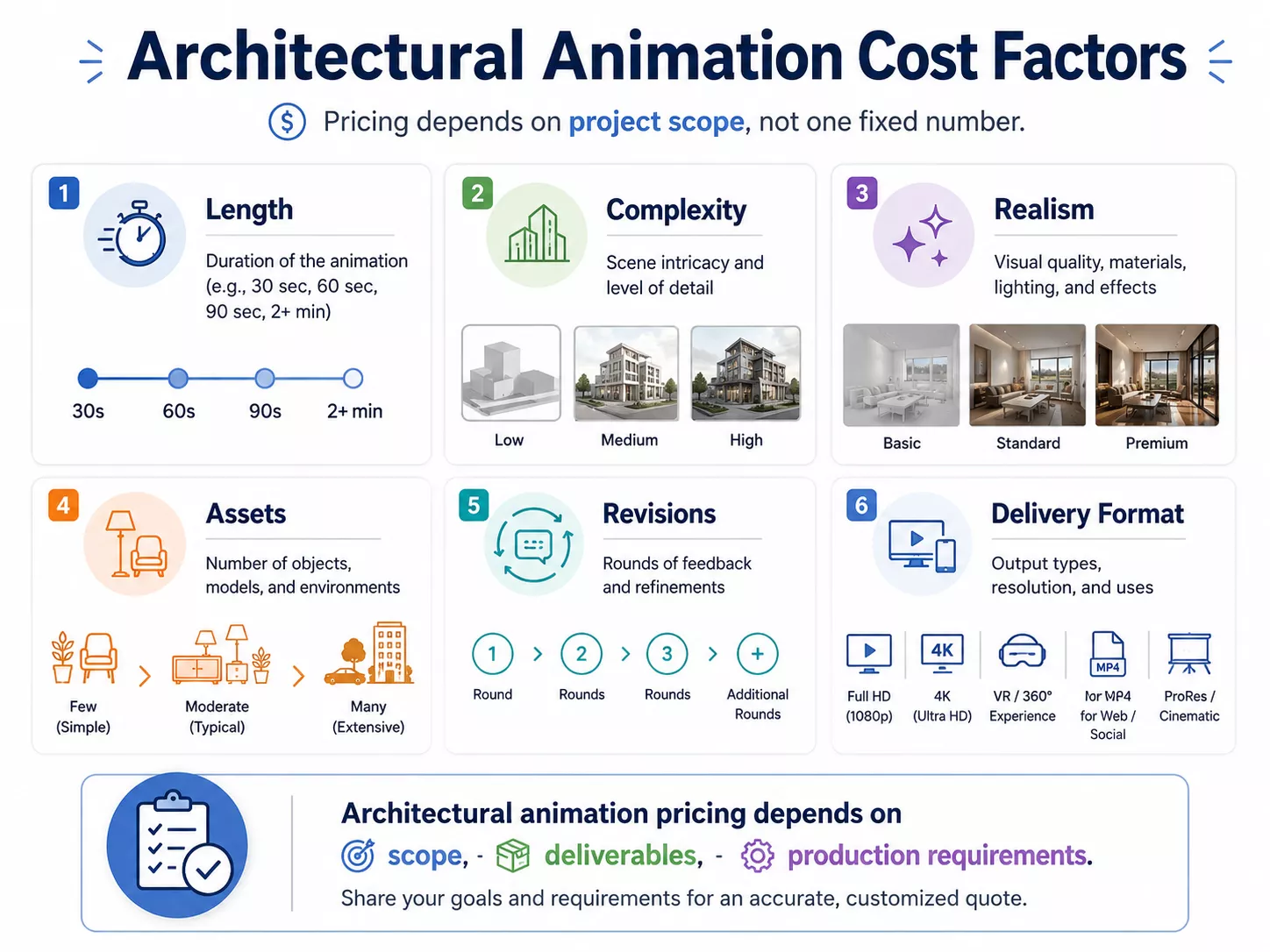
Architectural animation starts from about $2,200 per finished minute at Maverick Frame, and animation work is billed at $45 per hour. A short clip from an existing model sits near that floor, while a cinematic film with detailed interiors, exteriors, landscaping, people, and full post-production costs several times more. Length matters less than what must be modeled, rendered, and revised. See our 3D walkthrough animation cost guide for a full breakdown, and the 3D rendering pricing guide to compare still images.
Architectural animation cost depends on length, complexity, detail level, realism, number of spaces, revisions, deadline, and whether the studio must create the 3D model from scratch. A short animation from an existing model usually requires less work than a cinematic film with interiors, exteriors, landscaping, people, vehicles, and branded editing. The most accurate estimate comes from a clear brief and usable project files.
- Animation length.
- Interior and exterior complexity.
- Level of photorealism.
- Quality of existing CAD, BIM, or 3D files.
- Number of camera paths.
- Furniture, landscaping, people, and vehicles.
- Rendering quality and resolution.
- Music, voiceover, labels, or branding.
- Revision rounds and deadline pressure.
The biggest cost driver is usually production scope. More camera paths, higher realism, custom assets, and heavier post-production increase the amount of modeling, rendering, and editing. A clear estimate should define the target duration, visual quality, available files, review process, and delivery format.
From our studio — What makes one quote expensive and another cheap is rarely the runtime. It’s whether the client insists we avoid AI and hand over native source files, and how many revision rounds they want. If usable renders already exist, there’s far less to rebuild for the animation — and the price drops.
Dim Kuzmenko, Maverick Frame
Architectural Animation Software
Architectural animation can be created with 3D modeling, rendering, real-time visualization, and post-production tools. The exact software depends on studio workflow, realism target, interactivity, deadline, and final delivery format. The tools matter, but the final quality depends more on planning, modeling accuracy, camera judgment, lighting, and editing.
- 3ds Max: common for detailed architectural visualization pipelines.
- Blender: flexible 3D modeling, animation, and rendering tool.
- Lumion: popular for fast architectural visualization and environment setup.
- Unreal Engine: strong for real-time rendering, cinematic animation, and VR-ready experiences.
- Twinmotion: accessible real-time visualization for architecture.
- V-Ray or Corona: photorealistic rendering engines often used in archviz.
- After Effects, Premiere Pro, or DaVinci Resolve: post-production, editing, titles, and color work.
Some workflows focus on photorealistic offline rendering. Others use real-time engines to speed up previews, walkthroughs, and immersive reviews. The best workflow should match the project goal rather than forcing every animation through the same toolset. At Maverick Frame, the base stack is 3ds Max with Corona, and D5 is the second engine we use for animation.
When Animation Works Better Than Still Images
Use architectural animation when movement, sequence, experience, or stakeholder persuasion matters more than one perfect image. Still rendering is often better for brochures, hero images, early approvals, print materials, and fast design reviews. Many projects need both because campaigns require still assets and video assets for different channels.
- Use animation for investor presentations, sales launches, large developments, premium property marketing, and complex spatial stories.
- Use still rendering for brochures, hero images, early approvals, print materials, and fast design reviews.
- Use both when the project needs a complete visual campaign across the website, pitch deck, ads, listings, and sales collateral.
| Project Goal | Best Visual Format |
| Show one exterior hero angle | Still rendering |
| Explain interior flow | Walkthrough animation |
| Show site scale and surroundings | Fly-through animation |
| Sell off-plan property | Animation plus still renders |
| Support planning or public review | Fly-through plus labeled context visuals |
| Create immersive presentation | Animation, VR, or 360 tour |
The simplest rule is to match format to decision. If the viewer needs one memorable image, a still render may be enough. If the viewer needs to understand how the space unfolds, animation is usually stronger.
Animation vs 360 Tours and VR
Architectural animation is a guided video, while a 360 tour lets users look around from fixed viewpoints and VR can allow deeper immersive interaction. Animation is best when the creator needs to control the story, pacing, and camera path. A 360 or VR format is stronger when the viewer needs more freedom to explore.
| Format | Main Experience | Best Use |
| Architectural animation | Guided video sequence | Sales films, investor decks, launch campaigns |
| 360 tour | Look-around viewpoints | Remote viewing, room exploration, virtual open houses |
| VR experience | Immersive or interactive environment | High-impact presentations and design review |
| Still rendering | One polished viewpoint | Brochures, hero images, quick approvals |
A 360 tour can be useful when buyers need to explore rooms at their own pace. A VR experience can be powerful for high-value stakeholder presentations or immersive design review. For interactive real estate viewing, 3D virtual tour services can support projects where user-controlled exploration matters more than a linear video.
Architectural animation remains better when the project needs a curated narrative. The video can start with location, move through exterior context, enter the lobby, and finish with key amenities. That controlled sequence is useful for presentations where the team wants every viewer to see the same story.
How to Brief an Animation Studio
A strong architectural animation brief should explain the project, audience, goal, visual references, available files, required length, deadline, and delivery formats. It should also clarify whether the animation is for sales, design approval, planning review, investor communication, or brand storytelling. A clear brief reduces revisions, improves quote accuracy, and helps the studio choose the right workflow.
- Project type and location.
- Target audience and business goal.
- CAD, BIM, SketchUp, Revit, or 3D files available.
- Key spaces and must-show views.
- Preferred style and realism level.
- Animation length and aspect ratios.
- References for mood, camera movement, and quality.
- Branding, titles, music, labels, or voiceover needs.
- Deadline and review process.
The brief should separate fixed design information from creative direction. Dimensions, layouts, facade design, material specifications, and approved drawings should be treated as accuracy requirements. Mood, pacing, camera transitions, music, and title style can be shaped around the audience and platform.
In-House Team vs Animation Studio
Architectural animation can be produced in-house, by a freelancer, or by a specialized architectural animation studio. The best option depends on project complexity, quality expectations, deadline, software workflow, and whether the video is part of a larger marketing campaign. Complex projects usually benefit from a structured studio process because modeling, camera planning, rendering, and post-production need close coordination.
| Option | Best When | Limitation |
| In-house team | Ongoing design review and direct control | Requires software, artists, and production time |
| Freelancer | Small or focused animation tasks | Capacity and consistency may vary |
| Animation studio | Complex videos and campaign deliverables | Higher cost but stronger process and scalability |
| Real-time team | Interactive or VR-ready outputs | May require specialized delivery planning |
In-house teams work well when the project needs frequent design iteration. Freelancers can help with narrow tasks, such as camera animation or post-production support. A studio is often stronger when the final video must support sales, approvals, investor decks, and multi-channel marketing.
Key Takeaway for Choosing Architectural Animation
Architectural animation is a moving 3D visualization of a proposed building, interior, landscape, or development. It helps viewers understand scale, layout, atmosphere, and movement before construction or photography is possible. It is most valuable for presentations, approvals, real estate marketing, and sales when a still image cannot fully explain the experience of a space.
The right format depends on the project goal. A still render may be enough for one exterior hero angle, while a walkthrough or fly-through is better for spatial storytelling. If a still image cannot fully explain the experience of a space, architectural animation is often the better visual tool.
Need to show your project before it is built? Share your plans, 3D files, or reference images, and a visualization team can help choose the right animation format for your presentation or sales launch. The strongest results come from matching the medium to the decision your audience needs to make.
Turn Ideas Into Visual Stories