A product how-to video shows a buyer, step by step, how to set up, apply, use, clean or fix a physical product. A good one covers one task, gives every step its own shot, shows the result of each step and reads on mute with captions. You can film it, animate it in 3D or produce it with AI, and the right choice depends on whether the product already exists and how exact every step has to be.
What a Product How-To Video Is, and What It Is Not
Brands use four kinds of short product film, and buyers do not mix them up even when briefs do. A how-to video answers “how do I use it?”. The other three answer different questions:
- Product how-to video: one task, done correctly from start to finish, so the buyer can repeat it at home. It lives on the product page, in the help center and behind a QR code on the packaging.
- Product demo video: what the product does and why it is better. It sells; it does not have to teach every step.
- Explainer video: how a service, app or idea works, usually in motion graphics. For software, see the difference in our guide to explainer video cost.
- Assembly instructions video: a how-to for parts that go together, often with exploded views and numbered steps.
The test is simple: if a customer who watched the video can still do the task wrong, it was a demo, not a how-to.
Types of Product How-To Videos
Most physical products need two or three of these, not one long manual on video. Each type has a natural home:
| Type | What the buyer needs to see | Where it is watched |
|---|---|---|
| Setup and first use | Unboxing, charging, pairing, the first switch-on | Product page, packaging QR code |
| Application and installation | Surface preparation, placement, pressing, curing time | Product page, marketplace listing, retailer pages |
| Assembly | Parts in order, fixings, orientation, the finished unit | Help center, printed manual QR code |
| Cleaning and maintenance | What to remove, what to wash, how often | Help center, follow-up email |
| Refill, replacement and care | Filters, cartridges, pads, consumables | Product page, subscription emails |
| Troubleshooting | The common mistake and the fix | Help center, customer service replies |
Assembly is its own discipline when parts must stay in the right position and scale; that is the work of 3D assembly animation. The rest of this guide covers single-task how-tos for consumer products: home and bathroom goods, kitchen tools, personal care and gadgets.
How to Write a Step-Accurate How-To Script
Most how-to videos fail on one wrong step, not on the picture: a sticker shown on a wet tile, a filter turned the wrong way, a missing waiting time. The fix is to write the script from the manufacturer’s instructions and check the film against them, frame by frame:
- Start from the written instructions. Use the instruction sheet, packaging copy or support article as the source of truth, not a summary from marketing.
- One step, one shot. Turn every instruction into a numbered row of a shot list. If a step needs two actions, it is two shots.
- Name the conditions. Surface, temperature, dry or wet, tools, which hand, how long to wait. A viewer copies what they see, including mistakes.
- Show the result of each step. The bubble pressed out, the click of a latch, the light that turns green. Without it the viewer cannot check themselves.
- Write captions as the voice-over. Many viewers watch muted in autoplay, so each step needs a short caption on screen.
- Check every frame against its row. Before the edit is approved, someone who knows the product ticks each shot against the instruction it shows.
A shot list for a clear anti-slip bath sticker, for example, starts like this:
| Step | What the viewer must see | What to check before approval |
|---|---|---|
| 1. Clean | The tub surface wiped and dried with a cloth | The surface is dry, not just rinsed |
| 2. Position | The sticker held above the dry surface, backing still on | Placement area matches the instruction sheet |
| 3. Peel and press | Backing peeled, sticker pressed from the center outward | Pressing direction pushes air bubbles out |
| 4. Wait | A caption with the waiting time before water use | Time matches the packaging exactly |
| 5. Result | Water on the surface, a foot that does not slip | The effect shown is the one the product claims |

How to Show a Transparent or Very Thin Product on Video
Clear films, stickers, coatings, screen protectors and glass parts are the hardest products to film, because on a normal shot they are invisible. Show them with light and contrast, then prove them by their effect:

- Edge light: light the product from a low angle so the outline catches a thin highlight. The edge, not the surface, tells the viewer where it sits.
- Macro on texture: film the product close up on a surface with a pattern, such as tile, wood grain or fabric, so the texture shows the boundary.
- Peel and lift: show the corner lifting off the backing; the moment of separation is what the eye reads as “there is something here”.
- Proof by effect: water beading, a foot or hand that grips, a scratch that does not appear. The effect is the product claim, so it belongs in the shot list as a step.
- Before and after side by side: the same surface with and without the product, in the same light.
- A brief outline in 3D: in an animated or hybrid film, the product outline can glow for a second to show the exact placement, then fade back to the real look.
Filming vs 3D Animation vs AI Video for a How-To
Film when you have the finished product, a set and real hands; use 3D animation when the product does not exist yet, hides its steps inside or must be exact; use AI video when you need a realistic setting fast and the steps are fixed in a shot list first. Compared on the questions that decide a how-to:
| Question | Filming | 3D animation | AI video |
|---|---|---|---|
| Needs a finished sample? | Yes, and the set, props and talent | No, built from CAD or photos | No, but it needs reference photos of the real product |
| Product accuracy | Exact, it is the real product | Exact, the model is built to your files | Can drift between shots unless anchored to a 3D model |
| Hidden or inside steps | Only what the camera can see | Cutaways and see-through parts | Limited; inside views are better in 3D |
| Real hands and a lived-in setting | Natural | Possible, takes more modeling | Strong; settings and hands look real |
| Changes after a packaging or design update | Reshoot the affected shots | Swap the model or label and re-render | Regenerate the affected shots |
| Best fit | Products on the shelf, tactile tasks | Pre-launch products, mechanisms, exact parts | Lifestyle how-tos, many cuts for social |
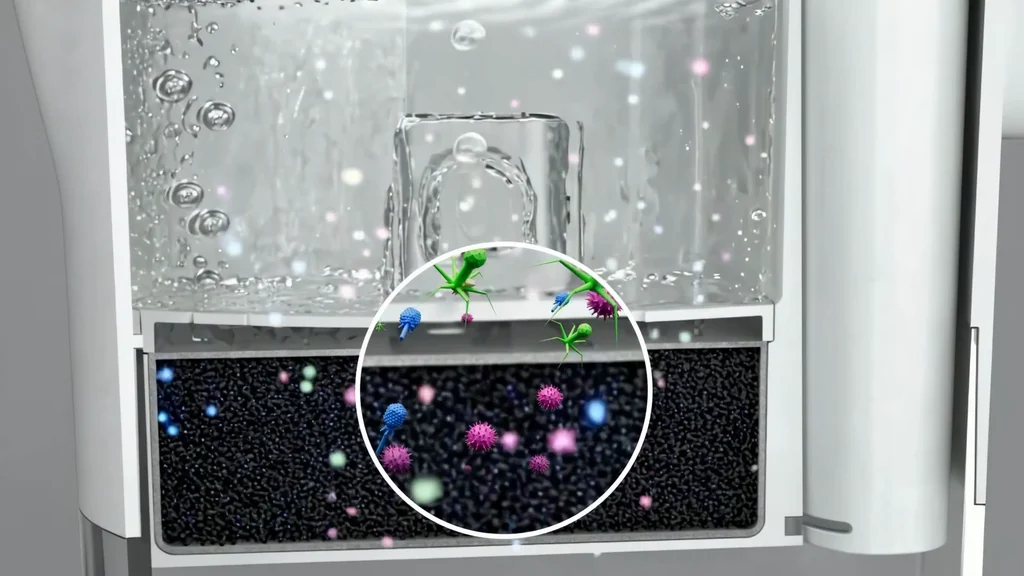
Hybrids are common. A real or 3D product, filmed or rendered in close-up, sits inside an AI-generated bathroom or kitchen; the product stays exact and the setting stays cheap to change. Studios that make 3D product animation build the product once and reuse the model for the how-to, the demo and the ads. For realistic settings and hands, AI video production works when every generated frame is checked against the shot list, the same way as a film.
Length, Captions and Formats for How-To Videos
- Length: as long as one task and no longer. If the manual has five tasks, make five short videos rather than one long one, so each QR code and help article opens the right answer.
- Captions: one short caption per step, on screen long enough to read, in the language of the market. Voice-over is optional; captions are not.
- Aspect ratio: 16:9 for product pages and help centers, 9:16 and 1:1 cuts for social and marketplace video slots.
- Thumbnails and first frame: show the finished result, so the buyer knows the video answers their task.
- Versions: plan language versions from the start; captions and on-screen text should sit on their own layer so a new market is a text swap, not a new edit.
What to Send Before a How-To Video Starts
The brief decides how accurate the film can be. Send these with the first message to any studio or freelancer:
- The written instructions or support article for the task, with any warnings and waiting times
- Product photos from all sides, or CAD files if the product is not on sale yet
- The surfaces and settings where customers use it, and the ones to avoid
- The mistakes customers make most often, from reviews or support tickets
- Brand guidelines, packaging files and the label text that must be readable
- Where the video will be watched: product page, marketplace, QR code, social
Turn Ideas Into Visual Stories