No — AI is not replacing 3D artists, and there is no credible sign it will in 2026. What AI has actually done is widen the gap between strong and weak artists dramatically. It automates the tedious middle of the pipeline, but creative direction, spec accuracy, and client-ready precision still sit with a human. The threat is not to the profession; it is to anyone who refuses to use the tools.
Is AI replacing 3D artists in 2026?Is AI replacing 3D artists in 2026?
Short answer: no. AI is replacing tasks, not the artist. Text-to-3D and AI rendering can produce a concept image or a rough base mesh in seconds, but they cannot hold a project to an exact specification, keep it consistent across a dozen client revisions, or take responsibility when a render ships. Those are the parts a studio actually gets paid for. Treating "AI can make a 3D image" as "AI can do a 3D artist's job" confuses a single step with the whole pipeline.
The confusion also comes from mixing up two different questions. "Can AI generate 3D-looking output?" is different from the difference between CGI and AI-generated images in a real production workflow — and different again from whether a client will accept that output as final. On the first question AI is impressive. On the last two, it still falls short.
What AI actually automates in a 3D pipeline todayWhat AI actually automates in a 3D pipeline today
AI has genuinely absorbed several slow, repetitive stages. Used well, it compresses hours of grunt work into minutes, which is exactly why skilled artists have leaned into it. The stages AI now handles well include:
- Concept and moodboarding — fast visual exploration before any real modelling starts.
- Denoising and render clean-up — AI denoisers cut noisy render passes to usable frames far faster than brute-force sampling.
- Upscaling — pushing a lower-resolution render to print size without re-rendering.
- Base textures and material variations — generating a first pass or quick alternatives to refine by hand.
- Retopology and UV assists — automating parts of the cleanup that artists used to do manually.
- Background and filler assets — set dressing that never needed a hero-level model.
Notice the pattern: every one of these is a means to an end, not the end itself. AI shortens the road to the deliverable. It does not decide what the deliverable should be. For a fuller view of where these fit, see our roundup of AI rendering tools.

The real change: AI widened the gap between good and bad 3D artists
This is the shift most "AI vs artists" takes miss. AI did not flatten the field — it stretched it. There has always been a gap between a strong visualizer and a weak one. Since AI tools arrived, that gap has widened by an order of magnitude, because the same tool multiplies whatever skill you already have.
Hand a weak artist an AI generator and you get faster mediocre work: off-spec geometry, generic lighting, materials that fall apart on close inspection. Hand the same tool to a strong artist and you get an output multiplier — they use AI to clear the repetitive stages and pour the reclaimed hours into composition, art direction, and precision. The winners are not "artists vs AI." They are artists with AI versus artists without it, and the distance between those two groups is now enormous.
In our studio, this is the single clearest effect we have seen. AI touches a real share of the pipeline — concepting, denoising, first-pass texturing — but zero client-final renders leave the studio without human review and correction. What changed is not headcount; it is leverage. The artists who adopted AI early now produce more, and better, than the same people did two years ago. The ones who ignored it did not get replaced by a machine — they got out-produced by peers who use one. Because we bill by the hour, that leverage is visible directly in how much finished, on-spec work fits into a day.

What still needs a human 3D artist
The parts of the job AI cannot yet touch are the parts clients pay a premium for:
- Exact spec matching — reproducing a real product, building, or CAD file to the millimetre, not an AI's plausible guess.
- Revision consistency — changing one element across ten frames while everything else stays identical. AI re-generates; it does not reliably edit.
- Art direction and intent — deciding what the image should say, not just what it shows.
- Rigging and functional models — assets that have to animate, load in a game engine, or drive a configurator.
- Accountability — a person who signs off, fixes what is wrong, and answers to the client.
The failure point is always the same: AI is strong at concepts and weak at production. Ask it for a mood, and it delivers. Ask it to match an exact spec, keep it consistent across revisions, and hit a deadline, and the cracks show. That last mile is the job.
Will AI replace 3D visualizers and archviz artists specifically?Will AI replace 3D visualizers and archviz artists specifically?
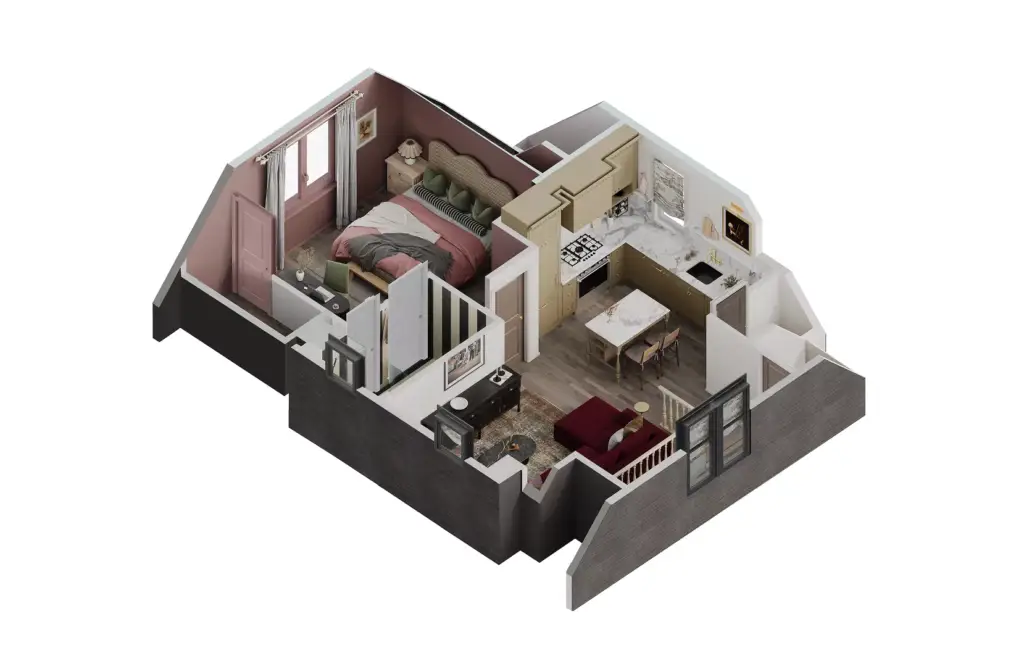
Architectural visualization is one of the safer corners of 3D, not a more exposed one. Archviz clients — developers, architects, brands — need renders that match a real building or product exactly, survive legal and marketing scrutiny, and stay consistent across a whole campaign. An AI image that "looks like" the building is worse than useless when the balcony railing, window mullions, or brand materials are wrong. That precision is the entire value of a professional visualizer. If you want the fuller picture of the role, see what a 3D visualizer actually does day to day.

Which 3D roles are most and least exposed to AI?
Exposure is uneven. The more a role depends on repetitive asset output, the more AI reshapes it; the more it depends on judgment and accountability, the safer it is.
| Role | AI exposure | Why |
| Junior asset / texture artist | High | High-volume, repetitive output is where AI is strongest. |
| 3D modeler (generic assets) | Medium-high | Base meshes are increasingly AI-generated, then cleaned by hand. |
| 3D animator | Medium | AI assists motion, but rigged, directed animation still needs a human. |
| Archviz / product visualizer | Low-medium | Spec accuracy and client sign-off resist automation. |
| Art director / lead | Low | Judgment, intent, and accountability are not automatable. |
How 3D artists can stay ahead of AI in 2026
The strategy follows directly from the gap: get on the winning side of it. Concretely:
- Adopt AI as a multiplier, now. Fold denoising, upscaling, and concepting into your pipeline so you spend saved hours on craft, not busywork.
- Move up the value chain. Invest in art direction, composition, and client communication — the parts AI does not touch.
- Specialize in spec-critical work. Exact-match archviz, product, and CAD-driven visualization are the hardest for AI to fake.
- Own the last mile. Become the person who takes a rough AI pass to a client-ready, accountable deliverable.
- Build trust, not just images. Clients pay for reliability and judgment; that relationship is your real moat.
If you would rather hand this off entirely, that is exactly what a studio is for — see our 3D architectural rendering services, where AI speeds the pipeline but every final render is human-checked.