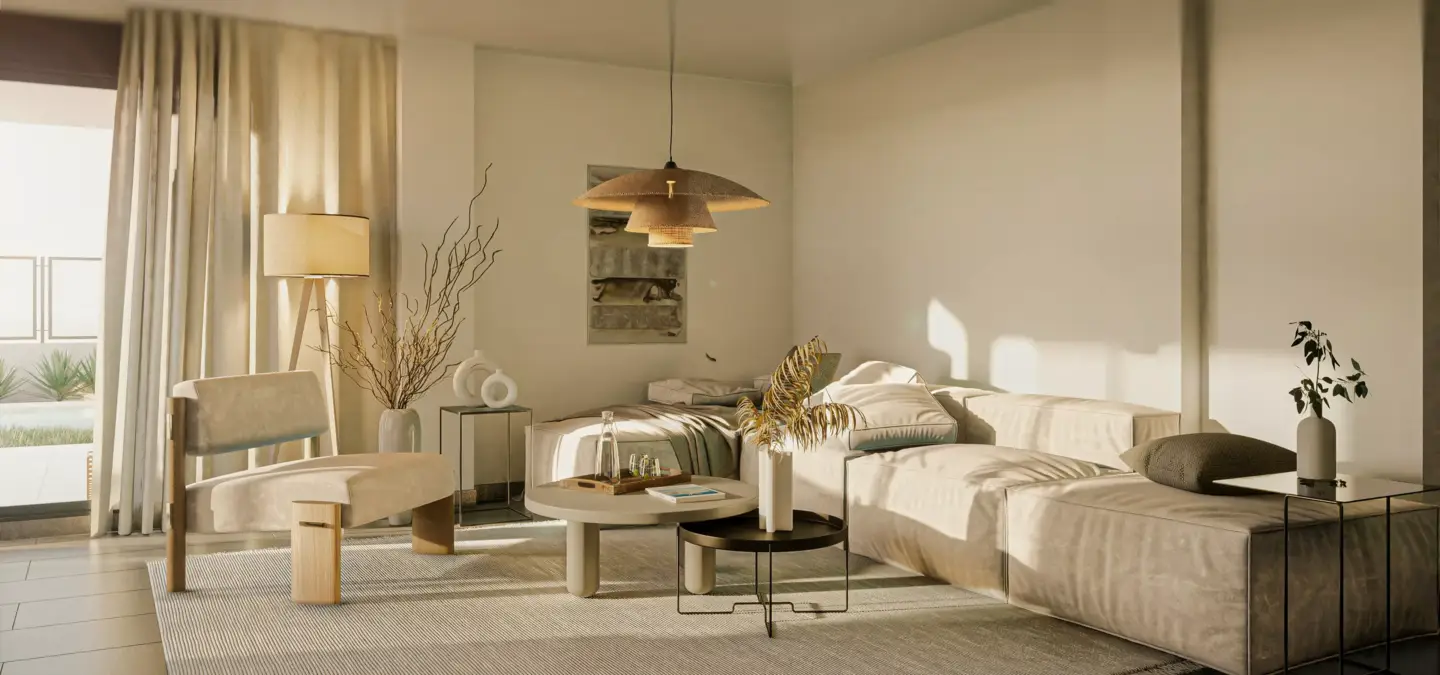
Interior rendering is the process of creating a realistic digital image or animation of an indoor space before it is built, renovated, furnished, or marketed. It shows the room layout, furniture, materials, lighting, colors, textures, finishes, and atmosphere so designers, clients, developers, real estate teams, and homeowners can understand how the space will look and feel in real life. Interior rendering is part of architectural visualization and interior design presentation, and it can be based on floor plans, sketches, CAD or BIM files, moodboards, furniture references, and material specifications. Kitchens are among the most requested interior scenes, as our kitchen renders show.
What interior rendering is — and what it is not:
- It is a photorealistic digital image, animation, or 360 view of an indoor space, created before that space is built, renovated, or furnished.
- Not interior design. Design decides the layout, furniture, and style; rendering visualizes that plan as a finished picture.
- Not 3D modeling. Modeling builds the raw geometry; rendering adds lighting, materials, and a camera to produce the final image.
- Not virtual staging. Staging drops digital furniture into a photo of a real, existing room; a render builds the whole scene from plans, even when nothing is built yet.
- Not plaster wall rendering. In construction, rendering a wall means applying a plaster or cement finish to a physical wall — a different trade entirely.
- Not a generic AI room image. An AI photo invents details, while an interior render holds exact dimensions, specified materials, and brand-accurate finishes.
Interior Rendering Meaning
Rendering in interior design means turning a planned space — its layout, materials, lighting, and furniture — into a photorealistic 3D image before anything is built. It lets designers, clients, and buyers see exactly how a room will look and feel, so decisions are made on a finished picture instead of a guess.
Interior rendering is a digital visualization of an indoor space. It is one of the core types of architectural rendering. It shows how a room, apartment, office, hotel, restaurant, showroom, or commercial interior will look with specific furniture, materials, lighting, colors, decor, and layout before the space is physically completed. The result can be a still image, animation, 360 panorama, virtual tour, or interactive presentation scene.
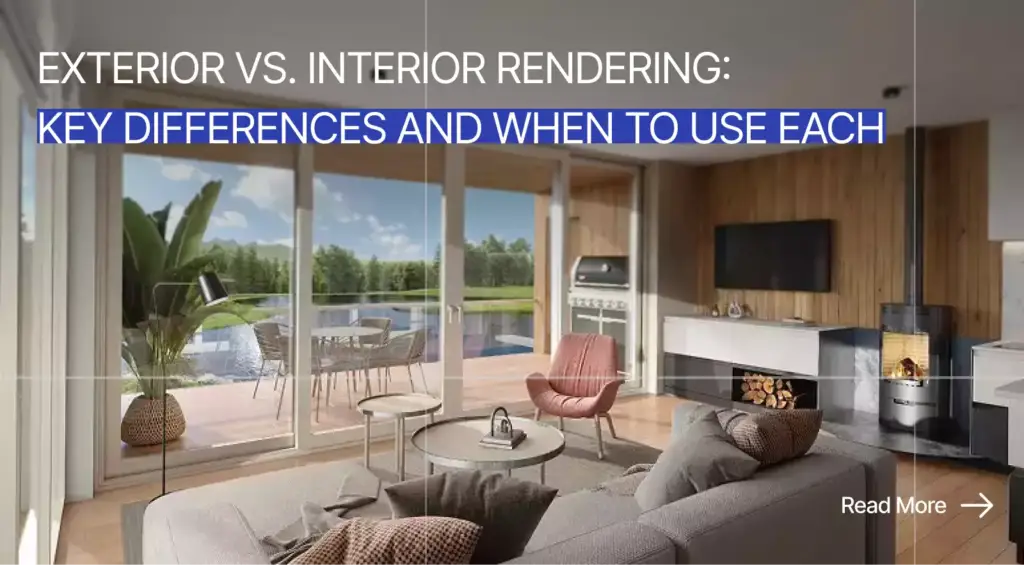
The word “interior” means the view focuses on the inside of a space, not the exterior facade or building surroundings. A render can show a living room, lobby, kitchen, bedroom, retail store, office, restaurant, hotel suite, or branded showroom. Before construction, renovation, furnishing, or listing, 3D interior rendering services help turn technical plans and moodboards into visuals that non-technical stakeholders can understand. When deciding which views a project needs, our breakdown of exterior vs interior rendering helps clarify the choice.
Interior rendering can be photorealistic, stylized, conceptual, technical, or marketing-focused. Early design renders may test layout and mood, while sales renders may need premium lighting, polished styling, and believable material detail. The goal is not only to make a room look attractive, but to make design decisions easier to see, review, approve, and market. To see the quality bar in practice, browse our interior 3D renders.
What an Interior Render Shows
An interior render shows the inside of a space and how design choices work together. A good render communicates more than a room layout because it also shows lighting, furniture scale, material finishes, colors, decor, mood, and the practical feel of the space. This makes it useful for design approval, renovation planning, real estate marketing, hospitality concepts, and commercial presentations.
- Room layout and spatial flow.
- Furniture placement, scale, and proportions.
- Materials such as wood, stone, fabric, glass, tile, paint, metal, and concrete.
- Lighting design, natural light, artificial light, and shadows.
- Color palette, textures, decor, and styling.
- Ceilings, walls, floors, windows, doors, and built-in elements.
- Human-scale details such as objects, plants, books, art, tableware, and accessories.
- Functional zones such as dining, working, sleeping, reception, retail, and lounge areas.
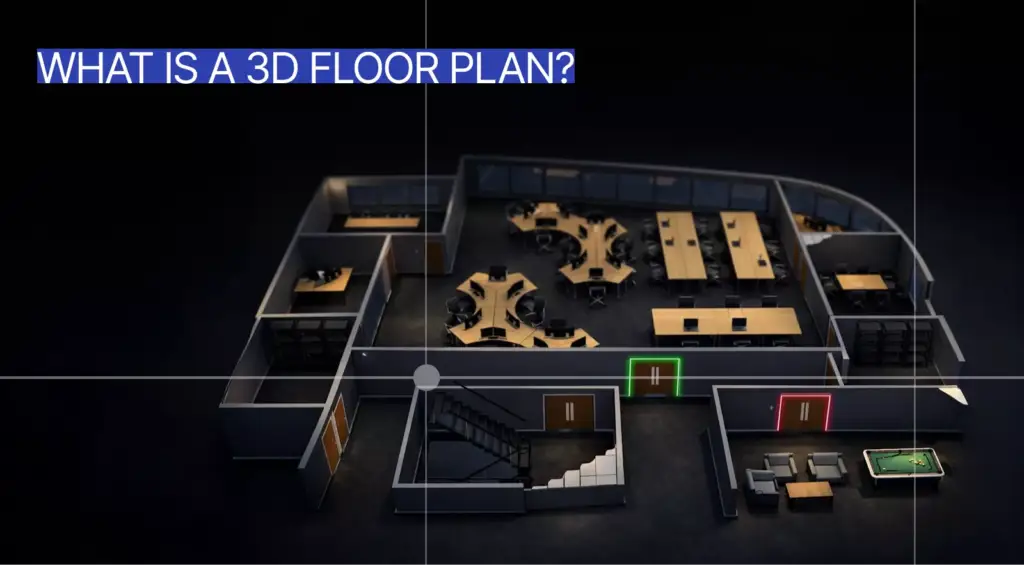
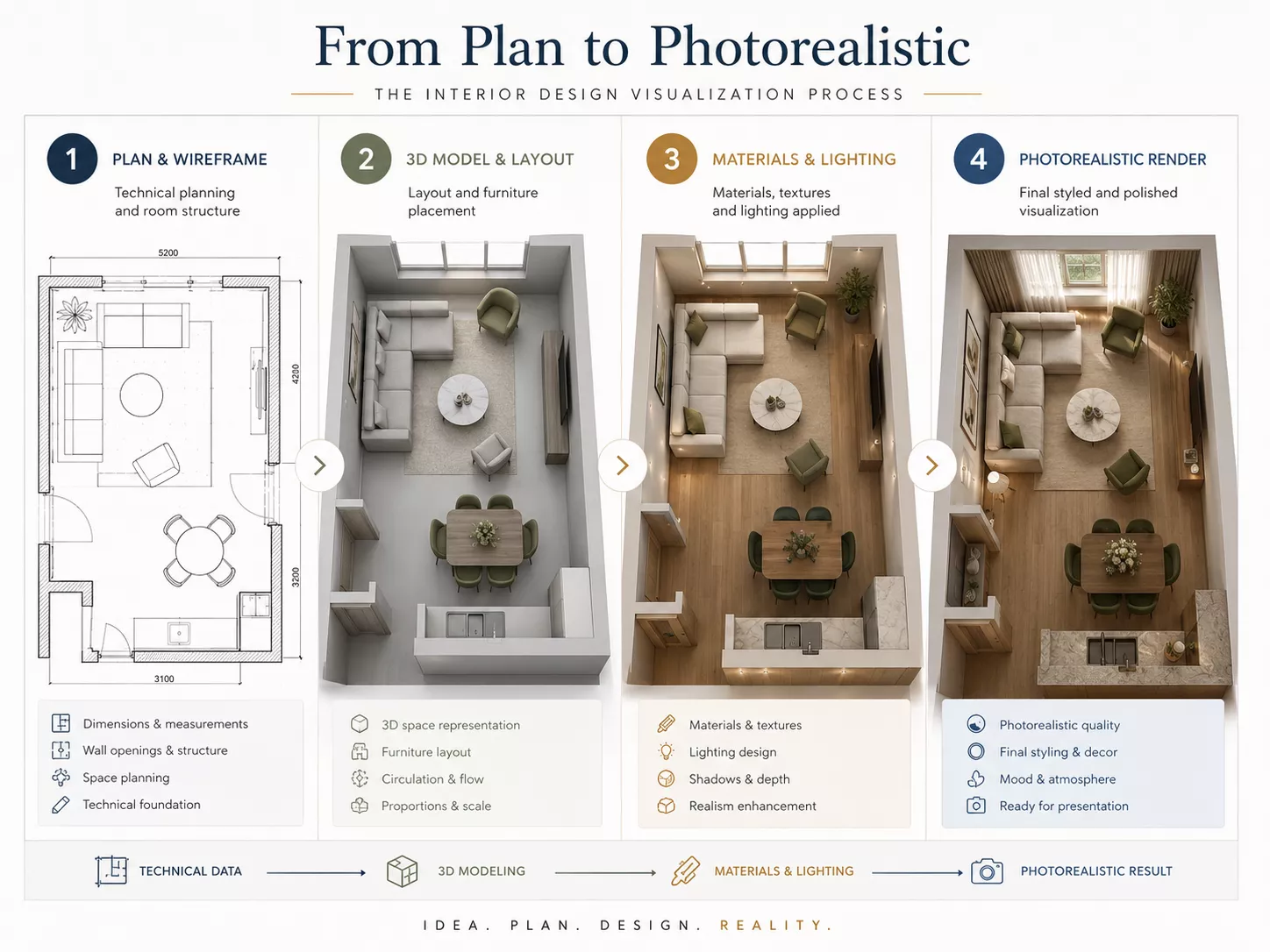
Interior renders are especially helpful when a flat plan does not communicate how the room will feel. A floor plan can show walls and zones, but it usually cannot show light quality, furniture height, material texture, or atmosphere. For property teams that need clearer layout communication, 3D floor plan rendering services can support interior visuals by making room organization easier for buyers, investors, and clients to understand.
Why Atmosphere Matters in Interior Rendering
Atmosphere matters because interior rendering is not only about showing objects in a room. It also communicates how the space feels, whether that feeling is warm, minimal, high-end, practical, calm, bright, intimate, commercial, or hospitality-focused. A convincing atmosphere helps viewers imagine living, working, buying, dining, staying, or investing in the space.
Lighting, camera composition, material choices, and styling all influence perception. Warm wood, soft fabric, indirect lighting, and a lower camera angle can make a room feel comfortable, while glass, metal, bright contrast, and open composition can make it feel more premium or commercial. That emotional clarity helps clients approve design choices faster because the render turns abstract decisions into a visible experience.
How Interior Rendering WorksHow Interior Rendering Works
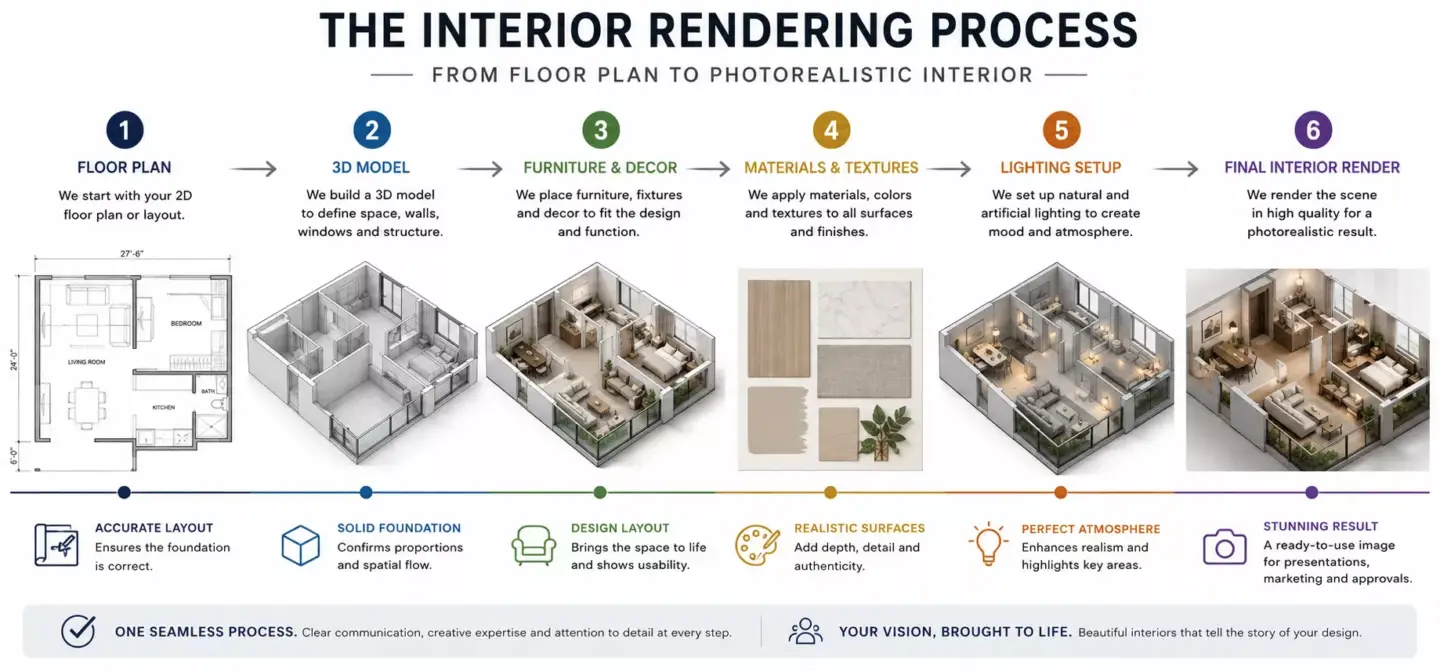
Interior rendering works by turning design information into a 3D scene, then adding furniture, materials, lighting, camera angles, and final rendering. The result is a polished image, animation, panorama, or virtual tour that previews the interior before physical work begins. The process can be simple for one room or complex for a hotel, office, retail space, residential development, or multi-room renovation.
- Collect project materials: floor plans, dimensions, references, moodboards, and material specifications.
- Build or import the 3D model of the room or interior space.
- Add furniture, fixtures, decor, built-ins, and architectural details.
- Apply materials and textures such as flooring, fabric, wall finishes, stone, wood, and metal.
- Set camera views that show the most important parts of the room.
- Add natural and artificial lighting to create the right mood and realism.
- Render the image, animation, panorama, or virtual tour.
- Refine the result through post-production, color correction, and final detail adjustments.
Accurate geometry is the foundation of a reliable interior render. If walls, ceiling height, window placement, or furniture scale are wrong, the final image may look polished but mislead the client. For projects that need clean room structure before final visuals, architectural 3D modeling services can support renderings, animations, configurators, and presentation workflows.
Materials Needed to Create an Interior Render
To create an accurate interior render, a 3D artist usually needs floor plans, room dimensions, furniture references, material specifications, lighting requirements, and style references. The more precise the inputs are, the more realistic the final render will be, and the better it will support decision-making. Clear inputs also reduce revision cycles because the visualization team does not need to guess layout, finishes, or visual direction.
- Floor plans, elevations, and sections.
- CAD, BIM, Revit, SketchUp, or 3D model files if available.
- Room dimensions and ceiling heights.
- Furniture layout or furniture references.
- Material and finish specifications.
- Lighting plan or lighting references.
- Moodboard, brand guidelines, or style references.
- Camera views, output formats, and final delivery requirements.
Not every project starts with perfect documentation. A visualization team can often work from partial drawings, sketches, product references, photos, or early design notes. Still, accurate dimensions, finish choices, and furniture details usually lead to better realism and fewer avoidable corrections.
Common Uses for Interior Rendering
Interior rendering is used to present, test, approve, market, and sell indoor spaces before they are completed. It helps designers communicate ideas, clients make decisions, real estate teams promote properties, and businesses plan spaces with fewer misunderstandings. It is valuable whenever layout, lighting, furniture, finishes, or atmosphere need to be understood before money is spent on construction, renovation, staging, or photography.
- Interior design presentations for clients.
- Home renovation previews.
- Real estate marketing before completion.
- Apartment, hotel, restaurant, and office pre-sales.
- Furniture, lighting, and decor visualization.
- Retail, showroom, and hospitality concept presentations.
- Investor and stakeholder presentations.
- Design validation for layout, materials, color, and lighting.
- Virtual staging for empty or unfinished properties.
A homeowner may use an interior render to compare renovation options before ordering materials. A designer may use it to get faster client approval on layout, furniture, and finishes. A developer may use it to support pre-sales, leasing, or investor presentations before the property is ready for photography.
Interior Rendering for Real Estate Marketing
In real estate marketing, interior rendering helps sell or promote a property before the space is finished, furnished, or photographed. It gives buyers, tenants, and investors a realistic impression of layout, lifestyle, materials, and room potential. This is especially helpful when empty spaces, construction sites, or 2D drawings do not create enough emotional confidence.
Interior renders can support pre-construction sales, leasing campaigns, property listings, brochures, landing pages, and sales gallery presentations. They help viewers understand how a room may function, where furniture can sit, and what kind of atmosphere the finished property will offer. For developers and property marketers, 3D rendering for real estate can connect interior visuals with broader project marketing, sales, and investor communication.
Real estate interior visuals should feel persuasive without becoming misleading. The render should show realistic proportions, practical furniture placement, and finishes that match the actual design intent. If the space is being digitally furnished for a listing, disclosure and accuracy matter because the goal is to reduce buyer confusion, not create unrealistic expectations.
Types of Interior RenderingTypes of Interior Rendering
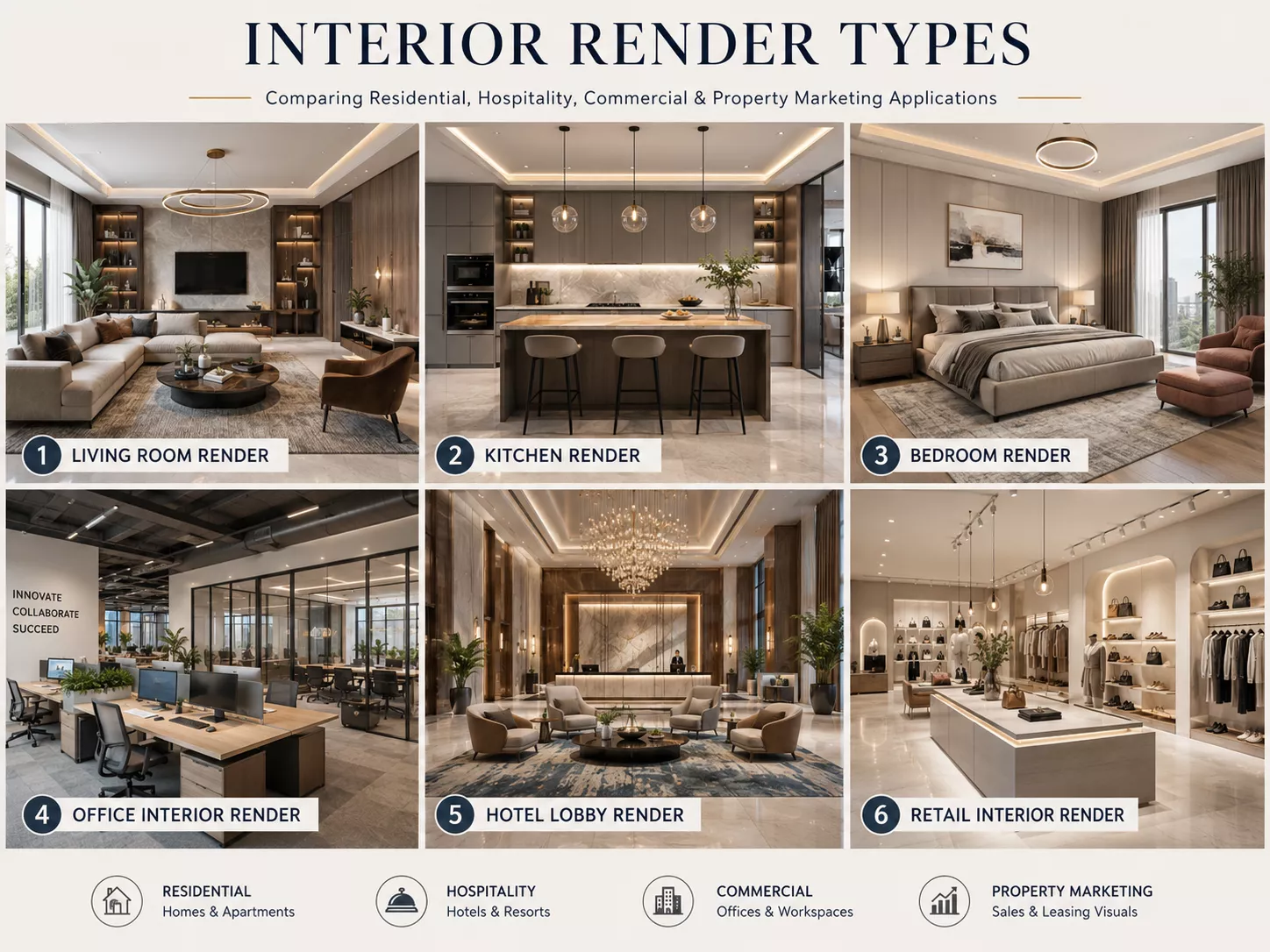
The main types of interior rendering include still room renders, detail renders, 360 panoramas, walkthrough animations, virtual staging, concept renders, and photorealistic marketing visuals. Each type serves a different design, sales, or presentation purpose. The right format depends on whether the viewer needs one polished view, a full-room experience, material detail, or spatial storytelling.
| Type | Best For | What It Shows |
| Still interior render | Design presentation and marketing | One polished room view |
| Photorealistic render | Premium sales and approvals | Realistic materials, light, and atmosphere |
| Concept render | Early design direction | Style, mood, and spatial idea |
| Detail render | Materials and finishes | Furniture, textures, lighting, and decor details |
| 360 panorama | Immersive room review | Full room experience from one point |
| Walkthrough animation | Stronger spatial storytelling | Movement through a room or property |
| Virtual staging | Real estate listings | Furnished version of an empty space |
| Commercial interior render | Retail, office, and hospitality | Branded customer or work environment |
Still renders are often enough for design approval, mood presentation, and marketing hero images. Detail renders are useful when the project depends on texture, lighting fixtures, custom furniture, surfaces, or material combinations. Immersive formats help when viewers need to understand the full room instead of one camera angle.
For interactive review, 360 and virtual formats can make the space feel closer to a real visit. They are useful for property sales, design review, hospitality concepts, and premium presentations where spatial understanding matters. When immersive room exploration is important, 360 panorama services can help viewers inspect the interior more naturally than a static image.
Interior Rendering Compared With Exterior Rendering
Interior rendering shows the inside of a space, while exterior rendering shows the outside of a building. Interior rendering focuses on layout, furniture, materials, lighting, decor, and atmosphere. Exterior rendering focuses on facade, landscape, scale, streetscape, site context, and outdoor lighting.
| Factor | Interior Rendering | Exterior Rendering |
| Main focus | Indoor spaces and room experience | Building exterior and surroundings |
| Shows | Layout, furniture, finishes, lighting, and decor | Facade, landscape, streetscape, and scale |
| Common users | Interior designers, homeowners, hospitality teams, real estate marketers | Architects, developers, construction firms, real estate marketers |
| Main challenge | Materials, furniture scale, lighting mood, and spatial flow | Site context, facade accuracy, outdoor lighting, and environment |
| Best for | Interior design approval, renovation, staging, and property marketing | Pre-construction sales, approvals, and exterior design presentation |
| Output examples | Living room render, lobby render, office render | Building facade render, aerial view, street view |
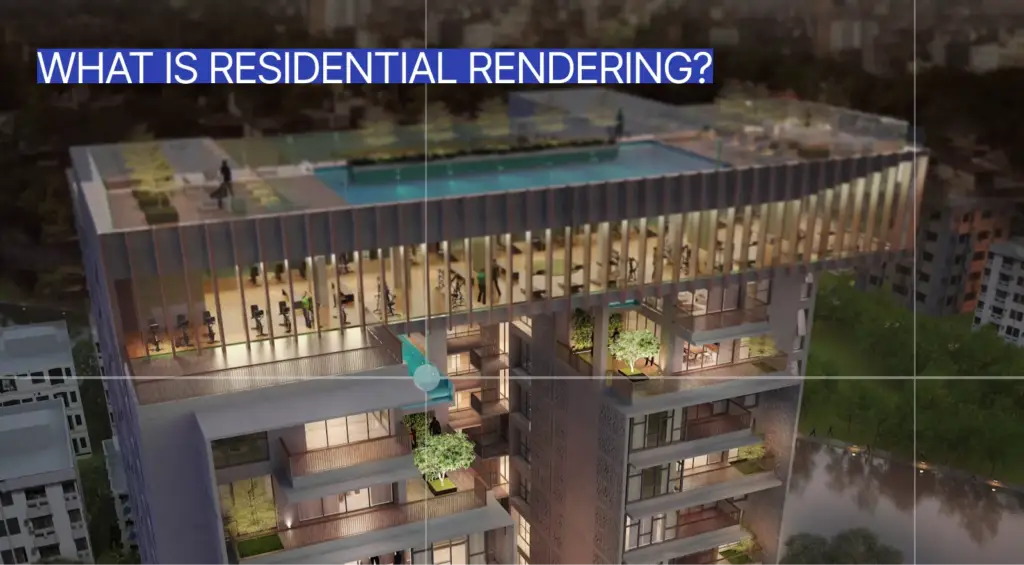
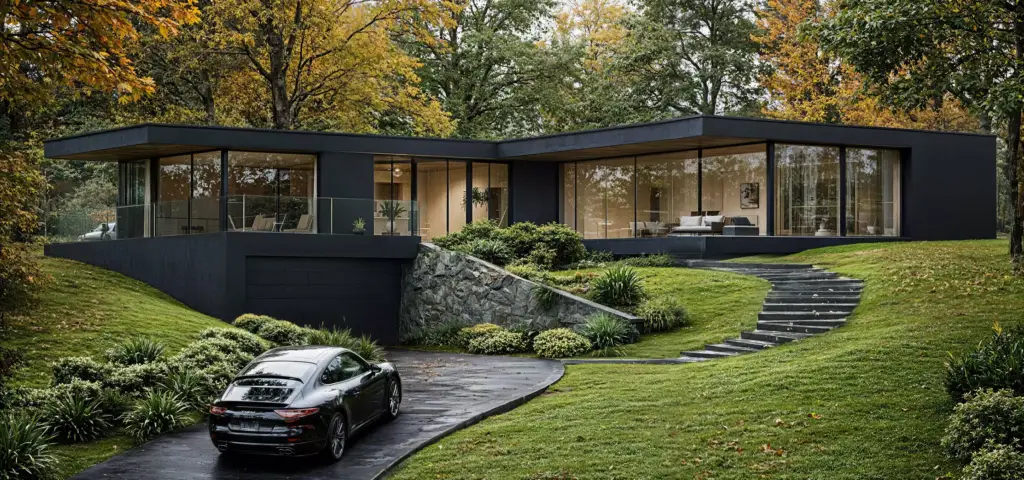
The difference is not just inside compared with outside. Interior rendering answers questions about how people experience a room, while exterior rendering answers questions about how a building fits its surroundings. When a project also needs facade, landscape, streetscape, or arrival views, 3D exterior rendering services can complement interior visuals with outside context.
Many architectural and real estate projects need both formats. A residential development may need exterior visuals to sell curb appeal and interior visuals to sell lifestyle. A hotel project may need exterior renders for brand presence and interior renders for lobby, room, restaurant, and amenity atmosphere.
Interior Rendering Compared With Modeling and Architectural VisualizationInterior Rendering Compared With Modeling and Architectural Visualization
Interior rendering is the final visual output of an indoor space, while 3D modeling creates the digital geometry. Architectural visualization is the broader field that includes interior renders, exterior renders, animations, walkthroughs, diagrams, 360 views, and real-time experiences. Virtual staging and real estate photography are related presentation methods, but they start from different inputs and solve different problems.
| Term | Meaning | Output |
| 3D modeling | Creating the digital room, furniture, or objects | Editable 3D model |
| Interior rendering | Creating final visuals of the indoor space | Image, animation, panorama, or virtual tour |
| Architectural visualization | Full visual communication of architecture and interiors | Renders, animations, VR, diagrams, and walkthroughs |
| Virtual staging | Digitally furnishing an existing or empty property image | Staged marketing visual |
| Real estate photography | Capturing an existing finished property | Real photos |
| Interior design board | Showing style references and materials | Moodboard or concept board |
A 3D model can exist without a polished render. It may show geometry, but it may not show final lighting, realistic materials, styling, atmosphere, or camera composition. Rendering turns that model into a decision-ready visual that can be reviewed by clients, buyers, investors, or internal teams.
Architectural visualization is the wider communication discipline. It can include room renders, exterior views, animations, fly-throughs, floor plan visuals, VR scenes, and project presentation assets. Interior rendering is one part of that larger visual system, focused specifically on indoor spaces.
Interior Rendering Compared With Virtual StagingInterior Rendering Compared With Virtual Staging
Interior rendering creates a digital view of a space from design data, a 3D model, or an unfinished concept. Virtual staging usually adds digital furniture and decor to an existing property photo or room image. Both can support real estate marketing, but they solve different problems and offer different levels of control.
| Factor | Interior Rendering | Virtual Staging |
| Starting point | Floor plan, 3D model, design concept, or unfinished space | Existing room photo or empty-space image |
| Best for | New builds, renovations, unbuilt interiors, and design approval | Real estate listings for existing empty rooms |
| Control over space | High | Limited by the original photo |
| Can change architecture | Yes, if part of the design scope | Usually limited |
| Realism challenge | Materials, lighting, scale, furniture, and camera | Matching digital furniture to the photo |
| Typical user | Designer, developer, architect, homeowner | Realtor, property marketer, landlord |
Interior rendering is usually better when the space does not exist yet, is being redesigned, or requires architectural changes. It allows the creator to control room geometry, lighting, finishes, furniture, camera, and mood from the start. Virtual staging is often faster when a real empty room already exists and only needs digital furnishing for listing presentations.
Both methods should be used honestly. A staged photo should not hide defects, change permanent property features without disclosure, or make a room look larger than it is. A full render should also match the intended design instead of creating a fantasy version the final space cannot deliver.
What Makes a Good Interior RenderWhat Makes a Good Interior Render
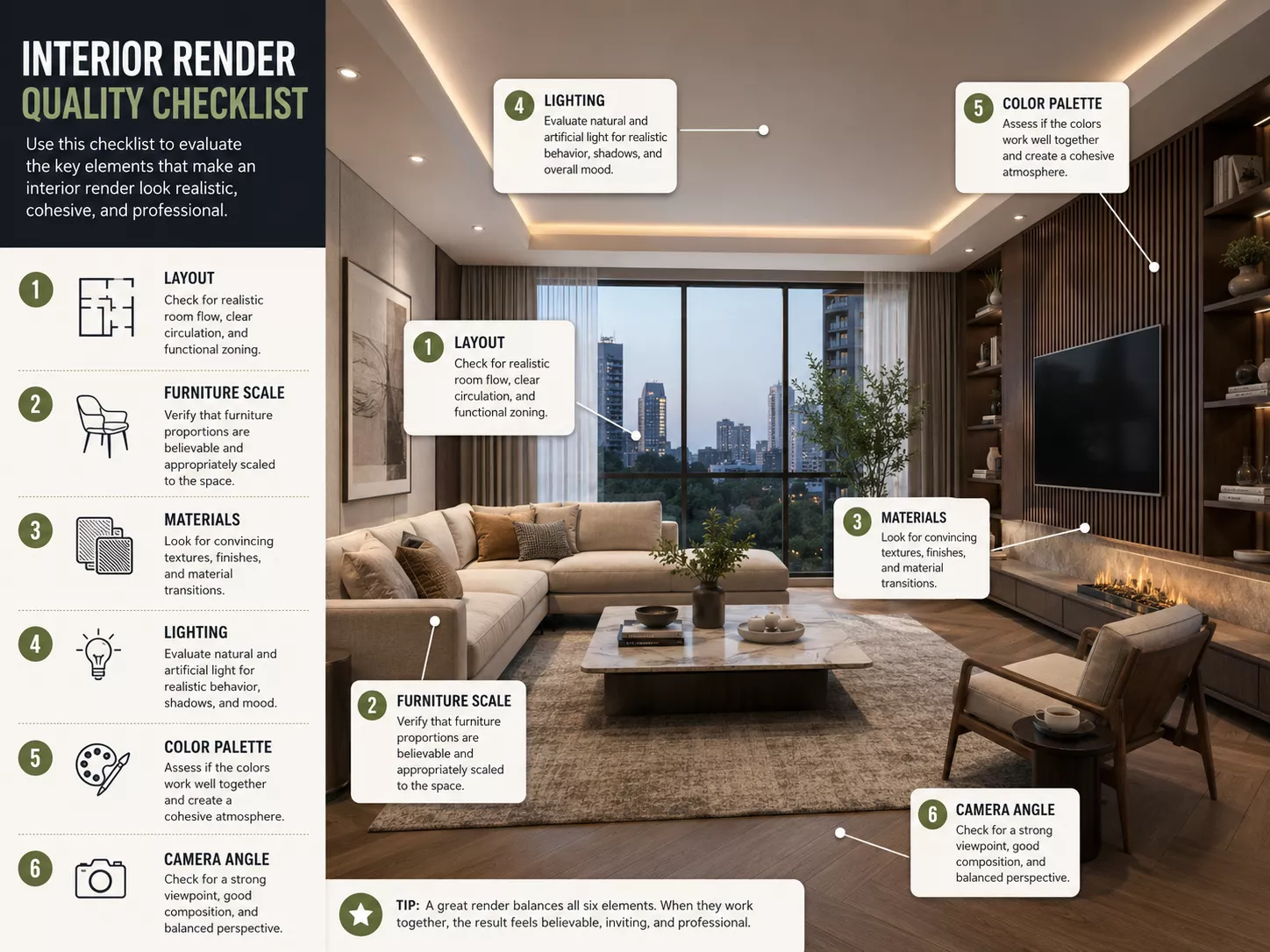
When we judge an interior render, six things decide it. We render in layers in Corona. The model has to be clean and properly stitched, with no gaps. The scene has to be clean too — no leftover test objects you tried, didn’t like, and left sitting there slowing the render down. The light is natural Corona light, not stacks of fakes. Materials carry real texture — wood reads as wood, metal as metal, not the same flat surface everywhere. And the less decor a project has, the lower the chance the scene breaks or drags out the render.
From our studio — Dim Kuzmenko
A good interior render looks believable, communicates the design clearly, and helps the viewer make a decision. It should have accurate proportions, realistic materials, natural lighting, thoughtful styling, strong composition, and a clear relationship between layout, function, and atmosphere. The best render is not only beautiful; it also answers practical design, marketing, or approval questions.
- Accurate room dimensions, ceiling height, and furniture scale.
- Realistic materials, finishes, and textures.
- Natural and artificial lighting that supports the mood.
- Clear camera angle and strong composition.
- Functional layout and believable circulation.
- Consistent style, color palette, and decor.
- Enough detail to feel lived-in or commercially realistic.
- No distracting clutter, warped perspective, or impossible furniture placement.
- Alignment with the client’s brand, design brief, or property positioning.
Quality depends on accuracy and visual judgment working together. A render can look dramatic but still fail if the sofa is too large, the windows are too bright, or the materials do not match the specification. For commercial projects such as restaurants, offices, hospitality spaces, and retail environments, commercial 3D rendering services can help align design quality with brand, sales, leasing, and stakeholder communication goals.
Common Interior Rendering Mistakes
Common interior rendering mistakes include unrealistic lighting, incorrect furniture scale, flat materials, cluttered styling, poor camera angles, and visuals that look attractive but do not match the actual design or room dimensions. These issues can make a design harder to evaluate and can create wrong expectations for clients, buyers, or project teams. A render should make decisions clearer, not hide problems behind decoration.
- Furniture that is too large or too small for the room.
- Materials that do not match the specified finishes.
- Overly bright windows or unnatural shadows.
- Generic decor that weakens the design story.
- Camera angles that hide layout problems.
- Too much post-production that makes the room look artificial.
- Empty spaces that feel sterile instead of intentional.
The most common mistake is confusing visual drama with useful visualization. A beautiful render still needs correct scale, real material logic, believable lighting, and a functional layout. When the image supports decisions instead of only decoration, it becomes a stronger tool for design approval, sales, renovation planning, and marketing.
Interior Rendering Software
Interior rendering can be created with tools such as 3ds Max, SketchUp, Revit, Blender, V-Ray, Corona Renderer, Enscape, Lumion, Twinmotion, Unreal Engine, and Photoshop. The best software depends on realism level, workflow, timeline, interactivity, available files, and final output format. Software supports the process, but design understanding and visual judgment determine whether the final render feels accurate and persuasive.
| Software or Tool | Best For | Typical Use |
| 3ds Max | High-end interior visualization | Detailed room scenes and photoreal renders |
| SketchUp | Fast modeling and design presentation | Interior concepts and layout visualization |
| Revit | BIM-based interior and architectural workflow | Coordinated project data and building context |
| Blender | Flexible modeling and rendering | General 3D visualization |
| V-Ray or Corona | Photorealistic rendering | Premium still images |
| Enscape, Lumion, or Twinmotion | Fast real-time visualization | Quick presentations and walkthroughs |
| Unreal Engine | Interactive and real-time experiences | VR, virtual tours, and real-time interiors |
| Photoshop | Post-production | Final polish, color correction, and compositing |
Some tools are better for fast design communication, while others are better for premium photorealistic visuals. Real-time tools can help designers review rooms quickly, while high-end render engines can create polished marketing images with deeper material and lighting control. The right workflow depends on whether the project needs speed, realism, interactivity, or detailed post-production.
Interior Rendering Cost FactorsInterior Rendering Cost Factors
Interior rendering typically costs about $600–$1,800 per image for a residential interior, while premium, commercial, or multi-room scenes run higher. The final price depends on room complexity, number of views, level of realism, available input files, furniture detail, lighting complexity, revision rounds, output format, and delivery timeline. A simple single-room render usually requires less work than a multi-room commercial interior, hotel lobby, luxury apartment, or interactive walkthrough. For detailed ranges by project type, see our 3D rendering pricing guide.
- Number of rooms and camera views.
- Room size and layout complexity.
- Level of photorealism required.
- Furniture, decor, and custom object detail.
- Quality and completeness of input files.
- Lighting design complexity.
- Materials, textures, and styling requirements.
- Animation, 360 panorama, VR, or real-time output.
- Revision rounds and deadline urgency.
The cheapest render is not always the best value. If a low-cost visual causes confusion, misrepresents the room, or fails to support approval or sales, it may create more cost through revisions and delays. A useful render should be judged by accuracy, realism, communication value, and how well it supports the project’s goal.
In-House Teams, Freelancers, and 3D Visualization StudiosIn-House Teams, Freelancers, and 3D Visualization Studios
Interior rendering can be produced in-house, by a freelancer, or by a specialized 3D visualization studio. The right option depends on project complexity, design sensitivity, quality expectations, timeline, revision process, and whether the client needs consistent visuals across multiple spaces or properties. More complex commercial interiors usually benefit from a structured workflow with clear production stages.
| Option | Best When | Limitation |
| In-house team | Ongoing visualization needs and direct design control | Requires software, hiring, and management |
| Freelancer | Small projects or limited number of views | Capacity and consistency may vary |
| 3D visualization studio | Complex interiors, commercial spaces, and marketing campaigns | Higher cost but stronger process and scalability |
| Real-time tools only | Fast design reviews and early-stage presentations | May need extra polish for premium marketing visuals |
| AI-assisted tools | Early mood exploration or concept ideation | Usually needs human cleanup and accurate design control |
In-house teams work well when a company has steady visualization demand and the resources to manage talent, software, review, and production quality. Freelancers can be useful for small projects, limited views, or specialized tasks. Studios are often stronger when the project needs several rooms, tight quality control, multiple outputs, and consistent commercial presentation.
AI-assisted tools can help with early mood exploration, references, and rapid concept testing. They are less reliable when accurate room dimensions, furniture scale, material specifications, and brand-sensitive presentation matter. Human review remains important because interior rendering must support real design decisions, not only generate appealing room images.
How to Brief an Interior Rendering ProjectHow to Brief an Interior Rendering Project
The briefs that cause us the most rework are the ones written entirely in AI. They read great on paper, but then either development eats a huge amount of time, or the result comes out not the way it was planned. A real human brief, even a rough one, beats a polished AI brief every time.
From our studio — Dim Kuzmenko
A strong interior rendering brief should define the project goal, target audience, required rooms, design files, furniture references, materials, lighting mood, output formats, and approval process. A clear brief reduces revisions and helps the render match the project’s real purpose. The brief should explain whether the visual is for design approval, renovation planning, leasing, sales, investor review, or marketing.
- State the project goal: design approval, renovation planning, sales, leasing, investor pitch, or marketing.
- Provide floor plans, elevations, dimensions, and CAD or BIM files if available.
- Share furniture references, layout plans, and decor preferences.
- Provide material and finish specifications.
- Define required camera views and number of images.
- Specify mood: bright, cozy, luxury, minimal, commercial, hospitality, family-friendly, or premium.
- Confirm output sizes and channels: website, brochure, social, listing, presentation, billboard, or sales gallery.
- Clarify revision stages, decision-makers, and final file requirements.
A strong brief should separate fixed requirements from creative preferences. Room dimensions, window placement, ceiling height, materials, and furniture scale usually need accuracy. Styling, props, lighting mood, camera height, and decorative details can often be adjusted to support the design story.
Hospitality interiors show the format well: a cafe rendering that helped a studio secure fast approval, and a cafe interior CGI video made for launch marketing.

Turn Ideas Into Visual Stories
FAQ about what interior rendering means
What is interior rendering in simple terms?
Interior rendering is a digital image or animation that shows how an indoor space will look before it is finished, renovated, furnished, or marketed. It visualizes the room layout, furniture, lighting, materials, colors, and atmosphere. Designers, homeowners, developers, and real estate teams use interior renders to make decisions and communicate ideas clearly.
What is 3D interior rendering?
3D interior rendering is the process of creating a realistic visual of an indoor space using 3D software. A designer or 3D artist builds a digital room, adds furniture, materials, and lighting, then renders the final image or animation. The result can look like a real photo, even if the space does not yet exist.
What is interior rendering used for?
Interior rendering is used for interior design presentations, renovation planning, real estate marketing, pre-sales, furniture visualization, hospitality concepts, office design, and client approvals. It helps people understand how a space will function and feel before money is spent on construction, furniture, materials, or photography. It is also useful when several stakeholders need to review the same design before approval.
How much does interior rendering cost?
Interior rendering typically costs about $600-$1,800 per image for a residential interior, while premium, commercial, or multi-room scenes run higher. The final price depends on the number of views, level of realism, furniture and material detail, and revision rounds. For detailed ranges by project type, see our 3D rendering pricing guide.
What are the three main types of interior rendering?
The three most common types are still images (one polished view of a room), immersive formats such as 360 panoramas and walkthrough animations, and virtual staging (digitally furnishing an existing space). Still renders suit design approval and marketing, immersive formats suit spatial review, and virtual staging suits existing empty rooms.
What is the difference between interior and exterior rendering?
Interior rendering shows the inside of a space, while exterior rendering shows the outside of a building. Interior rendering focuses on layout, furniture, finishes, lighting, and atmosphere. Exterior rendering focuses on facade design, landscape, streetscape, scale, and environmental context.
What is the difference between interior rendering and virtual staging?
Interior rendering usually creates a digital room view from plans, models, or design concepts. Virtual staging adds digital furniture and decor to an existing property photo. Interior rendering is better for unbuilt or renovated spaces, while virtual staging is often used to market empty existing rooms in real estate listings.
What do you need to create an interior render?
To create an interior render, a 3D artist usually needs floor plans, dimensions, furniture references, material specifications, lighting references, and desired camera views. Moodboards, brand guidelines, and examples of preferred visual style also help. Clear inputs make the render more accurate and reduce unnecessary revisions.
What software is used for interior rendering?
Interior rendering can be created with tools such as 3ds Max, SketchUp, Revit, Blender, V-Ray, Corona Renderer, Enscape, Lumion, Twinmotion, Unreal Engine, and Photoshop. Some tools are better for modeling, while others are stronger for photorealistic rendering or fast real-time walkthroughs. The best choice depends on the workflow, realism level, deadline, and final presentation format.
What makes a good interior render?
A good interior render is realistic, accurate, and useful for decision-making. It should show correct room proportions, believable furniture scale, natural lighting, realistic materials, clear composition, and a coherent style. The best renders do more than look attractive because they help viewers understand the space, approve design choices, and imagine the final result.
What does rendering mean in interior design?
Rendering in interior design means creating a realistic 3D image of an interior before it is built or renovated. It shows the room’s layout, furniture, materials, colors, and lighting, so clients can see and approve the finished look in advance instead of imagining it from flat drawings or mood boards.
What is a render in interior design?
A render in interior design is a single 3D-generated image of an interior space. It visualizes one view of a room – its furniture, finishes, and lighting – as it will appear once completed, and is used in presentations, client approvals, listings, and marketing before construction or styling begins.