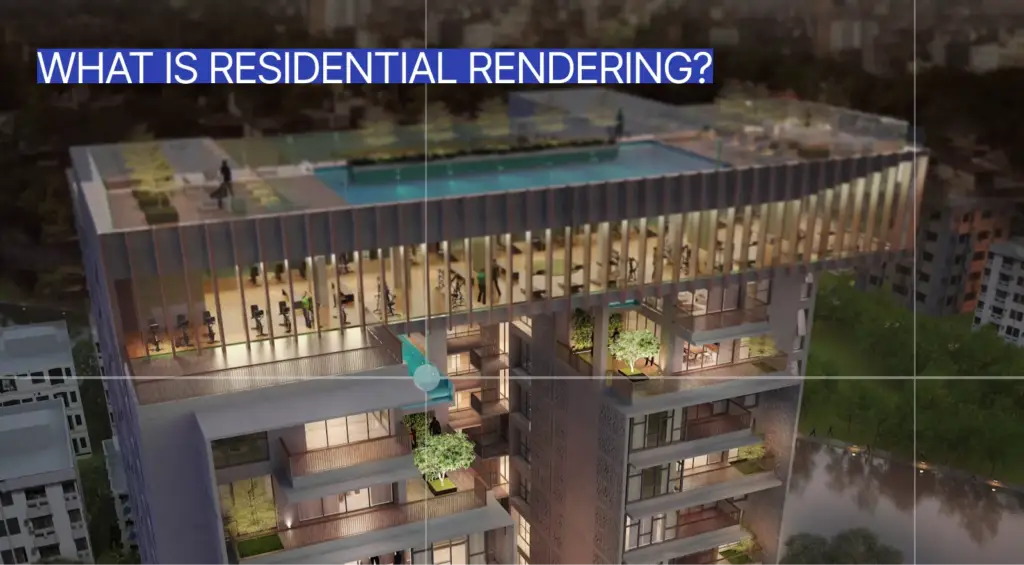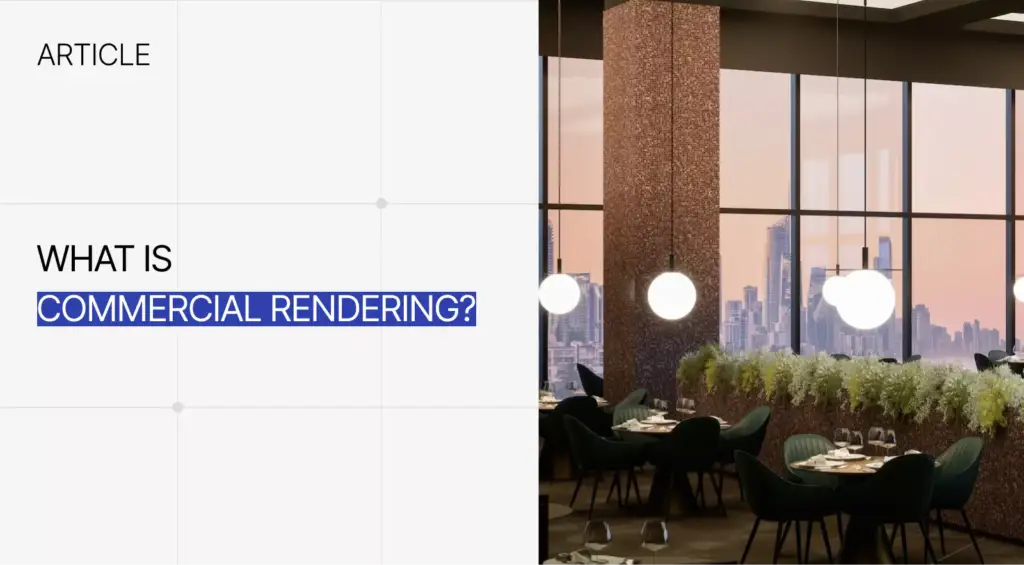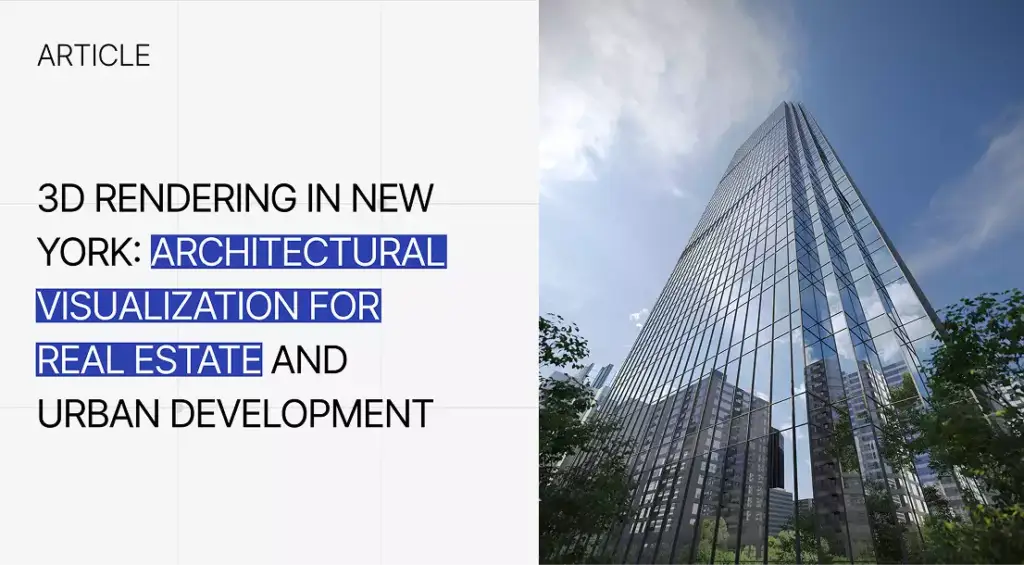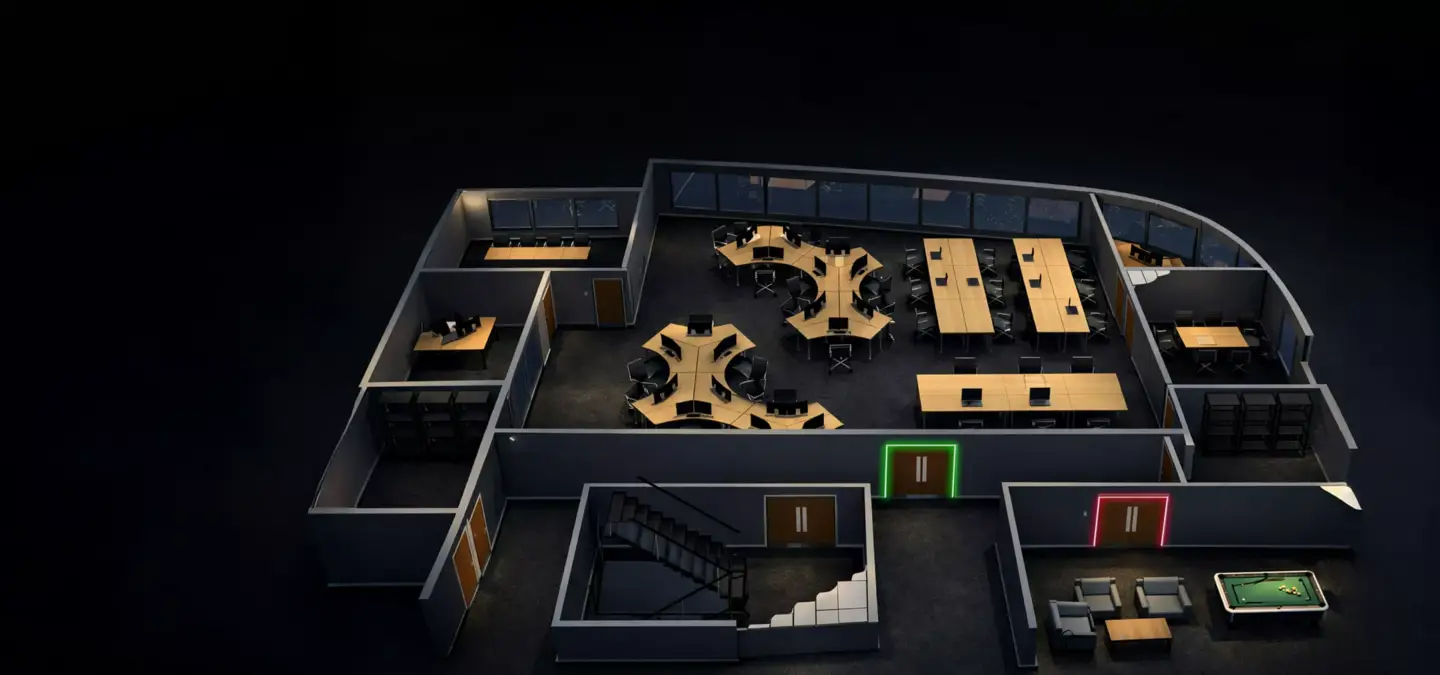
A 3D floor plan is a three-dimensional visual layout of a property, room, apartment, house, or commercial space, usually shown from a top-down or bird’s-eye view. It shows walls, doors, windows, room relationships, furniture, fixtures, materials, and circulation so buyers, clients, and stakeholders can understand the space more easily than they would from a flat 2D drawing. A 3D floor plan turns technical layout information into a clear visual for real estate marketing, interior design, architecture, renovation planning, client approval, and property presentations. Floor plans work best alongside full residential rendering of the home.
3D Floor Plan Meaning3D Floor Plan Meaning
A 3D floor plan is a digital three-dimensional view of a property layout. It shows how rooms, walls, doors, windows, furniture, and fixtures relate to each other. The goal is to make space easier to understand for buyers, clients, designers, developers, agents, and project stakeholders.
The “3D” part adds depth, height, and perspective to a traditional floor plan. Most 3D floor plans are shown from above, like a dollhouse or cutaway view, with the ceiling removed so viewers can see the layout clearly. For real estate and design teams, 3D floor plan rendering services help turn flat layouts, sketches, CAD files, and early ideas into clear presentation visuals.
A 3D floor plan is not the same as a full room render or virtual tour. It focuses on layout, room flow, furniture placement, and spatial relationships rather than one camera view from inside the room. That makes it especially useful when someone needs to understand the entire property at a glance.
What a 3D Floor Plan Shows
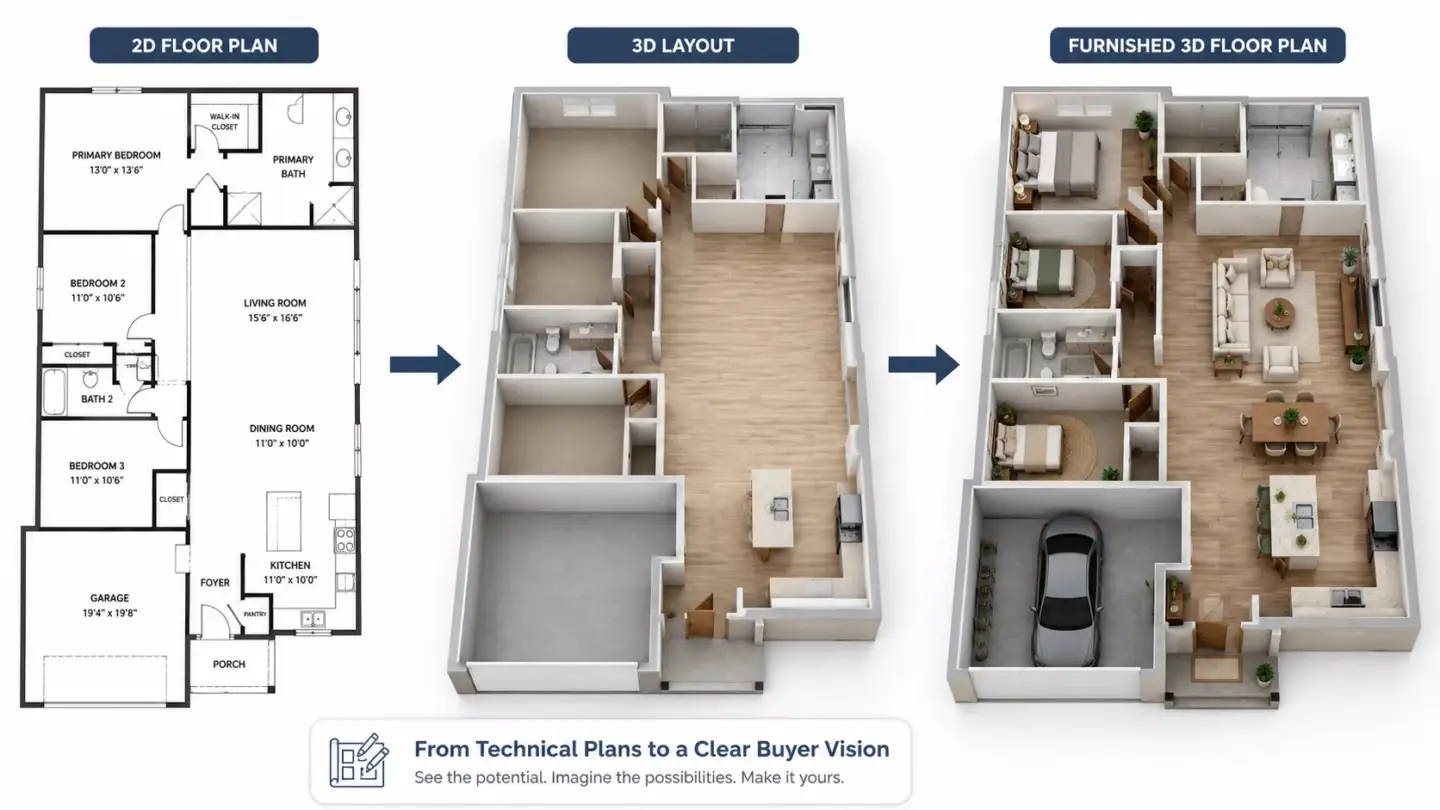
A 3D floor plan shows the layout of a space in a visual, dimensional format. It can include rooms, walls, doors, windows, floors, furniture, appliances, fixtures, finishes, labels, and circulation paths. The level of detail depends on whether the plan is for technical review, buyer understanding, design approval, or marketing.
- Room layout and room relationships.
- Walls, doors, windows, openings, and partitions.
- Furniture placement and scale.
- Kitchen cabinets, bathroom fixtures, appliances, and built-ins.
- Flooring, wall finishes, colors, and basic materials.
- Stairs, balconies, terraces, patios, and outdoor zones when relevant.
- Circulation paths and how people move through space.
- Optional labels, room names, dimensions, and annotations.
A furnished plan helps people judge whether a room can support real use. A sofa, dining table, bed, desk, or island can make proportions much easier to understand than empty walls alone. When a project also needs room-level atmosphere, 3D interior rendering services can complement floor plans with realistic camera views of kitchens, bedrooms, living rooms, offices, and hospitality spaces.
Why Layout Clarity Matters
Layout clarity matters because many buyers and non-technical clients struggle to read flat architectural drawings. A 3D floor plan makes spatial relationships visible, so viewers can understand room size, flow, furniture placement, and functionality faster. This is especially useful online, where people often decide whether to inquire before visiting a property.
A clear plan reduces interpretation effort. Buyers, tenants, investors, homeowners, and clients can see how rooms connect without translating symbols or construction notation. Furniture and fixtures help them judge whether the space fits their needs, lifestyle, workflow, or budget.
How a 3D Floor Plan Is CreatedHow a 3D Floor Plan Is Created
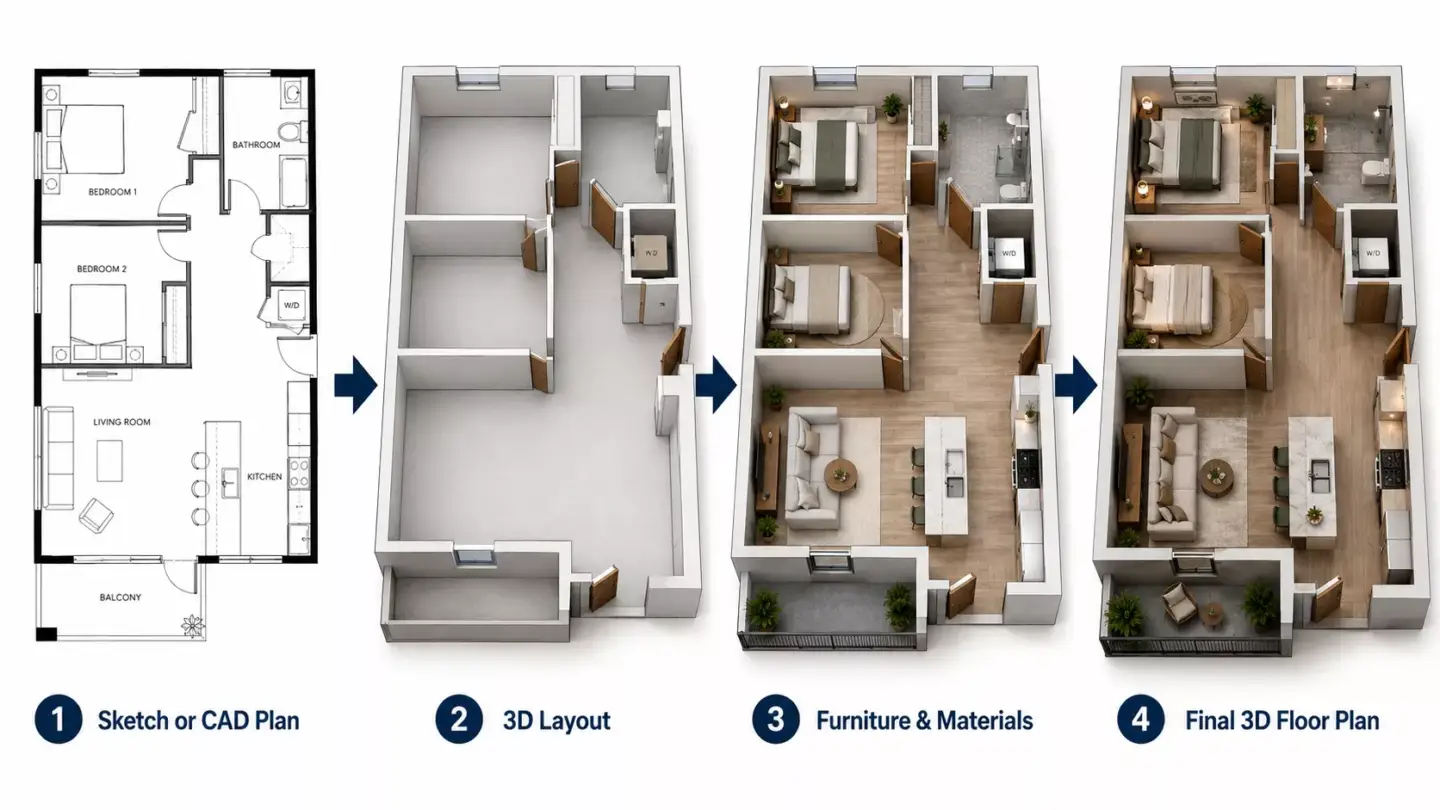
A 3D floor plan is created by turning a 2D layout, CAD file, BIM model, sketch, or measured plan into a three-dimensional scene. A 3D artist or software then adds walls, openings, floors, furniture, materials, lighting style, and a top-down camera view. The final output is rendered and refined for web, print, listing pages, brochures, or presentations.
- Collect the source plan: 2D floor plan, CAD drawing, BIM model, sketch, or measurements.
- Confirm dimensions, room names, wall positions, doors, windows, and openings.
- Build the 3D layout with walls, floors, and architectural elements.
- Add fixed elements such as stairs, cabinets, bathroom fixtures, and appliances.
- Add furniture, decor, and finishes if the plan should be staged or marketing-ready.
- Apply colors, flooring, materials, and lighting style.
- Set the top-down or angled camera view.
- Render and refine the final 3D floor plan for web, print, listings, or presentations.
Accuracy depends on the quality of the input information. If dimensions, wall positions, openings, or furniture scale are wrong, the finished plan can look polished but still mislead viewers. For projects that need a reliable layout foundation, architectural 3D modeling services can support floor plans, interior visuals, exterior renders, and architectural presentations.
Materials Needed to Create a 3D Floor Plan
To create an accurate 3D floor plan, a visualization team usually needs a floor plan, dimensions, wall positions, door locations, window locations, room names, and furniture or finish preferences. CAD or BIM files help improve accuracy, but clear sketches and measurements can also work. The more complete the input, the fewer assumptions the visualization team needs to make.
- 2D floor plan, architectural drawing, or measured sketch.
- CAD, BIM, Revit, AutoCAD, or SketchUp files if available.
- Room dimensions and ceiling height if height is represented.
- Door, window, stair, and opening locations.
- Furniture layout or staging preferences.
- Material, color, and finish references.
- Output requirements such as image size, format, labels, dimensions, print use, or web use.
- Brand or listing style guidelines if used for real estate marketing.
Not every project starts with perfect documentation. A simple sketch can work for an early layout concept, while a listing or sales brochure usually needs more precise dimensions and labels. For multi-unit developments, consistency across plans matters because buyers compare layouts side by side.
Common Uses for 3D Floor Plans
A 3D floor plan is used to explain property layouts, support real estate marketing, help buyers understand space, plan renovations, and improve communication between architects, designers, developers, agents, and clients. It is valuable whenever a flat plan feels too abstract for the audience. It can also make presentations look more polished without requiring a full virtual tour or detailed room-by-room rendering package.
- Real estate listings and property marketing.
- Pre-construction sales and off-plan property promotion.
- Apartment, house, and residential development presentations.
- Interior design and furniture layout planning.
- Renovation and remodeling previews.
- Commercial leasing and tenant presentations.
- Hotel, office, retail, and hospitality space planning.
- Investor decks, brochures, websites, and sales galleries.
- Client approvals for architects, builders, and designers.
A 3D floor plan helps different audiences answer different questions. A buyer wants to know whether the living room connects well to the kitchen, while a designer may want to test furniture placement. A developer may use the same plan to explain unit layouts across a website, brochure, investor deck, and sales gallery.
3D Floor Plans for Real Estate Marketing
In real estate marketing, 3D floor plans help buyers understand a property’s layout before they visit, buy, or lease it. They make listings clearer by showing room flow, furniture fit, and spatial relationships in a more visual way than a traditional plan. This is useful for remote buyers, off-plan sales, unusual layouts, apartments, and new developments.
A furnished 3D floor plan can help buyers imagine daily life in the space. It can show where a bed fits, how a dining area works, or whether a home office feels practical. For developers and property teams, 3D residential rendering services can connect floor plans with renders, presentations, sales materials, and broader campaign visuals.
A strong real estate floor plan should be clear before it is beautiful. Labels, room names, scale, and furniture placement should support buyer decision-making. If the plan looks decorative but makes circulation difficult to read, it is not doing its job.
Examples of 3D Floor PlansExamples of 3D Floor Plans
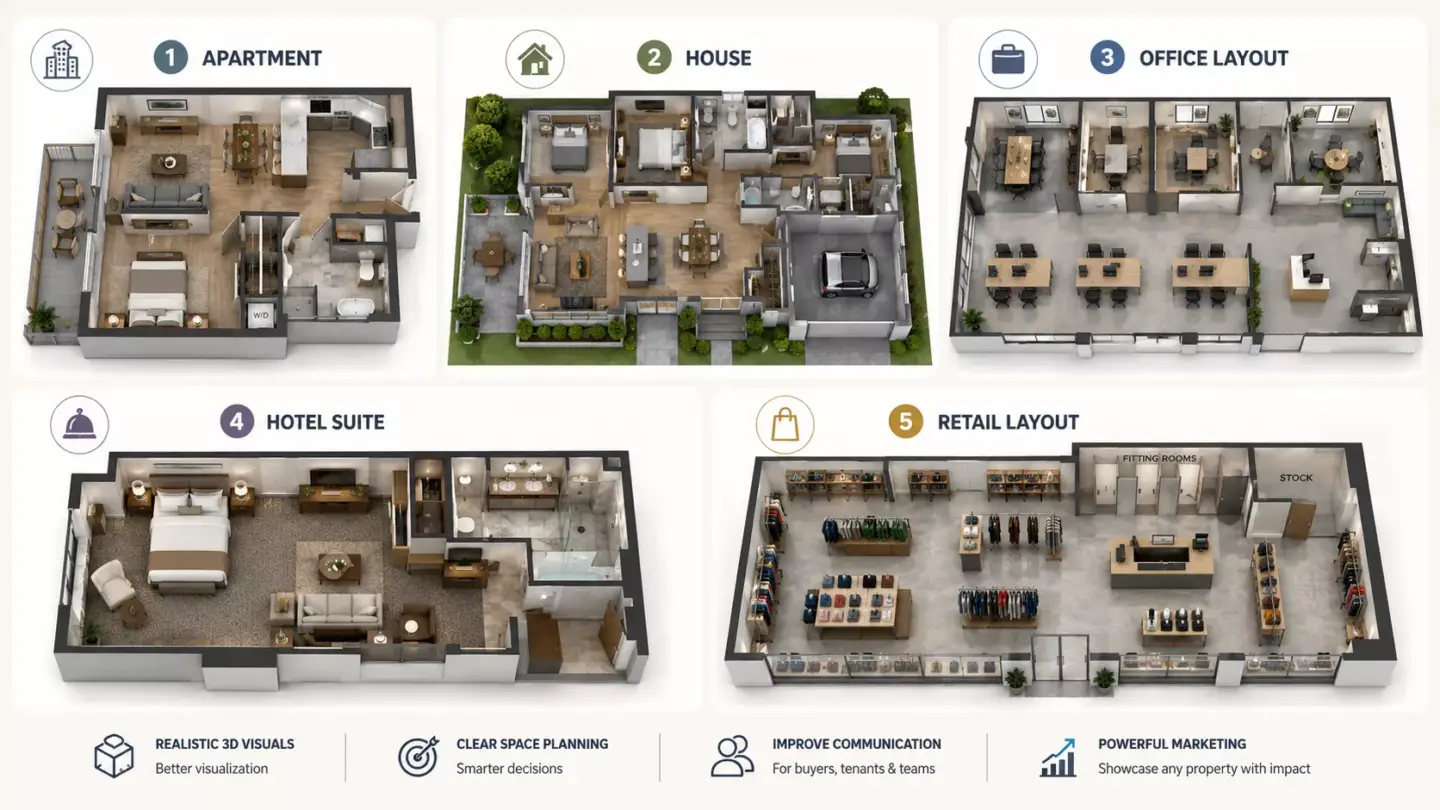
Examples of 3D floor plans include a furnished apartment layout, a house floor plan with room labels, a staged real estate listing plan, a commercial office layout, a hotel suite plan, a renovation layout, and a multi-unit development plan. Each example uses the same basic idea, but the details change depending on the audience. A buyer-facing plan usually needs more lifestyle clarity, while a design review plan may need more neutrality and accuracy. For a worked example, see our guide to 3D rendering of a modern house.
- Furnished apartment 3D floor plan.
- Single-family house 3D floor plan.
- Multi-level home floor plan.
- 3D floor plan for a villa or townhouse.
- Commercial office 3D floor plan.
- Retail or restaurant layout plan.
- Hotel room or suite floor plan.
- Renovation before and after layout.
- Unfurnished architectural 3D floor plan.
- Labeled real estate marketing floor plan.
A furnished apartment plan might show a bed, sofa, dining table, appliances, and balcony furniture. A commercial office plan might show workstations, meeting rooms, reception, and circulation. A renovation plan might compare the existing layout with a proposed layout so the homeowner can approve changes more confidently.
Types of 3D Floor Plans
The main types of 3D floor plans include furnished, unfurnished, residential, commercial, color-coded, labeled, photorealistic, and interactive versions. The right type depends on whether the goal is technical clarity, buyer understanding, marketing appeal, design approval, or digital sales support. A simple apartment listing may need one furnished view, while a development may need many consistent unit plans.
| Type | Best For | What It Shows |
| Furnished 3D floor plan | Real estate marketing and staging | Room layout with furniture, decor, and lifestyle cues |
| Unfurnished 3D floor plan | Architecture and layout clarity | Walls, rooms, doors, windows, and basic surfaces |
| Residential 3D floor plan | Homes, apartments, and villas | Living spaces, furniture, room flow, and finishes |
| Commercial 3D floor plan | Offices, retail, and hospitality | Work zones, customer flow, fixtures, and seating |
| Labeled 3D floor plan | Listings and brochures | Room names, dimensions, and layout explanation |
| Photorealistic 3D floor plan | Premium marketing | Materials, furniture, lighting, and polished presentation |
| Color-coded 3D floor plan | Fast understanding | Zones, room types, or unit categories |
| Interactive 3D floor plan | Digital sales tools | Clickable or explorable layout experience |
The type should match the decision the viewer needs to make. A furnished plan helps buyers imagine lifestyle, while an unfurnished plan keeps attention on structure and circulation. An interactive plan is more useful when users need to compare units, explore options, or move from layout to room views.
3D Floor Plans Compared With 2D Floor Plans3D Floor Plans Compared With 2D Floor Plans
A 2D floor plan shows a flat technical layout from above, while a 3D floor plan adds depth, height, perspective, furniture, and materials. 2D plans are better for technical coordination, permits, construction, and precise measurements. 3D floor plans are better for visual understanding, presentations, sales, and buyer confidence.
| Factor | 2D Floor Plan | 3D Floor Plan |
| Visual style | Flat top-down drawing | Dimensional top-down or angled view |
| Best for | Technical planning, permits, measurements | Marketing, presentations, buyer understanding |
| Shows depth | No | Yes |
| Furniture and finishes | Optional and usually simplified | Often shown clearly |
| Ease for non-technical viewers | Lower | Higher |
| Emotional impact | Limited | Stronger |
| Typical users | Architects, contractors, engineers | Buyers, agents, developers, designers, clients |
The best choice is often not one or the other. A project may use 2D plans for technical coordination and 3D floor plans for client communication. The 2D version explains construction logic, while the 3D version makes the space easier to imagine.
3D Floor Plans Compared With Rendering and Virtual Tours3D Floor Plans Compared With Rendering and Virtual Tours
A 3D floor plan shows the layout from above, a 3D rendering shows a specific view of a room or exterior, and a virtual tour lets users move through or explore a space. These formats often work together, but they answer different questions. The floor plan explains the overall arrangement, while renders and tours create a stronger sense of atmosphere.
| Format | Main Purpose | Best For |
| 3D floor plan | Explain layout and room relationships | Understanding space quickly |
| 3D interior render | Show how a room looks from a camera view | Design approval and marketing images |
| 3D exterior render | Show the outside of a building | Architecture and real estate promotion |
| Virtual tour | Explore a space interactively | Remote viewing and immersive sales |
| Real estate photography | Show existing property conditions | Finished listings and proof |
| 2D floor plan | Show technical layout and measurements | Construction, permits, and coordination |
A floor plan is usually the fastest way to understand room relationships. A render is stronger when the viewer wants to feel the room, materials, lighting, or decor. If remote viewing is the priority, 360 panorama services can support a more immersive presentation alongside floor plan visuals.
Furnished and Unfurnished 3D Floor PlansFurnished and Unfurnished 3D Floor Plans
A furnished 3D floor plan includes furniture, decor, and lifestyle elements, while an unfurnished 3D floor plan focuses on structure and layout. Furnished plans are better for marketing because they help viewers imagine how the space can be used. Unfurnished plans are better for neutral review, early planning, and design discussions where furniture choices are not final.
| Factor | Furnished 3D Floor Plan | Unfurnished 3D Floor Plan |
| Best for | Real estate marketing, staging, buyer imagination | Architecture, renovations, neutral layout review |
| Shows | Furniture, decor, fixtures, finishes | Walls, doors, windows, rooms, and basic surfaces |
| Emotional appeal | Higher | Lower |
| Design neutrality | Lower | Higher |
| Buyer usefulness | Strong for lifestyle fit | Strong for space planning |
| Common use | Listings, brochures, pre-sales | Design review, construction discussion, early planning |
A furnished version can make an empty apartment feel practical and livable. It can show whether a bedroom fits a queen bed, whether a dining table works, or whether a living area feels crowded. An unfurnished version is cleaner when the audience needs to judge room sizes and circulation without styling influence.
Benefits of 3D Floor PlansBenefits of 3D Floor Plans
The main benefit of a 3D floor plan is that it makes a property layout easier to understand. It helps viewers see room relationships, furniture fit, circulation, and spatial flow without interpreting technical architectural drawings. This improves communication for real estate, design, architecture, renovation, and development teams.
- Makes layouts easier for non-technical viewers to understand.
- Helps buyers imagine how they could use the space.
- Improves real estate listings and marketing materials.
- Supports off-plan sales before a property is built.
- Reduces confusion during design and renovation decisions.
- Shows furniture placement and functional room flow.
- Helps compare layout options more clearly.
- Creates more polished presentations for developers, agents, and designers.
The value is strongest when the layout is difficult to explain in words. Narrow rooms, open-plan areas, odd corners, multi-level homes, and combined living spaces benefit from visual clarification. A well-made 3D floor plan can reduce back-and-forth because the viewer sees the answer directly.
When a 3D Floor Plan Is Worth Using
A 3D floor plan is worth using when the viewer needs to understand layout quickly. It is most useful in real estate marketing, pre-sales, renovation planning, interior design, commercial leasing, and client presentations. It is less necessary when the audience only needs technical construction documentation.
| Situation | Is a 3D Floor Plan Useful? | Why |
| Selling an off-plan apartment | Yes | Buyers need to understand an unbuilt space |
| Listing a furnished property | Yes | It helps explain layout and lifestyle potential |
| Technical construction documentation | Sometimes | 2D drawings are still essential |
| Renovation planning | Yes | It helps compare layout options |
| Simple internal contractor coordination | Sometimes | 2D may be faster and more precise |
| Premium real estate marketing | Yes | It improves presentation quality and buyer clarity |
A 3D floor plan is especially valuable when buyers cannot visit the property. It helps remote viewers understand proportions and room connections before they inquire, visit, or make a decision. For real estate teams, that clarity can improve lead quality because prospects arrive with fewer basic layout questions.
Quality Criteria for a 3D Floor PlanQuality Criteria for a 3D Floor Plan
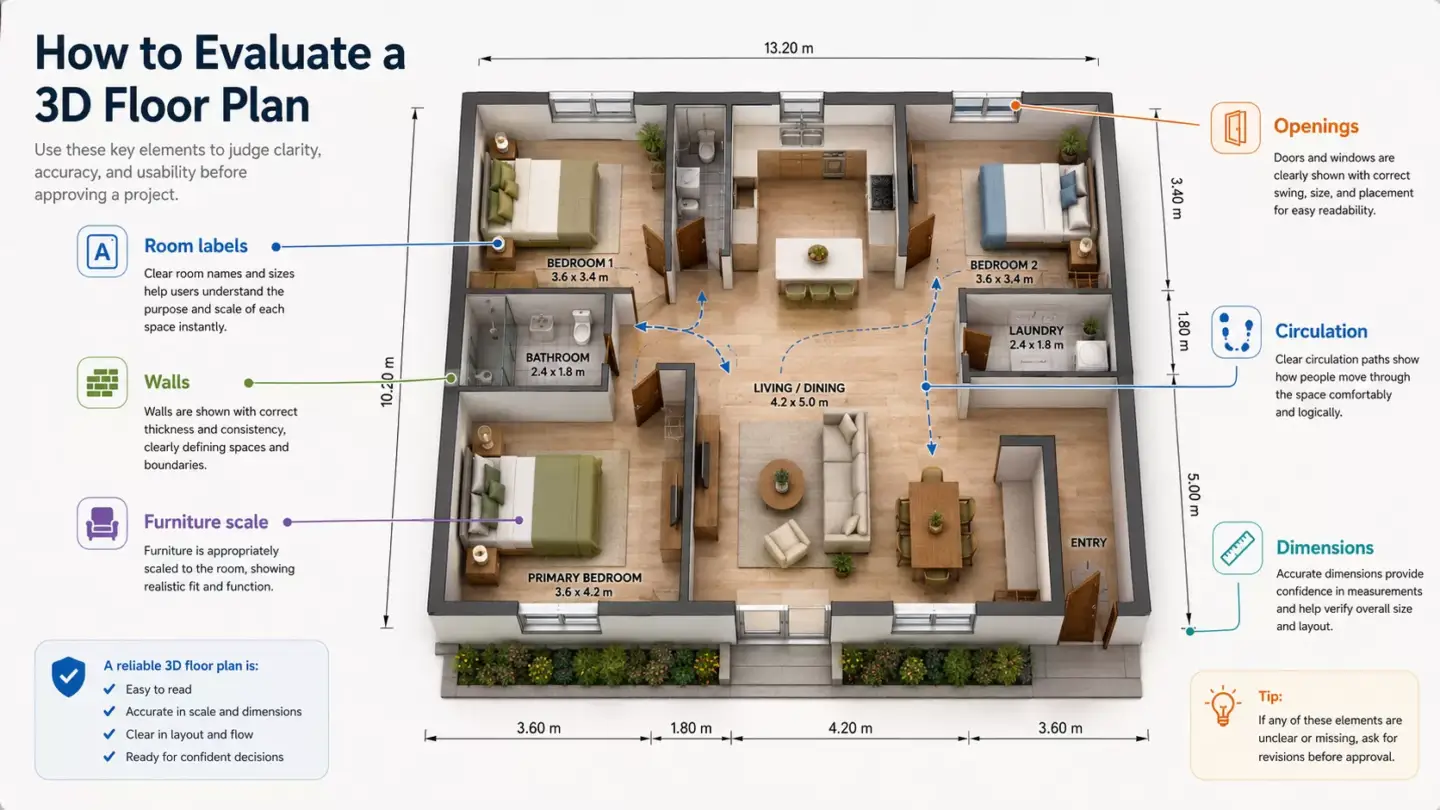
A good 3D floor plan is accurate, readable, and visually clear. It should show the correct layout, room proportions, furniture scale, openings, fixtures, and circulation without unnecessary clutter. The best floor plan is easy to understand at a glance and detailed enough to support real decisions.
- Accurate room dimensions and proportions.
- Clear walls, doors, windows, stairs, and openings.
- Furniture shown at believable scale.
- Easy-to-read room relationships and circulation.
- Materials and colors that support clarity, not distraction.
- Balanced top-down or angled camera view.
- Optional labels and dimensions when useful.
- Consistent style across all plans in a property campaign.
- Alignment with drawings, specifications, and actual layout.
Readability is more important than decoration. If a plan has too many props, heavy shadows, or confusing angles, the viewer may miss the layout. A strong floor plan uses materials, labels, and furniture to clarify the space rather than overwhelm it.
Common 3D Floor Plan Mistakes
Common 3D floor plan mistakes include wrong scale, unclear camera angle, oversized furniture, missing doors or windows, excessive decor, poor room labeling, and visuals that look attractive but do not accurately represent the property layout. These mistakes can create buyer confusion and weaken trust. A floor plan should make the property easier to understand, not make the rooms look larger than they are.
- Furniture that makes rooms look larger than they are.
- Missing or incorrect walls, doors, windows, or stairs.
- Camera angle that hides important circulation paths.
- Too much styling that distracts from layout clarity.
- Materials or finishes that do not match the design.
- Lack of labels or dimensions when used for buyer decision-making.
- Inconsistent visual style across multiple units or properties.
The most serious mistake is sacrificing accuracy for appeal. If a bed is too small, a hallway is hidden, or a wall opening is wrong, the plan may mislead buyers or clients. A credible 3D floor plan should balance marketing polish with honest spatial communication.
Software Used for 3D Floor Plans
3D floor plans can be created with tools such as RoomSketcher, SketchUp, Revit, AutoCAD, 3ds Max, Blender, Matterport, rendering software, and post-production tools. The best software depends on accuracy, realism, speed, interactivity, and final output needs. Software can help create the plan, but the result still depends on correct measurements, clean layout logic, and visual clarity.
| Software or Tool | Best For | Typical Use |
| RoomSketcher or floor plan tools | Fast floor plan creation | DIY layouts, real estate plans, and simple 3D views |
| AutoCAD | Technical 2D plan input | Accurate architectural drawings |
| Revit | BIM-based layouts | Architecture and coordinated building data |
| SketchUp | Fast 3D modeling | Simple property and interior layouts |
| 3ds Max | High-end visualization | Detailed, polished 3D floor plan renders |
| Blender | Flexible 3D modeling and rendering | Custom visualization workflows |
| Matterport | Captured property data and tours | Existing spaces and digital walkthroughs |
| V-Ray, Enscape, or Lumion | Rendering and presentation | Materials, lighting, and visual polish |
| Photoshop | Post-production | Labels, color correction, and final presentation |
DIY tools can work for simple internal planning or quick layout concepts. Professional visualization workflows are better when the plan needs accurate dimensions, consistent branding, high-quality furniture, or polished real estate presentation. The right tool should match the desired output, not just the easiest way to draw a room.
3D Floor Plan Cost Factors3D Floor Plan Cost Factors
A 3D floor plan typically costs about USD 250–600 for a standard residential layout and USD 700–1,200 for a complex or commercial space, with most plans delivered in roughly 5–8 business days. Floor plans are usually more cost-efficient than full 3D renders because they reuse existing models and focus on clarity rather than cinematic detail, and they are most affordable when ordered as part of a 3D rendering package alongside interior, exterior, or modeling work. Beyond that base range, the final price depends on property size, number of floors, level of detail, furniture, finishes, source file quality, output format, labels, revision rounds, and deadline.
- Property size and number of rooms.
- Number of floors or units.
- Furnished or unfurnished level of detail.
- Accuracy and completeness of source plans.
- Need for custom furniture, fixtures, or materials.
- Labels, dimensions, branding, or multiple language versions.
- Still image, interactive output, or animated output.
- Revision rounds and deadline urgency.
The cheapest option is not always the most useful. If a low-cost plan has incorrect proportions, weak labels, or inconsistent unit styles, it may hurt buyer confidence. A good pricing discussion should begin with source files, property size, required detail, usage channel, and deadline.
In-House Teams, Freelancers, and Visualization StudiosFrom our studio — clients should order floor plans more often than they do. When a floor plan comes on top of the modeling and 3D visualization you are already paying for, it costs very little, and on a listing it shows the buyer exactly what the space will look like. It is a very visual thing for not much money.
Dim Kuzmenko, founder, Maverick Frame Studio
In-House Teams, Freelancers, and Visualization Studios
A 3D floor plan can be created in-house, by a freelancer, with floor plan software, or by a specialized visualization studio. The best option depends on quality expectations, project scale, deadline, accuracy needs, and whether the plans are part of a larger real estate campaign. Multi-unit projects, brand-sensitive listings, and investor presentations usually benefit from a more structured workflow.
| Option | Best When | Limitation |
| DIY floor plan software | Simple plans and quick internal needs | Limited realism and customization |
| In-house team | Ongoing real estate or design visualization | Requires software, training, and quality control |
| Freelancer | Small projects or limited number of plans | Capacity and consistency may vary |
| 3D visualization studio | Multi-unit developments and polished marketing assets | Higher cost but stronger process and scalability |
| AI-assisted tools | Early concepts or quick layout drafts | Needs human review for accuracy and quality |
In-house teams work well when a company creates floor plans constantly and can manage standards. Freelancers can be useful for small batches or one-off listing assets. Studios are often stronger when the project needs consistent styling, several units, marketing deliverables, revision control, and integration with broader visualization assets.
AI-assisted tools may help with early layout ideas or quick references. They still need human review because room dimensions, door positions, furniture scale, and labels must be accurate. For buyer-facing property marketing, accuracy and readability matter more than speed alone.
How to Brief a 3D Floor Plan ProjectHow to Brief a 3D Floor Plan Project
A strong 3D floor plan brief should define the project goal, property type, source files, dimensions, furniture level, labels, visual style, output formats, and revision process. A clear brief helps the final plan stay accurate, readable, and useful for the intended audience. It should also explain whether the plan is for a listing, brochure, pre-sale campaign, renovation review, design approval, or investor presentation.
- State the project goal: real estate listing, pre-sale, design approval, renovation planning, or brochure.
- Provide source plans, CAD or BIM files, sketches, or measurements.
- Confirm dimensions, room names, wall positions, doors, and windows.
- Decide whether the plan should be furnished or unfurnished.
- Share furniture, fixture, material, and color preferences.
- Define labels, room names, dimensions, or branding needs.
- Specify output format: web image, print image, listing asset, presentation slide, or interactive format.
- Clarify revision stages, deadline, and final file requirements.
A good brief should separate fixed information from flexible styling. Room dimensions, wall positions, doors, windows, stairs, and fixed fixtures should be treated as accuracy requirements. Furniture style, decor, color accents, and labels can usually be adjusted to match the audience and marketing channel.

Turn Ideas Into Visual Stories
FAQ about 3D floor plans
What is a 3D floor plan in simple terms?
A 3D floor plan is a three-dimensional visual layout of a property. It shows rooms, walls, doors, windows, furniture, and fixtures from a top-down or angled view, making the space easier to understand than a flat 2D drawing. It is often used in real estate, interior design, architecture, renovation planning, and property marketing.
What does a 3D floor plan show?
A 3D floor plan shows the structure and layout of a space, including rooms, walls, doors, windows, floors, furniture, fixtures, and sometimes materials or labels. A furnished version may also show beds, sofas, tables, cabinets, appliances, and decor. The goal is to help viewers understand how the space is organized and how rooms connect.
What is the difference between a 2D and 3D floor plan?
A 2D floor plan is a flat technical layout, while a 3D floor plan adds depth, perspective, furniture, and visual detail. A 2D plan is often better for construction, measurements, and technical coordination. A 3D floor plan is better for buyers, clients, and non-technical viewers because it makes the layout easier to imagine.
What is a 3D floor plan used for?
A 3D floor plan is used for real estate listings, pre-construction sales, interior design presentations, renovation planning, commercial leasing, client approvals, and property marketing. It helps people understand room flow, furniture placement, and spatial relationships before visiting, buying, renting, renovating, or approving a space. It is especially useful when a flat plan does not communicate enough for decision-making.
How is a 3D floor plan created?
A 3D floor plan is created from a 2D floor plan, CAD drawing, BIM model, sketch, or measured layout. The designer builds the layout in 3D, adds walls, floors, doors, windows, furniture, fixtures, and materials, then renders the final top-down or angled view. Labels, dimensions, and branding can be added when the plan is used for listings, brochures, or presentations.
Is a 3D floor plan the same as a 3D rendering?
A 3D floor plan is not exactly the same as a 3D rendering. A 3D floor plan focuses on the layout from above, while a 3D rendering usually shows a specific room, exterior, or scene from a camera viewpoint. Both are forms of 3D visualization, but they answer different questions for viewers.
Do real estate listings need 3D floor plans?
Real estate listings do not always need 3D floor plans, but they are very useful when layout clarity matters. They help buyers understand how rooms connect, how furniture fits, and how the property functions. They are especially helpful for off-plan sales, remote buyers, apartments, new developments, and properties with unusual layouts.
What do you need to make a 3D floor plan?
To make a 3D floor plan, you usually need a floor plan, sketch, CAD or BIM file, or measured layout with room dimensions, wall positions, doors, and windows. Furniture preferences, material references, labels, room names, and output requirements also help. The more accurate the input, the more reliable the final 3D floor plan will be.