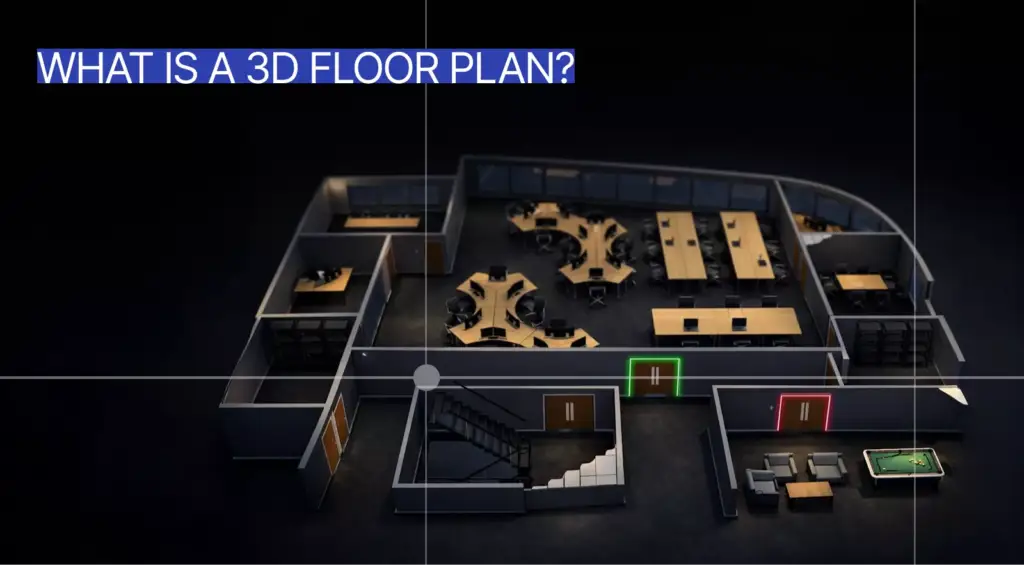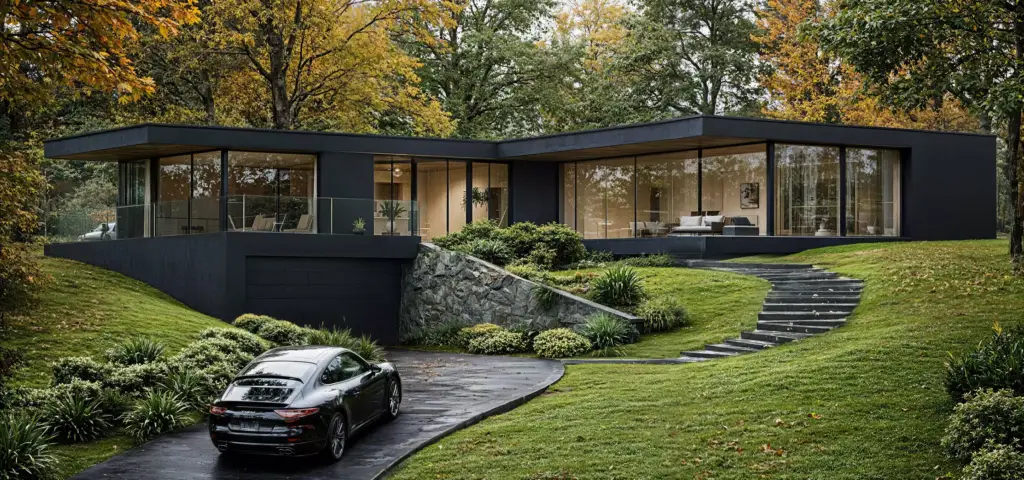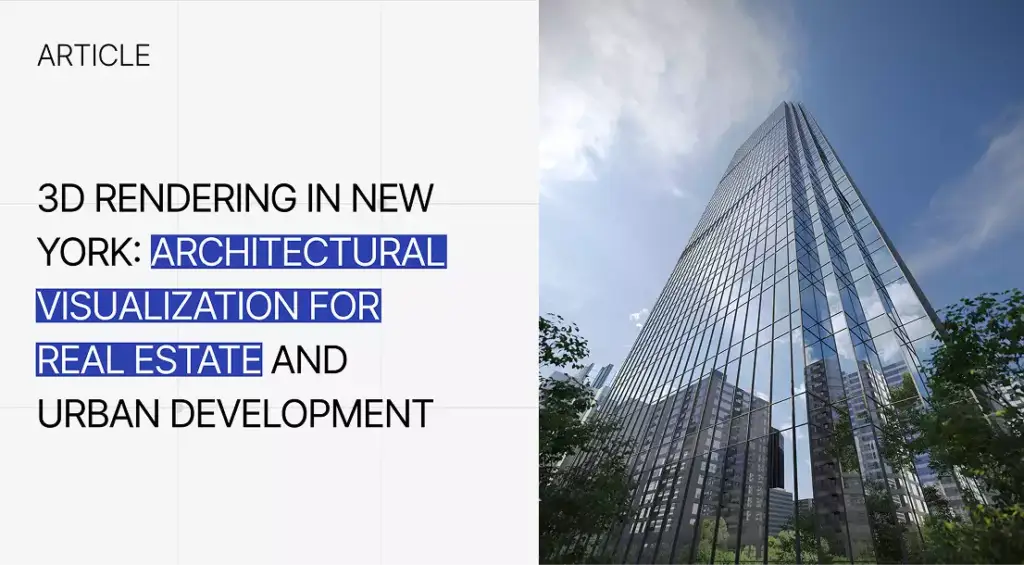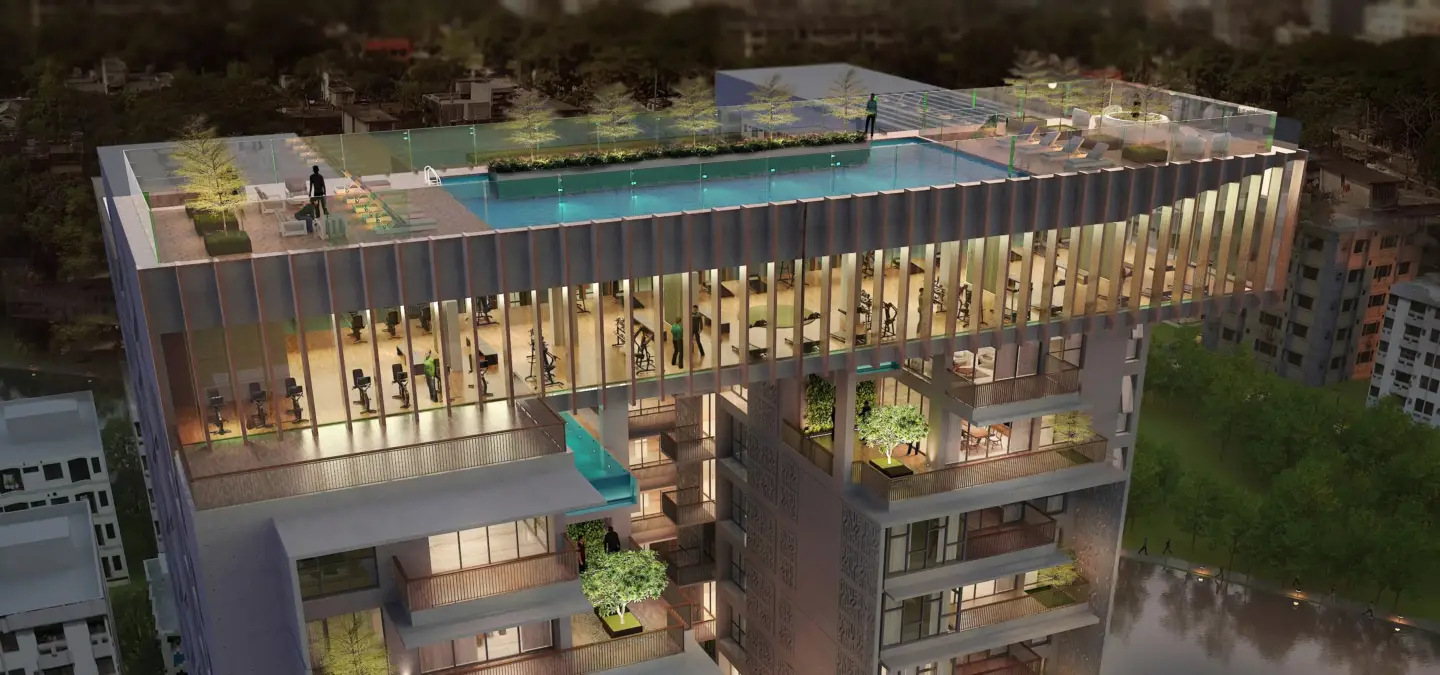
Residential rendering is the process of creating realistic digital images, animations, or interactive visuals of homes and residential spaces before they are built, renovated, furnished, sold, or marketed. It helps show how a house, apartment, villa, townhouse, duplex, or residential complex will look in real life, including layout, materials, lighting, furniture, landscaping, exterior design, and interior atmosphere. Residential rendering is part of architectural visualization and 3D rendering, and it can support design decisions, renovation planning, pre-construction sales, investor presentations, buyer communication, and real estate marketing. Residential projects often pair renders with a 3D floor plan for layout clarity.
What residential rendering is: a 3D visualization — a CGI image, animation, or interactive tour — that shows a home before it is built, renovated, or sold.
What residential rendering is not:
- Not wall rendering or plaster — that is an exterior masonry finish applied to walls on site, a building trade, not a digital image.
- Not 3D modeling — modeling builds the geometry; rendering turns that model into a photorealistic image.
- Not real estate photography — photography captures a property that already exists; a render depicts one that does not physically exist yet.
- Not virtual staging alone — staging drops furniture into an existing photo; residential rendering generates the entire scene from scratch.
Residential Rendering Meaning
Residential rendering is a digital visualization of a home or residential property. It is one of the core types of architectural rendering. It shows how a house, apartment, villa, townhouse, duplex, or residential development will look before construction, renovation, furnishing, or marketing is complete. The purpose is to make design ideas clear for homeowners, buyers, architects, developers, builders, realtors, and investors.
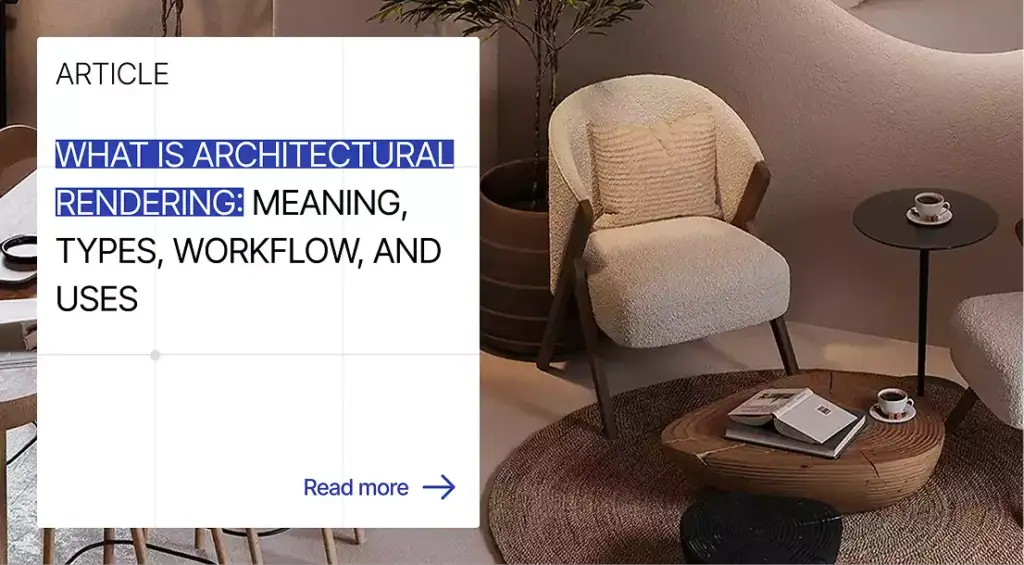
The word “residential” refers to living spaces rather than business or commercial spaces. A residential render can show interiors, exteriors, aerial views, 3D floor plans, animations, virtual tours, or 360 views. For homes that need clear indoor presentation before construction or furnishing, 3D interior rendering services can turn plans, references, and moodboards into room visuals that are easier to review.
Residential rendering turns technical plans, sketches, CAD files, BIM models, or design concepts into understandable visuals. A homeowner may use it to approve a renovation, while a developer may use it to sell apartments before they are finished. A buyer may use it to understand layout, materials, daylight, and lifestyle potential before visiting or purchasing.
What a Residential Render Shows
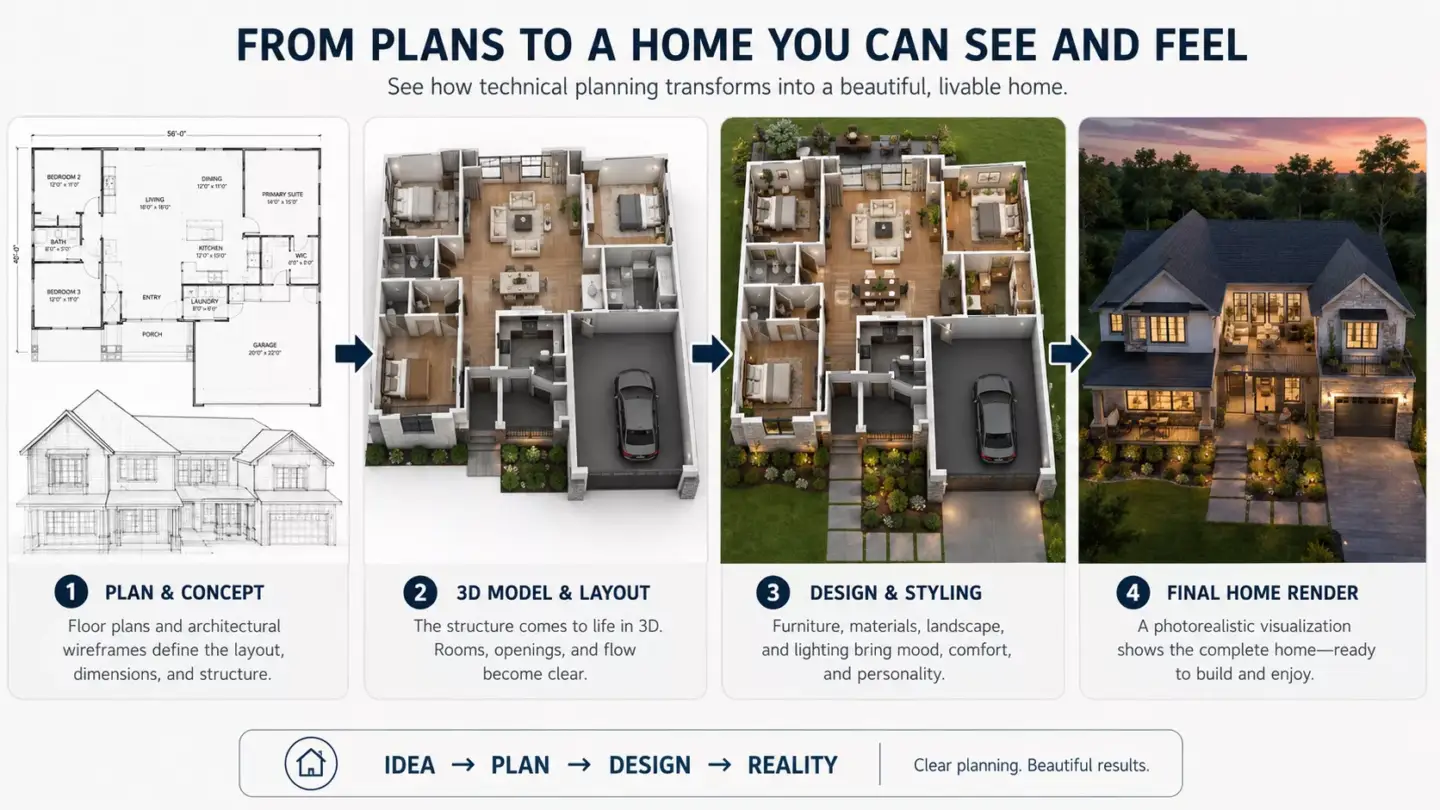
A residential render shows the design, layout, materials, lighting, scale, and atmosphere of a home or living space. It can show the exterior of a house, the interior of a room, the landscaping around a property, or the full context of a residential development. A strong render helps viewers understand both the design and the lifestyle the property supports. For a worked example, see our guide to 3D rendering of a modern house.
- Exterior architecture, facade, roof, windows, doors, and balconies.
- Interior layout, furniture, decor, lighting, and room flow.
- Materials such as wood, stone, brick, glass, concrete, tile, fabric, and paint.
- Landscape design, garden, driveway, patio, pool, terrace, and outdoor living area.
- Residential context such as street, neighboring homes, parking, and shared amenities.
- Day, dusk, night, or seasonal atmosphere.
- Human-scale details such as furniture, plants, cars, people, pets, and lifestyle objects.
- Design options such as color schemes, finish alternatives, and furniture layouts.
A render can show more than one design decision at the same time. For example, a living room render can communicate furniture scale, flooring color, window light, wall texture, ceiling height, and how people might use the space. For exterior views, 3D exterior rendering services can help show facade design, landscape, driveway, garden, street presence, and neighborhood context before construction begins.
Lifestyle Context in Residential Rendering
Lifestyle context matters because residential rendering is not only about showing architecture. It also helps viewers imagine how people will live in the space, including how rooms feel, how daylight enters, how furniture fits, and how outdoor areas function. This makes the render more useful for buyers, homeowners, realtors, and developers.
A house render should communicate comfort, function, privacy, storage, entertaining space, remote work areas, and outdoor lifestyle. An apartment render may need to show efficient room flow, balcony use, kitchen functionality, and natural light. A villa render may focus on privacy, pool experience, landscape design, terrace living, and premium atmosphere.
How Residential Rendering WorksHow Residential Rendering Works
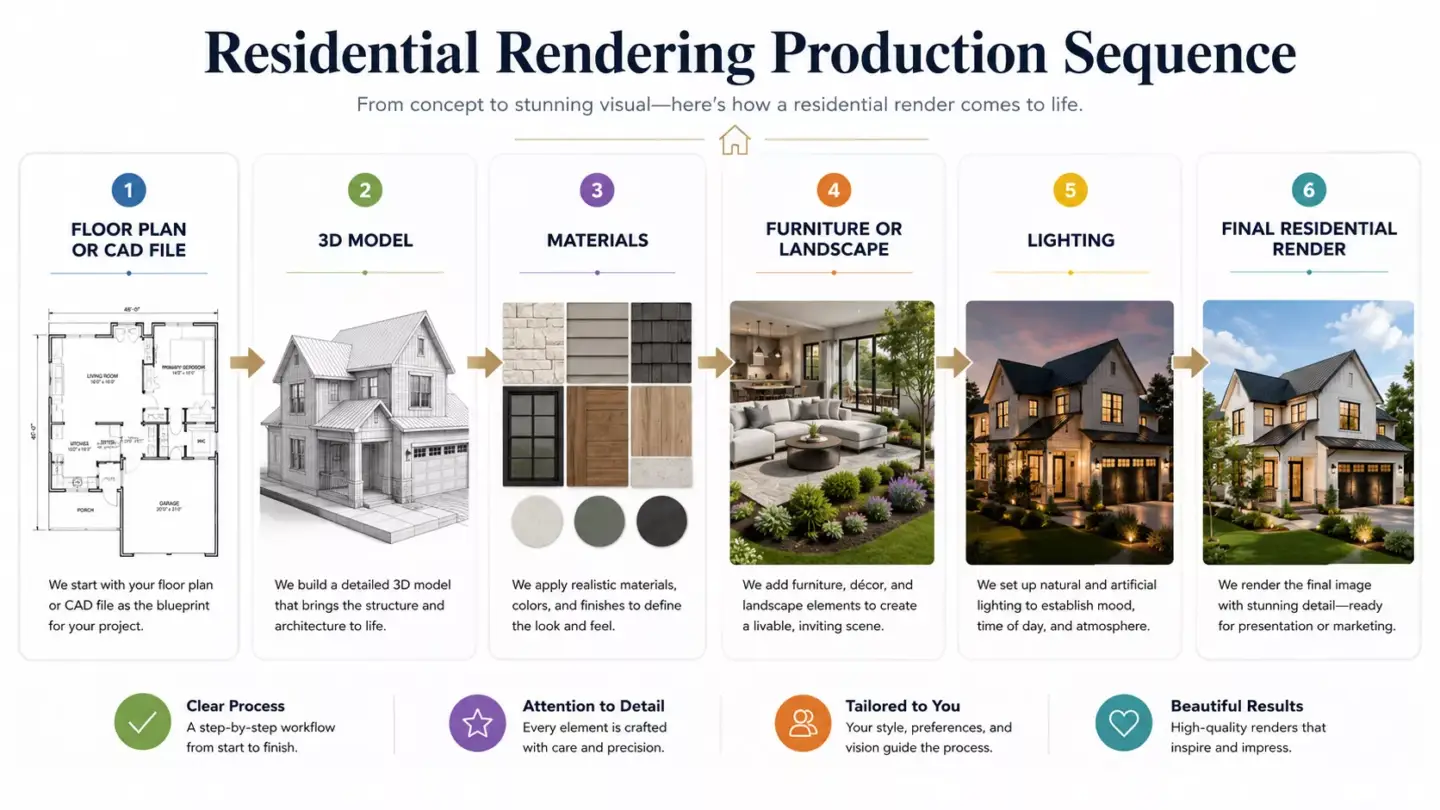
Residential rendering works by turning architectural or design information into a 3D scene, then adding materials, lighting, furniture, landscape, camera angles, and final rendering. The result is a polished visual that previews a home before it is physically completed. The process can be simple for one room or complex for a full villa, apartment building, residential complex, or animated walkthrough.
- Collect project materials: floor plans, elevations, CAD or BIM files, sketches, site plans, references, and moodboards.
- Build or import the 3D model of the home, apartment, or residential development.
- Add architectural details such as windows, doors, roof, stairs, walls, and built-ins.
- Apply materials, finishes, textures, furniture, decor, and landscape elements.
- Set camera views such as exterior front view, living room view, aerial view, or 3D floor plan.
- Add lighting, shadows, weather, season, people, or lifestyle details.
- Render still images, animations, 360 panoramas, or virtual tours.
- Refine the result through post-production, color correction, and final visual polish.
The 3D model is the foundation of every reliable render. If the room dimensions, roof shape, window placement, or furniture scale are wrong, the final image can look polished but still mislead the viewer. For accurate geometry before final visuals, architectural 3D modeling services can support house renders, apartment visuals, floor plans, exterior scenes, and residential development presentations.
Materials Needed to Create a Residential Render
To create an accurate residential render, a 3D artist usually needs floor plans, elevations, dimensions, site information, material references, furniture preferences, and desired camera views. The clearer the brief is, the more accurate and useful the render will be. Good inputs also reduce revisions because the visualization team does not need to guess important design details.
- Floor plans, elevations, and sections.
- CAD, BIM, Revit, SketchUp, or 3D model files if available.
- Room dimensions, ceiling heights, and building measurements.
- Site plan, landscape plan, or surrounding context.
- Facade materials, interior finishes, and color references.
- Furniture, decor, lighting, and appliance references.
- Moodboard, style references, or brand and property positioning.
- Camera views, output sizes, and usage channels.
Not every project starts with perfect documentation. A visualization team can often work from sketches, photos, reference images, planning notes, or partial drawings. Still, accurate measurements, finish selections, site details, and furniture references usually lead to better realism and faster approval.
Common Uses for Residential Rendering
Residential rendering is used to design, approve, market, sell, and explain homes before they are finished. It helps homeowners visualize renovations, architects communicate designs, developers promote properties, realtors market listings, and buyers understand unbuilt or unfinished spaces. It is valuable when drawings, empty rooms, or construction sites do not give enough visual clarity.
From our studio — the biggest mistake is making a render the architect or designer likes instead of one that sells the house. If the goal is to sell, every choice — light, angle, styling — should serve the buyer, not the designer’s taste.
Dim Kuzmenko, Co-Founder, Maverick Frame
- Custom home design presentations.
- Renovation and remodeling previews.
- Apartment, villa, townhouse, and residential complex marketing.
- Pre-construction sales and off-plan property promotion.
- Interior design approval and furniture planning.
- Exterior design, facade, and landscaping decisions.
- Investor presentations for residential developments.
- Homebuilder sales packages and brochures.
- Remote buyer presentations and virtual property previews.
- HOA, planning board, or stakeholder approvals.
A homeowner may use a render to compare kitchen layouts before ordering cabinets. A developer may use renders to launch a new apartment project before model units are ready. A real estate team may use 3D rendering for real estate to support listings, brochures, sales galleries, investor decks, and pre-construction campaigns.
Residential Rendering for Real Estate Marketing
In real estate marketing, residential rendering helps sell or promote homes before they are built, furnished, or ready for photography. It gives buyers and investors a clear view of the property’s design, lifestyle, finishes, surroundings, and future value. This is especially useful for off-plan sales, new developments, remote buyers, and renovation projects.
Marketing teams use residential renders on landing pages, brochures, listing visuals, paid ads, investor decks, and sales presentations. Exterior hero images can communicate curb appeal, while interior lifestyle renders help buyers imagine daily use. 3D floor plans can explain layout and room flow faster than traditional 2D plans.
Visual consistency also matters across channels. If the same property appears on a website, brochure, billboard, and sales gallery, the visuals should share lighting style, material accuracy, and positioning. For layout-focused buyer education, 3D floor plan rendering services can help show room relationships, furniture placement, circulation, and usable space more clearly.
Examples of Residential RenderingExamples of Residential Rendering
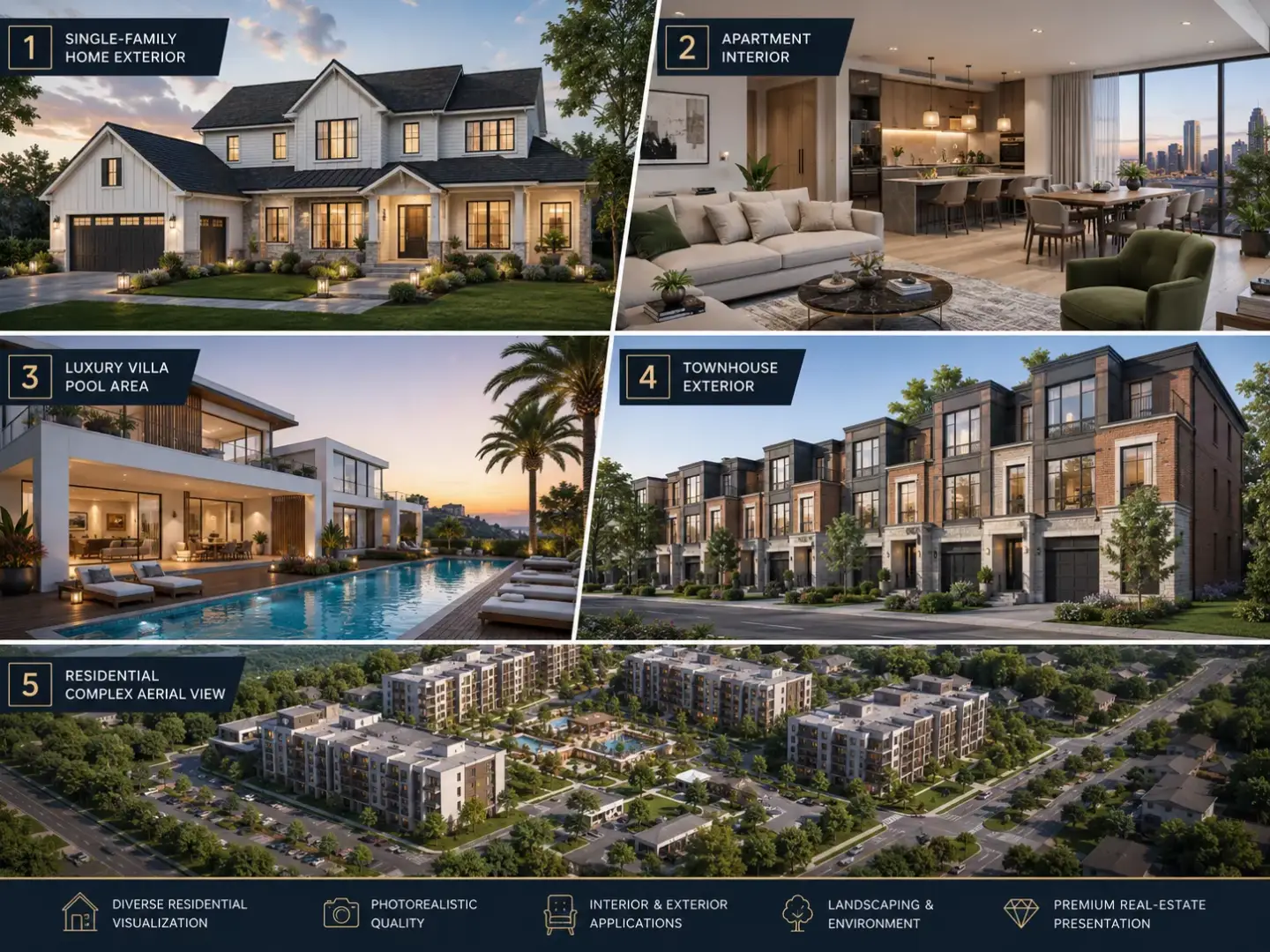
Examples of residential rendering include a photorealistic house exterior, living room render, apartment kitchen visualization, villa pool view, 3D floor plan, residential complex aerial view, renovation preview, and virtual walkthrough of a future home. These visuals can support design approval, real estate marketing, sales, buyer presentations, and investment discussions. The best example depends on whether the viewer needs to understand layout, atmosphere, exterior presence, or property value.
- Single-family house exterior render.
- Apartment interior render.
- Villa or luxury home visualization.
- Townhouse or duplex render.
- Residential complex aerial render.
- Kitchen, bedroom, bathroom, or living room render.
- Renovation before and after visualization.
- Landscape, garden, patio, or pool render.
- 3D floor plan or sectional view.
- Residential walkthrough or 360 virtual tour.
A house exterior render can show facade materials, driveway, garden, roof, windows, and street context. An apartment interior render can show furniture layout, daylight, material palette, and room flow. A villa visualization can show architecture, pool area, outdoor lounge, privacy, landscape, and lifestyle atmosphere.
Types of Residential Rendering
The main types of residential rendering include exterior house renders, interior home renders, apartment renders, villa renders, 3D floor plans, aerial views, walkthrough animations, 360 panoramas, and virtual staging. Each format supports a different design, sales, or presentation goal. The right choice depends on whether the viewer needs to understand appearance, layout, atmosphere, context, or movement through the home.
| Type | Best For | What It Shows |
| Exterior residential render | Home design, sales, and approvals | Facade, roof, landscape, driveway, and context |
| Interior residential render | Interior design and buyer presentation | Furniture, layout, lighting, finishes, and atmosphere |
| Apartment render | Pre-sales and design approval | Unit layout, room flow, and lifestyle potential |
| Villa or luxury home render | Premium property marketing | Architecture, landscape, pool, terrace, and lifestyle |
| 3D floor plan | Layout explanation | Room relationships, circulation, and furniture placement |
| Aerial residential render | Developments and site context | Masterplan, roofs, landscape, roads, and amenities |
| Walkthrough animation | Stronger spatial storytelling | Movement through rooms or around the property |
| 360 or virtual tour | Immersive viewing | Interactive exploration of a home or apartment |
Still images are often enough for brochures, listing pages, design approval, and renovation review. Walkthroughs and 360 views are stronger when the viewer needs to understand movement, spatial sequence, or the full home experience. When immersive presentation is important, 360 panorama services can help turn residential scenes into more engaging virtual viewing experiences.
Residential Rendering Compared With Commercial RenderingResidential Rendering Compared With Commercial Rendering
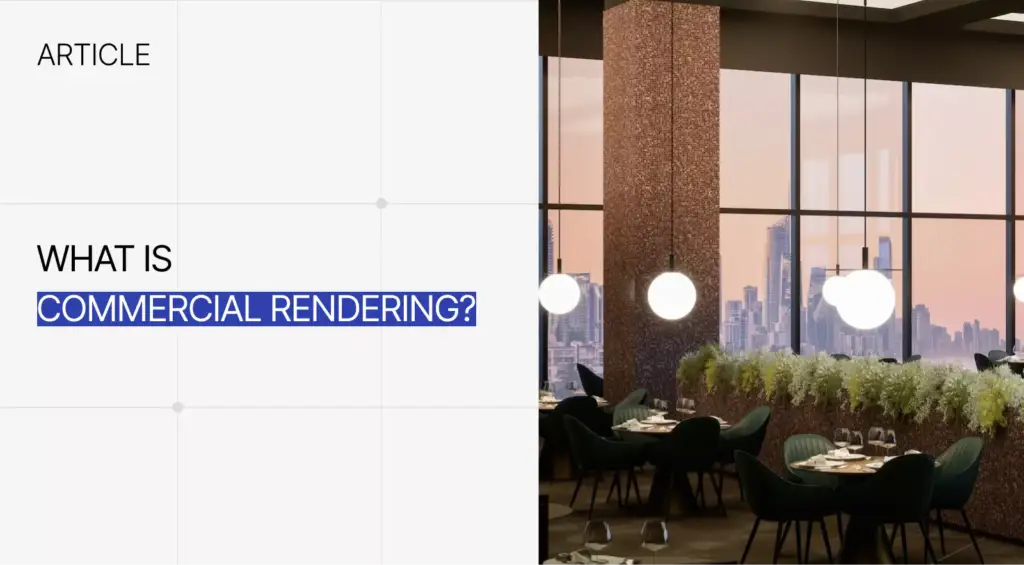
Residential rendering visualizes homes and living spaces, while commercial rendering visualizes business-focused spaces such as offices, stores, hotels, restaurants, and mixed-use properties. Residential rendering usually focuses more on comfort, lifestyle, personal taste, and home functionality. Commercial rendering usually puts more emphasis on brand experience, tenant value, customer flow, signage, amenities, and business performance.
| Factor | Residential Rendering | Commercial Rendering |
| Main focus | Living experience and home design | Business use, leasing, and customer experience |
| Common spaces | Houses, apartments, villas, townhouses, residential complexes | Offices, retail, restaurants, hotels, mixed-use developments |
| Key audience | Homeowners, buyers, architects, developers, realtors | Tenants, investors, brands, developers, leasing teams |
| Visual priorities | Comfort, lifestyle, layout, finishes, atmosphere | Brand, signage, traffic flow, amenities, ROI |
| Common outputs | Home exterior, living room render, 3D floor plan, renovation preview | Office render, retail render, hotel lobby, commercial facade |
| Main decision goal | Approve, sell, renovate, or personalize a home | Lease, fund, approve, or market a commercial asset |
A residential render should help someone imagine living in the space. A commercial render should help someone understand business value, tenant appeal, customer movement, or brand presence. When a project crosses into mixed-use development, commercial 3D rendering services can support the office, retail, hospitality, and revenue-generating parts of the property.
Residential Rendering Compared With Interior and Exterior RenderingResidential Rendering Compared With Interior and Exterior Rendering
Residential rendering can include both interior and exterior rendering. Residential describes the property type, while interior and exterior describe which part of the property is visualized. A residential project may need living room renders, house facade views, garden visuals, aerial views, 3D floor plans, or virtual tours.
| Term | Meaning | Example |
| Residential rendering | Rendering for homes and living spaces | House, apartment, villa, or residential complex |
| Interior rendering | Rendering of indoor spaces | Living room, kitchen, bedroom, or bathroom |
| Exterior rendering | Rendering of a building’s outside | House facade, garden, driveway, or street view |
| 3D floor plan | Layout visualization from above | Apartment layout with furniture |
| Architectural visualization | Broader field of visualizing buildings and spaces | Renders, animations, VR, and walkthroughs |
| 3D modeling | Creating the digital geometry | Home model, room model, or furniture model |
A residential interior render may show how a bedroom feels, while a residential exterior render may show the facade and landscape. A 3D floor plan may show the full home from above so buyers can understand room relationships. These formats work together when a buyer needs both emotional appeal and practical layout clarity.
Residential Rendering Compared With Real Estate PhotographyResidential Rendering Compared With Real Estate Photography
Residential rendering shows a home before it exists or before it is ready to photograph, while real estate photography captures an existing property. Rendering is better for unbuilt homes, renovations, design options, and off-plan marketing. Photography is better for completed properties where real-world proof, condition, and authenticity matter most.
| Factor | Residential Rendering | Real Estate Photography |
| Best for | Unbuilt, unfinished, or redesigned homes | Completed homes |
| Control | High control over lighting, materials, furniture, and view | Limited to real conditions |
| Flexibility | Can show future design options | Shows current reality |
| Use cases | Pre-sales, renovation previews, investor decks, design approval | Listings, documentation, and finished marketing |
| Limitation | Must stay accurate to avoid unrealistic expectations | Cannot show what does not exist yet |
| Best result | Future-focused visual communication | Authentic proof of a finished space |
A render can show a future kitchen before cabinets are installed. A photograph can only show what is already physically there. The strongest real estate campaigns often use rendering before completion and photography after the home is finished.
Residential Rendering SoftwareResidential Rendering Software
Residential rendering can be created with tools such as Revit, SketchUp, 3ds Max, Blender, V-Ray, Corona Renderer, Lumion, Enscape, Twinmotion, Unreal Engine, and Photoshop. The best software depends on workflow, realism level, timeline, interactivity, and final output format. Software supports the process, but accuracy, design judgment, lighting quality, and clear project information shape the final result.
| Software or Tool | Best For | Typical Use |
| Revit | BIM-based residential architecture | Coordinated project data and technical design |
| SketchUp | Fast concepts and home design presentation | Early-stage layouts and house models |
| 3ds Max | High-end architectural visualization | Detailed interiors and exteriors |
| Blender | Flexible modeling and rendering | General residential visualization |
| V-Ray or Corona | Photorealistic rendering | Premium still images |
| Lumion, Enscape, or Twinmotion | Fast real-time visualization | Quick presentations and walkthroughs |
| Unreal Engine | Interactive and real-time experiences | VR, virtual tours, and immersive home previews |
| Photoshop | Post-production | Color correction, sky, people, decor, and final polish |
Some tools are stronger for fast concept review, while others are better for premium photorealistic marketing visuals. Real-time tools help with walkthroughs and quick design iteration, while high-end render engines offer deeper material and light control. The tool choice should follow the deliverable, not replace good briefing or design accuracy.
Quality Criteria for Residential RendersQuality Criteria for Residential Renders
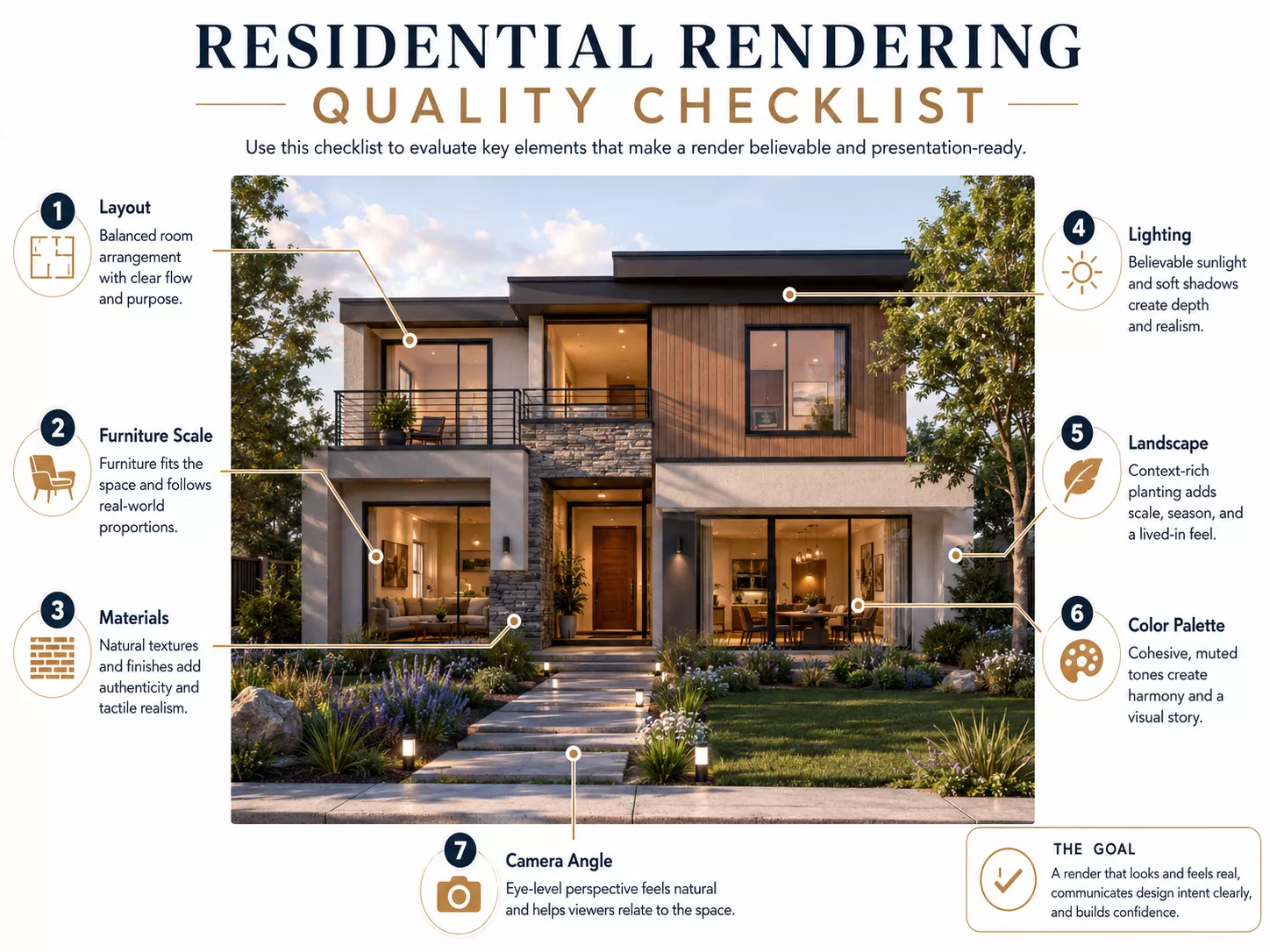
A good residential render is realistic, accurate, and emotionally clear. It should show correct proportions, believable materials, natural lighting, functional layout, and a sense of home. The best render helps viewers understand both the design and the lifestyle it supports.
- Accurate dimensions, proportions, and architectural details.
- Realistic materials, finishes, and textures.
- Natural lighting, shadows, and reflections.
- Believable furniture scale and room layout.
- Clear camera composition and useful viewing angle.
- Landscape or outdoor context when relevant.
- Consistent style, color palette, and atmosphere.
- Enough lifestyle detail without distracting clutter.
- Alignment with drawings, specifications, and buyer expectations.
Quality is not just about photorealism. A render can look beautiful but still fail if furniture is oversized, lighting hides important details, or the camera makes a room look larger than it is. For residential projects, the strongest visuals balance emotional appeal with honest spatial communication.
Common Residential Rendering Mistakes
Common residential rendering mistakes include incorrect scale, unrealistic lighting, generic furniture, weak material quality, missing site context, and visuals that look attractive but do not match the actual design. These issues can create confusion during approvals, sales, or renovation planning. A residential render should reduce uncertainty, not create unrealistic expectations.
- Furniture that is too large or too small for the room.
- Materials that do not match the selected finishes.
- Overly dramatic lighting that hides design details.
- Generic decor that does not match the target buyer or homeowner.
- Exterior views without landscape, driveway, garden, or street context.
- Camera angles that make rooms look larger than they are.
- Over-polished visuals that create unrealistic expectations.
The most serious mistake is making the future home look better than the design can realistically deliver. Buyers, homeowners, and investors need confidence that the render reflects real decisions. A strong visualization process should make the home desirable while still respecting dimensions, materials, budget, and site conditions.
Residential Rendering Cost Factors
Residential rendering typically costs $250–$1,800 per still image for an interior or exterior, with a single home view usually at the lower-to-mid of that range and a detailed villa or multi-unit development higher. 3D animation starts around $2,000 per project. The price then depends on property size, number of views, realism level, available input files, furniture and landscape complexity, revision rounds, output format, and delivery timeline. For a full breakdown, see our 3D rendering pricing guide. A simple room render requires less work than a full villa, residential complex, or animation.
- Property type: room, apartment, house, villa, or development.
- Number of still images, views, or scenes.
- Interior, exterior, aerial, 3D floor plan, animation, or virtual tour scope.
- Level of photorealism required.
- Completeness of drawings, CAD or BIM files, and references.
- Custom furniture, decor, fixtures, or landscape detail.
- Day, dusk, night, or seasonal lighting variations.
- Revision rounds, stakeholder approvals, and deadline urgency.
The cheapest render is not always the best value. If a low-cost visual misrepresents a renovation, weakens a sales campaign, or causes approval confusion, the project may cost more later. A useful residential render should be judged by accuracy, realism, decision value, and how many final assets it can support.
In-House Teams, Freelancers, and 3D Visualization StudiosFrom our studio — a render of a normal private house usually takes us about 12–16 hours of work. A whole residential complex is a different scale, 30–40 hours at least. That production time, not extra camera angles, is what really sits behind the price.
Dim Kuzmenko, Co-Founder, Maverick Frame
In-House Teams, Freelancers, and 3D Visualization Studios
Residential rendering can be produced in-house, by a freelancer, or by a specialized 3D visualization studio. The best option depends on project complexity, quality expectations, timeline, number of views, revision process, and whether the client needs consistent visuals across a full property campaign. The more complex the home, development, or approval process, the more valuable a structured workflow becomes.
| Option | Best When | Limitation |
| In-house team | Ongoing residential visualization needs and direct design control | Requires software, hiring, and management |
| Freelancer | Small projects or limited single-room or single-view visuals | Capacity and consistency may vary |
| 3D visualization studio | Complex homes, developments, and multi-format deliverables | Higher cost but stronger process and scalability |
| Real-time tools only | Fast design reviews and early walkthroughs | May need extra polish for premium marketing visuals |
| AI-assisted tools | Early mood exploration or concept ideation | Usually needs human cleanup and accurate design control |
In-house teams work well when a developer, studio, or builder has steady visualization needs. Freelancers can be useful for small projects, isolated views, or limited scopes. Studios are often stronger for multi-room homes, residential developments, marketing packages, animations, 360 views, and stakeholder-heavy approval processes.
AI-assisted tools can help with early mood exploration, reference creation, and fast concept ideas. They are less reliable when exact dimensions, selected materials, legal marketing accuracy, or buyer-facing realism matter. Human art direction remains important because residential rendering must communicate a real future space, not only generate an appealing image.
How to Brief a Residential Rendering ProjectHow to Brief a Residential Rendering Project
A strong residential rendering brief should define the project goal, target audience, property type, required views, design files, materials, furniture style, landscape needs, output formats, and approval process. A clear brief helps the rendering team create visuals that are accurate and useful. It should explain whether the render is for design approval, renovation preview, pre-sale, investor pitch, listing, brochure, or marketing campaign.
- State the project goal: design approval, renovation preview, pre-sale, investor pitch, listing, brochure, or marketing campaign.
- Provide floor plans, elevations, sections, CAD or BIM files, and dimensions.
- Share facade materials, interior finishes, furniture references, and lighting preferences.
- Provide site plan, landscape references, or surrounding context if exterior views are needed.
- Define required camera views and number of visuals.
- Specify mood: cozy, luxury, minimal, family-friendly, modern, traditional, coastal, urban, or premium.
- Confirm output sizes and channels: website, brochure, listing, social, presentation, sales gallery, or billboard.
- Clarify revision stages, decision-makers, deadline, and final file requirements.
A strong brief should separate fixed requirements from creative preferences. Dimensions, ceiling heights, window positions, facade materials, room layout, and approved finishes usually need accuracy. Styling, props, weather, lighting mood, camera height, and lifestyle details can often be adjusted to support the visual story.
Residential buildings are also sold on their details: our premium elevator CGI shows how a single interior element becomes a marketing asset.

Turn Ideas Into Visual Stories
FAQ about what residential rendering means
What does 'render' mean in real estate?
In real estate, a render — or rendering — is a photorealistic 3D image of a property created before it is built or renovated. It lets buyers, developers, and agents see a finished home in advance, so it is used to pre-sell units, market listings, and secure investment while a project is still on paper.
Is residential rendering the same as house wall rendering?
No. Residential rendering is a digital 3D visualization of a home; house wall rendering is a plaster or cement coating applied to exterior walls on site. They share the word render but belong to different fields — one is CGI, the other is a construction finish.
What is residential rendering in simple terms?
Residential rendering is a digital image, animation, or interactive visual that shows a home before it is built, renovated, furnished, or marketed. It can show a house exterior, apartment interior, villa, townhouse, garden, 3D floor plan, or full residential development. The goal is to help people understand the design clearly before physical work is complete.
What is 3D residential rendering?
3D residential rendering is the process of creating realistic home visuals using 3D software. A 3D artist builds or imports a digital model, adds materials, furniture, lighting, landscaping, and camera views, then renders the final image or animation. The result can look like a real photo, even if the property does not exist yet.
What is residential rendering used for?
Residential rendering is used for home design presentations, renovation previews, pre-construction sales, real estate marketing, investor presentations, buyer communication, and client approvals. It helps homeowners, architects, developers, and realtors show how a home or residential project will look before construction, furnishing, or photography is possible. It is especially useful when decisions need to be made from plans, sketches, or unfinished spaces.
What are examples of residential rendering?
Examples of residential rendering include a house exterior render, apartment interior render, villa visualization, townhouse render, living room render, kitchen render, residential complex aerial view, 3D floor plan, renovation before and after image, and virtual walkthrough. These visuals can be used for design approval, marketing, sales, or buyer presentations. They help different audiences understand the property from practical, emotional, and investment perspectives.
What is the difference between residential and commercial rendering?
Residential rendering visualizes homes and living spaces, while commercial rendering visualizes business-focused spaces such as offices, hotels, restaurants, and retail stores. Residential renders usually focus on comfort, lifestyle, layout, and personal atmosphere. Commercial renders focus more on brand experience, leasing value, customer flow, signage, and business function.
Is residential rendering the same as interior rendering?
Residential rendering is not exactly the same as interior rendering. Residential rendering describes the property type, which means homes and living spaces. Interior rendering describes the viewpoint inside a room or building, so a residential render can be an interior render, exterior render, 3D floor plan, aerial view, or virtual tour.
What do you need to create a residential render?
To create a residential render, a 3D artist usually needs floor plans, elevations, dimensions, CAD or BIM files, material references, furniture preferences, and desired camera views. For exterior views, site plans, landscape references, and surrounding context are also helpful. Clear inputs make the final render more accurate and reduce revisions.
How much does residential rendering cost?
Residential rendering usually costs $250–$1,800 per still image, with 3D animation starting around $2,000 per project. The final price depends on property size, number of views, realism level, input files, furniture and landscape detail, and revision rounds. A single room render costs less than a full villa, multi-unit development, or interactive virtual tour.
What are the three types of rendering?
The three main types of residential rendering are interior rendering, exterior rendering, and aerial rendering. Interior renders show rooms, layout, furniture, and lighting; exterior renders show the façade, materials, and surroundings; aerial renders show the property and site from above. Many residential projects also use 3D floor plans, animations, and virtual tours.
What software is used for residential rendering?
Residential rendering is typically created with 3D software such as 3ds Max, Blender, SketchUp, or Cinema 4D, paired with render engines like V-Ray, Corona, or Lumion. The software matters less than the artist’s skill in lighting, materials, and composition, which is what makes a residential render look photorealistic.