Post-processing in architectural visualization is the final editing stage where a raw 3D render is refined into a finished image — adjusting light, color, contrast and atmosphere, compositing render passes, and adding life such as people, sky and reflections. It is what turns a technically correct render into a believable, emotionally convincing picture of a space. For a worked example, see our guide to 3D rendering of a modern house.
Even a perfectly modeled and lit scene leaves the render engine with a flat, slightly lifeless image. Post-production — in Photoshop, often alongside AI tools, sometimes Lightroom or a compositor — is where mood, depth and realism are dialed in. For studios and architects it is rarely optional: it is the difference between a render that merely shows a building and one that sells it.
What Post-Processing Actually Does in ArchvizWe build images that sell, and photorealistic doesn’t always mean selling. Every real object looks worse than its render — pick up a new iPhone and it’s scratched within a minute. A render never shows scratches, badly turned bolts or seams in the furniture; it shows the ideal. That’s the whole point of post-processing for us: the image has to do its job and sell the space, not be maximally photorealistic.
Dim Kuzmenko, founder, Maverick Frame Studio
What Post-Processing Actually Does in Archviz
Post-processing is not about “fixing mistakes.” On a well-built scene it is deliberate art direction applied after rendering. The main jobs it handles:
- Exposure & contrast — balancing highlights and shadows the render engine left too flat or too harsh.
- Color grading & white balance — setting a consistent mood (warm or cool), correcting casts, unifying a series of views.
- Atmosphere — haze, god rays, depth fog and subtle bloom that make a space feel like air, not a vacuum.
- Entourage & life — people, vegetation, cars, birds and sky, added or refined, increasingly with AI that inserts figures and greenery faster and more convincingly than rebuilding them in 3D.
- Material believability — reflections, glass tints, screen content, dust and wear that are faster to paint than to re-render.
- Sky replacement — swapping in a dramatic or neutral sky to set time of day and mood, matched to the scene’s light and reflections.
- Lens & camera realism — vignette, chromatic aberration, grain, depth-of-field, plus motion blur and car light-trails that mimic a real long-exposure photograph.
Studios typically spend 20–40% of a still’s total time in post-production — on many images comparable to the rendering itself.
If there are people in a shot, post-processing is simply mandatory. We’d rather render the scene with no people and drop them in with AI than try to rescue a figure that came out wrong in the model — a broken CG person can’t be fixed in Photoshop, but a clean AI insert just works. It’s the same with greenery: AI now handles vegetation, and details like birds in a bird’s-eye view, faster and better than 3ds Max. We build the base in 3ds Max, then push it further with AI in post.
Dim Kuzmenko, founder, Maverick Frame Studio
Render Passes: The Raw Material of Post-Production
Good post-processing in architectural visualization starts before Photoshop, in the render. Engines like V-Ray and Corona output render passes (render elements or AOVs) — separate layers that give the artist non-destructive control. The common ones:
| Pass | What it controls in post |
| Beauty / RGB | The base full-color render everything is built on |
| Z-Depth | Distance map for depth-of-field, fog and atmospheric haze |
| Ambient Occlusion (AO) | Contact shadows that add depth and ground objects |
| Reflection / Refraction | Tune glass, water and metal independently |
| Lighting / GI | Brighten or warm the light without re-rendering |
| Material / Object ID | Select any surface or object by a flat color mask |
| Cryptomatte | Per-object and per-material masks for precise local edits |
With these layers an artist can deepen a reflection, lift a shadow or change a sky in minutes — no re-render required. A clean pass setup is itself part of a professional post-processing workflow.

The Photoshop Post-Processing Workflow (Step by Step)
A repeatable Photoshop workflow for post-processing in architectural visualization keeps every image consistent and fast to revise:
- Import and stack the passes. Open the beauty render and bring in the passes as layers or smart objects with the right blend modes (AO on Multiply, reflections on Screen or Add). Keep everything non-destructive.
- Set exposure and white balance. Fix overall brightness and color temperature first with Curves and Camera Raw, so every later edit sits on a correct base.
- Build depth and atmosphere. Use the Z-Depth pass to add distance haze and depth-of-field, separating foreground from background and giving the image air.
- Grade the color and mood. Apply the project’s look — warm golden-hour interior, crisp daylight exterior — with gradient maps, selective color and LUTs, keeping a consistent palette across the series.
- Add entourage and life. Composite people, plants, furniture, sky and reflections at the right scale and perspective. For people and dense vegetation, many studios now insert or enhance with AI instead of modeling everything in 3D — it is faster and often more convincing.
- Detail and finish. Dodge and burn to guide the eye, add subtle bloom, vignette, grain and lens effects, then sharpen and export at the required resolution.
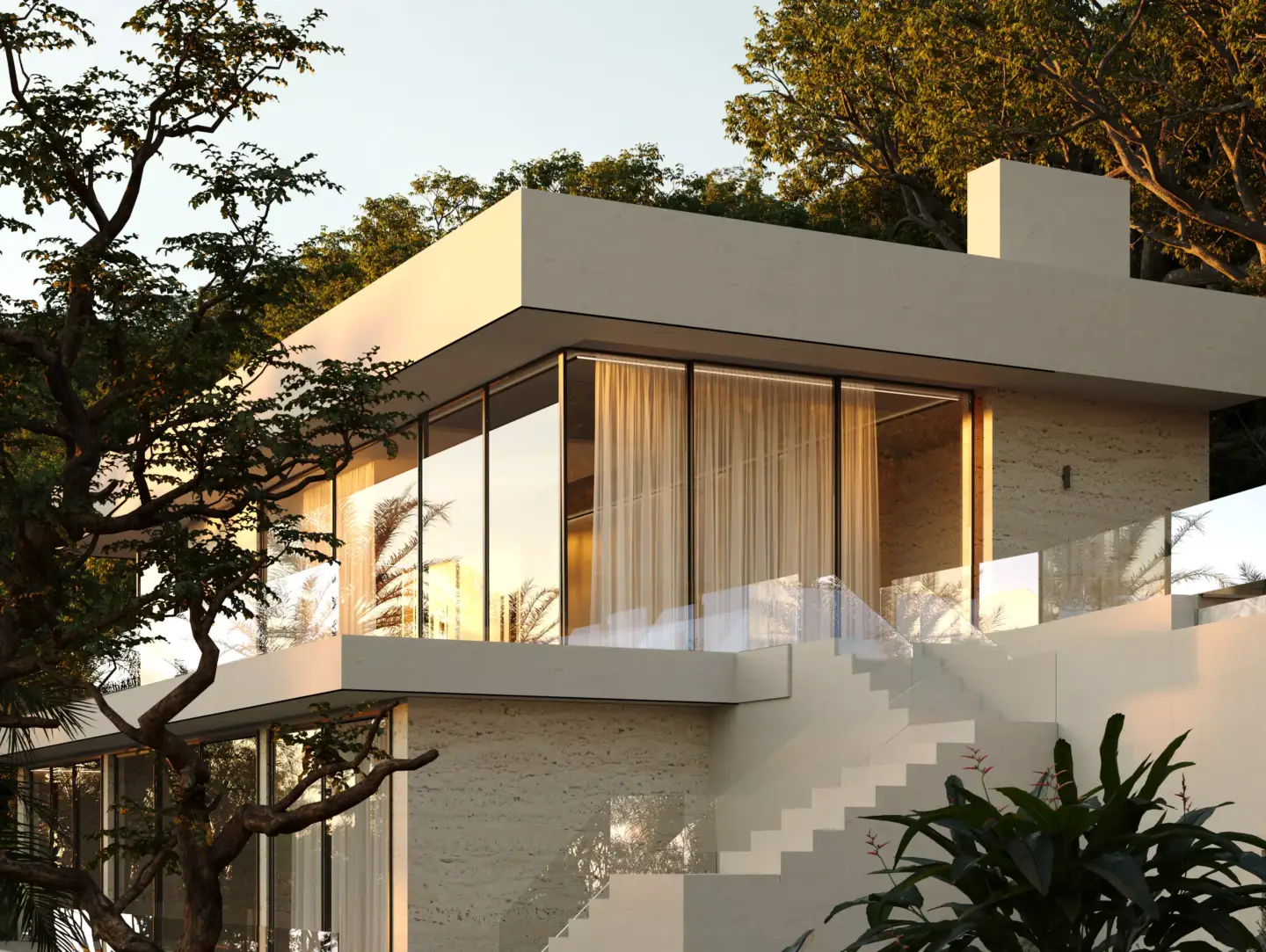
Post-Processing vs. In-Render: What to Do Where
A real efficiency lever: some effects are cheaper and better in post, others should stay in the 3D scene.
| Effect | Best done | Why |
| Geometry, materials, accurate lighting | In render | Physical accuracy; post can’t invent correct light |
| Depth-of-field, haze, color grade | In post | Faster, fully adjustable, no re-render |
| Sky and background | In post | Swap freely without recalculating GI |
| People and entourage | Usually post | Cheaper, art-directable, easy to reposition (often via AI) |
| Reflections and glass tint | Either | Base in render, fine-tune via the reflection pass in post |
The rule of thumb: render what must be physically correct; finish in post what is about mood, story and speed. The same finishing principles carry across project types — from a residential development to a commercial space or an aerial masterplan view.
Best Practices for Post-Processing in Architectural VisualizationBest Practices for Post-Processing in Architectural Visualization
- Render passes from the start — decide your AOVs before the final render, not after.
- Stay non-destructive — adjustment layers, smart objects and masks, so revisions are minutes, not hours.
- Grade the series, not the single image — clients see a set; consistency of light and color sells the project.
- Reference real photography — match how a real camera and lens behave; restraint reads as realism.
- Keep a layered master file — re-exports, format changes and client tweaks all come back to it.
Common Post-Processing Mistakes (and How to Avoid Them)
The biggest mistake is trying to rescue a weak scene in Photoshop. Post can make a render a little better — or, just as often, a little worse. For post-processing to make an image great, the render has to already be beautiful before post. Learn to build clean scenes and strong renders first; post-processing is the finish, not the fix.
Dim Kuzmenko, founder, Maverick Frame Studio
- Over-cooking — crushed contrast, neon grades and heavy bloom that scream “render.” Pull back; aim for photographic.
- Fixing in post what belongs in 3D — painting over wrong lighting wastes time and rarely convinces.
- Mismatched entourage — people lit from the wrong direction or scaled wrong instantly break realism.
- Inconsistent series — each view graded differently, so the set looks disjointed to the client.
- Flattening too early — losing the layered file kills cheap revisions.
Tools Used for Architectural Post-Processing
Photoshop is the studio standard for stills — layers, passes, masking and retouching all live here, which is why Photoshop for architectural rendering is a core skill, not an add-on. Lightroom (or Camera Raw) handles fast batch grading across a series. AI tools increasingly sit alongside Photoshop for inserting people, vegetation and other entourage. For animation, post moves to a compositor such as After Effects or DaVinci Resolve and Nuke, where the same pass-based logic applies frame by frame.
Our toolkit is deliberately broad: Photoshop first, then a range of neural and AI models for specific jobs — some running locally on our own machines, some subscription-based, some narrow and task-specific.
Dim Kuzmenko, founder, Maverick Frame Studio


Turn Ideas Into Visual Stories
FAQ about post-processing in architectural visualization
What is post-processing in architectural visualization?
Post-processing is the final stage where a raw 3D render is edited into a finished image — adjusting exposure, color, contrast and atmosphere, compositing render passes, and adding entourage like people and sky. It turns a technically correct render into a believable, photographic picture of a space.
Why is post-processing important in archviz?
Render engines output flat, slightly lifeless images. Post-processing adds the mood, depth and realism that make a space feel real and desirable. For studios and architects it is what separates a render that just shows a building from one that helps win approvals or sell it.
Is post-processing done in Photoshop?
Yes — Photoshop is the industry standard for architectural stills, handling render-pass compositing, color grading, retouching and entourage. Lightroom or Camera Raw is used for fast batch grading, and compositors like After Effects or Nuke handle animation, but Photoshop remains the core tool for single images.
What are render passes and why do they matter?
Render passes (AOVs) are separate layers a render engine outputs — Z-depth, ambient occlusion, reflection, lighting, object IDs and more. They let an artist adjust depth, shadows, reflections or light in post without re-rendering, which makes professional post-production fast, flexible and non-destructive.
How long does post-processing take for one render?
It varies with complexity, but studios typically spend roughly 20–40% of a still’s total production time in post-production — often comparable to the rendering itself. In our own work, post can take even longer than the render: heavy greenery or large AI and Photoshop rebuilds can make it the bigger half of the job.
What should be done in render versus in post?
Anything that must be physically accurate — geometry, materials, true lighting — belongs in the 3D render. Mood-based effects like depth-of-field, atmosphere, color grade, sky and most entourage are faster and more flexible in post. The rule: render what must be correct, finish what is about mood.
Can post-processing fix a bad render?
Only partly. Post can refine light, color and atmosphere and hide minor flaws, but it cannot correct wrong geometry, broken materials or fundamentally incorrect lighting. Those must be fixed in the 3D scene. Post-processing elevates a good render; it rarely rescues a bad one.
What is the difference between post-processing and retouching?
Retouching is one part of post-processing — cleaning up artifacts, removing unwanted elements, fixing small details. Post-processing is the broader finishing stage that also includes pass compositing, color grading, atmosphere and entourage. Retouching polishes; post-processing art-directs the whole image.