Architectural rendering tools help turn design models, drawings, and early concepts into realistic images, animations, and walkthroughs. The right choice is not the same for every studio because a presentation render, a BIM review, and a luxury real estate campaign have different production needs. That is why the search for best architectural rendering software should start with workflow, not brand preference.
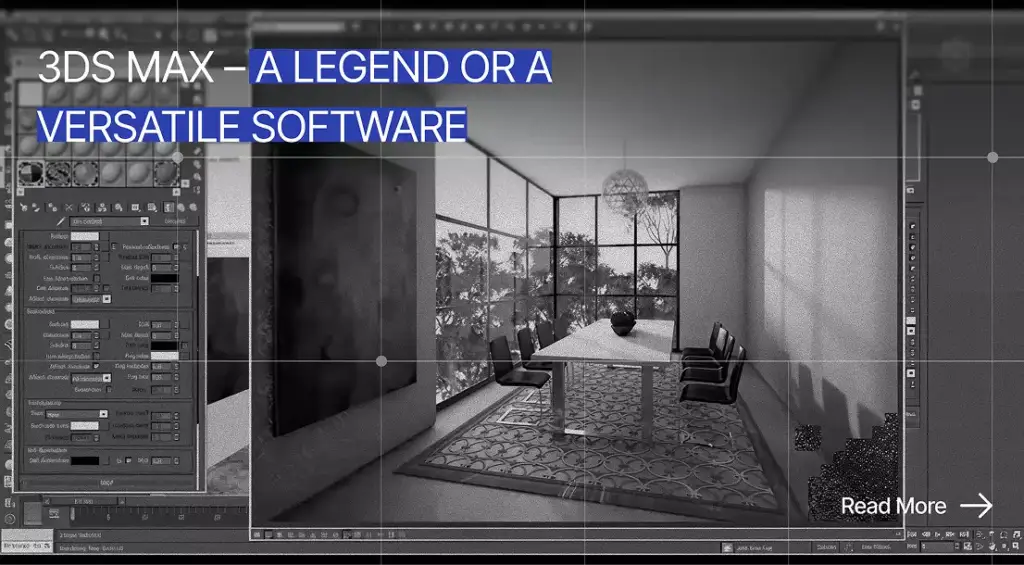
V-Ray and Corona often fit teams that need polished still imagery with careful lighting and material control. Enscape and Twinmotion are stronger when architects need fast walkthroughs, while Lumion is useful for visual storytelling at presentation speed. Blender remains a serious free option, and 3Ds Max is still common in professional archviz pipelines.
The practical decision comes down to realism and speed first. After that, teams should test CAD or BIM compatibility, hardware capacity, licensing cost, and internal skill. Good architectural rendering software should support the way a team already designs instead of forcing every project into a new production pipeline.
What Is Architectural Rendering Software?What Is Architectural Rendering Software?
Many people ask what architectural rendering software is because the term overlaps with modeling, visualization, and presentation tools. Architectural rendering software is a tool used to create realistic 2D images, 3D visuals, animations, or interactive walkthroughs from architectural models, drawings, or design concepts. In practical terms, it helps teams see a building before construction and communicate design value before anything is built.
This software is used for interiors and exteriors across residential, hospitality, workplace, and public projects. It also supports masterplans and landscape scenes where context can shape client approval. In real estate marketing, the same visual pipeline can turn an unbuilt property into campaign-ready imagery.
A modeling tool creates geometry, while a renderer calculates how that geometry looks with light, material, camera position, and atmosphere. Revit, SketchUp, Rhino, and 3Ds Max can hold or create models, but the final visual quality often comes from a render engine or visualization plugin. This is why architectural rendering software is usually selected alongside the design platform, not separately.
Lighting, materials, camera composition, assets, and post-production all affect the final image. A weak model can still look poor in an expensive renderer, while a strong artist can get impressive results from a free workflow. The best production setup combines reliable software with a disciplined visual process.

How to Choose the Best 3D Rendering Software for Architecture
Choosing 3D rendering software starts with the final deliverable. A still image for a sales brochure needs different control than a live walkthrough for a design meeting. A student portfolio also has different constraints than a developer campaign with paid media spend.
Output Quality
Photorealistic stills reward tools with precise lighting, physically plausible materials, and strong camera controls. V-Ray and Corona are especially relevant when the image must withstand close review from clients or creative directors. Blender Cycles can also support high-quality stills when the artist has enough time to tune the scene.
Animation changes the decision because speed and scene management become more important. A single still can take hours of refinement, but a 90-second walkthrough needs a repeatable workflow. Real estate marketing often benefits from a mix of polished stills and motion, especially when buyers need to understand space quickly.
Speed and Real-Time Workflow
Speed matters when architects need instant feedback during design review. Real-time rendering software lets the team test daylight, materials, and spatial impressions while the model is still changing. Enscape is built around this kind of connected workflow inside design applications.
Real-time 3D rendering software is also valuable in client meetings because it reduces the gap between question and answer. A client can ask to see a different view, and the team can navigate rather than promise another render next week. That responsiveness can improve trust even when the final marketing image is produced later in a traditional renderer.
Compatibility With Existing Tools
Compatibility should be tested before aesthetics because production friction quickly becomes expensive. V-Ray supports major host platforms including 3Ds Max, SketchUp, Rhino, and Revit, while Enscape supports common architecture workflows including Revit, SketchUp, Rhino, Archicad, and Vectorworks. D5 also offers LiveSync plugins for tools such as 3Ds Max, SketchUp, Revit, Rhino, Archicad, Blender, Vectorworks, and Cinema 4D.
A SketchUp-heavy studio will usually benefit from a plugin-driven workflow. A Revit-based practice may value live BIM synchronization more than maximum post-production control. A visualization studio that receives messy files from many clients may prefer a 3Ds Max pipeline because it can clean, rebuild, and optimize complex scenes.
Hardware Requirements
Rendering can expose weak workstations quickly. GPU-heavy real-time tools need strong graphics cards, while CPU-based renderers place more pressure on processor performance. Corona is officially positioned around CPU rendering, which makes hardware planning different from GPU-first workflows.
Cloud rendering can reduce local pressure, but it does not remove the need for clean scenes. Large textures, excessive vegetation, and unoptimized imported models can slow any setup. Before buying seats, teams should test their actual model size instead of relying on vendor demo scenes.
Budget and Licensing
The budget is not only the subscription price. Training time, asset libraries, hardware upgrades, and lost production time can cost more than the license itself. Free tools are attractive, but they still require a workflow owner who understands quality control.
This is where AI and cloud-adjacent tools can enter the conversation without replacing the core renderer. Teams exploring faster concept visualization can compare emerging options in this guide to AI rendering tools before deciding whether those tools belong before or after the main 3D pipeline. The safest approach is to use AI for ideation or acceleration, then keep final commercial visuals under a controlled production process.
Learning Curve
Beginner-friendly tools reduce the intimidation factor for architects who are not full-time visualization artists. Enscape, Twinmotion, and SketchUp-based plugin workflows usually feel more approachable than 3Ds Max or Unreal Engine. The trade-off is that easy tools may offer less deep control over complex materials and compositing.
Professional render engines reward patience and visual skill. V-Ray, Corona, and Cycles can produce excellent work, but they demand a stronger understanding of light, surfaces, and camera behavior. The easiest tool is not always the best long-term choice if the studio plans to sell premium visualization services.

Best Architectural Rendering Software in Detail
The tools below are ranked by practical fit rather than raw popularity. Some are better for design review, while others are better for final visuals. A strong studio may use two tools because speed and image control rarely peak in the same package.
At a glance, here is how the best architectural rendering software compares by primary use case, type, real-time capability, and free access:
| Tool | Best For | Type | Real-Time | Free Option |
| V-Ray | High-end photorealistic stills | Render engine (plugin) | No | Trial only |
| Corona | Natural interiors & daylight stills | Render engine (plugin) | No | Trial only |
| Lumion | Fast client presentations, large scenes | Standalone real-time | Yes | Trial |
| Enscape | Real-time BIM design review | Real-time plugin | Yes | Trial |
| Twinmotion | Interactive walkthroughs, urban context | Standalone real-time | Yes | Free for eligible users |
| D5 Render | Real-time with strong visual quality | Standalone real-time | Yes | Free tier |
| Blender | Best free full 3D suite | Modeler + engine | Eevee real-time | Free |
| 3Ds Max | Professional archviz pipelines | Modeler (+ engines) | No | Trial only |
| Unreal Engine | Interactive, VR, real-time experiences | Real-time engine | Yes | Free |
| SketchUp + plugins | Beginners & concept work | Modeler + plugins | Via plugins | Free (web) / Trial |
In our studio the base is 3ds Max plus Corona — that is the backbone, with D5 Render as our second engine. Not every project works well in D5, and not every one works well in Corona; the skill is knowing which job goes where. We also lean on tools like Magnific for upscaling and for adding people, since that looks better than dropping figures straight into the scene. One rule though: the image has to be great before any post-processing — you cannot make a good picture out of a bad one.
Dim Kuzmenko, Co-Founder, Maverick Frame
V-Ray: Best for High-End Photorealistic Architectural Visualization
V-Ray fits studios that treat final imagery as a premium deliverable. Its main strength is deep control over lighting, materials, cameras, and render settings. Chaos positions V-Ray as a plugin for major design platforms, including 3Ds Max, SketchUp, Rhino, and Revit.
The main pros are realism, flexibility, and a mature production ecosystem. The cons are a steeper learning curve and the need for careful scene setup, especially when deadlines are tight. It fits advanced artists, visualization studios, and architecture teams that treat final imagery as a serious commercial asset.
Corona Renderer: Best for Natural-Looking Still Images
Corona Renderer is best for natural-looking still images, especially interiors and daylight-heavy scenes. It stands out because many artists find its workflow more direct than V-Ray while still getting polished results. For teams comparing V-Ray vs Corona, this deeper Corona vs V-Ray comparison can help clarify the trade-off between control, speed, and artist preference.
The main pros are approachable photorealism and a strong fit for 3Ds Max or Cinema 4D still-image production. The cons are weaker live walkthrough capability and reliance on CPU rendering, which can affect workstation planning. It is best for interior specialists, boutique studios, and artists who prioritize still-image beauty over interactive presentation.
Lumion: Best for Fast Client Presentations and Large Environment Scenes
Lumion is best for fast client presentations, landscape context, and large environment scenes. It stands out by giving architects a visual storytelling environment with assets, atmosphere, people, vehicles, and weather effects. Lumion View also offers real-time visualization for CAD and BIM workflows, with official support currently highlighted for SketchUp, Revit, and Archicad.
The main pros are presentation speed and the ability to make scenes feel populated quickly. The cons are heavier hardware needs and less granular control than a traditional high-end render engine. It is a strong choice for design firms that need persuasive visuals without building a specialist archviz department.
Enscape: Best for Real-Time BIM and Design Review
Enscape is best for architects who need immediate visual feedback inside their design workflow. It stands out because design and visualization update together, which reduces manual export steps. Chaos describes Enscape as a real-time rendering and VR tool for Revit, SketchUp, Rhino, Archicad, and Vectorworks.
The main pros are ease of use, live walkthroughs, and strong BIM review value. The cons are limited advanced post-production controls compared with offline render engines. It is best for architecture practices that need faster internal decisions and client-facing walkthroughs during active design.
Twinmotion: Best for Interactive Walkthroughs and Urban Visualization
Twinmotion is best for immersive walkthroughs, urban context, landscape-heavy scenes, and VR-style presentation. It stands out because it is powered by Unreal Engine 5 while keeping a more approachable interface for non-game developers. Epic highlights Twinmotion’s intuitive UI, pipeline integration, and large built-in asset access.
The main pros are interactive presentation, environmental context, and accessible learning compared with Unreal Engine. The cons are that advanced interactivity still requires deeper real-time production knowledge. It is a strong fit for architects, planners, and developers who need context-rich scenes more than microscopic shader control.
D5 Render: Best for Real-Time Rendering With Strong Visual Quality
D5 Render is best for teams that want modern real-time output with a strong speed-to-quality balance. It stands out through real-time rendering, asset access, and LiveSync support across common design platforms. Official download pages list plugins for tools including SketchUp and Revit, with additional support for Rhino and Blender.
The main pros are fast output and a visual workflow that can feel more polished than older entry-level tools. The cons are GPU dependence and the need to review free-plan limits before using it on commercial deadlines. It is best for designers and smaller studios that want a contemporary renderer without moving fully into a complex game-engine pipeline.
Blender: Best Free Architectural Rendering Software
Blender is best for users who need a free all-in-one 3D suite with modeling, materials, animation, and rendering. It stands out because it is free and open source, which makes it unusually powerful for students and independent artists. Blender’s official site describes it as free and open-source software owned by its contributors.
The main pros are no license cost, broad capability, and a large community. The cons are a steep learning curve and the need to build an architecture-friendly workflow through add-ons, asset libraries, and disciplined file management. It is the strongest free architectural rendering software choice for people who can invest time in learning.
Autodesk 3Ds Max: Best for Professional Archviz Pipelines
Autodesk 3Ds Max is best for professional archviz pipelines rather than simple in-office design review. It stands out as a host environment for complex modeling, scene assembly, and render engines such as V-Ray or Corona. Autodesk describes 3Ds Max as professional software for 3D modeling, animation, and rendering, with a trial currently available.
The main pros are scene control, plugin depth, and suitability for complex production. The cons are high cost and a learning curve that may overwhelm occasional users. It is best for visualization studios and firms building dedicated production teams rather than architects who need quick feedback during schematic design.
Unreal Engine: Best for Interactive, VR, and Real-Time Experiences
Unreal Engine is best for interactive architectural visualization, VR, digital twins, and sales experiences where the viewer can explore rather than watch. It stands out because it is a full real-time engine, not only a renderer. Epic positions Unreal Engine for architecture as a way to transform visualization projects through real-time rendering.
The main pros are interactivity, immersion, and advanced real-time presentation. The cons are setup complexity and the need for technical pipeline skills. It is best for advanced teams creating interactive showrooms, virtual property experiences, or high-value presentation platforms.
SketchUp With Rendering Plugins: Best for Beginners and Concept Work
SketchUp with rendering plugins is best for beginners, concept modeling, and small studios that value speed. It stands out because SketchUp is approachable, and its ecosystem can connect to tools such as V-Ray, Enscape, D5, and Twinmotion. SketchUp Free is currently offered as a browser-based 3D modeling option for users who need a simple entry point.
The main pros are easy modeling and a low-friction path into visualization. The cons are that SketchUp alone is not a full professional rendering solution, so quality depends heavily on the plugin and artist skill. It is best for early design, residential work, small interiors, and teams that want to model quickly before rendering elsewhere.
Real-Time Rendering Software vs Traditional Render EnginesReal-Time Rendering Software vs Traditional Render Engines
Real-time tools and traditional engines solve different problems. Real-time workflows prioritize speed, navigation, and design feedback. Traditional engines prioritize controlled final quality, especially for still images used in sales and marketing.
Where there is a lot of detail, or it is an interior, it is Corona — no question. Where small imperfections do not hurt — aerial views, heavy greenery, tropical scenes, big landscapes, where the point is that the image is not pin-perfect — that is where D5 Render comes in. For interiors, it is Corona every time.
Dim Kuzmenko, Co-Founder, Maverick Frame
| Criterion | Real-Time Rendering Software | Traditional or Ray-Traced Render Engines |
| Best For | Fast iterations, walkthroughs, client meetings | Final stills, marketing visuals, high realism |
| Speed | Faster | Slower |
| Realism | Good to excellent | Excellent |
| Learning Curve | Lower to medium | Medium to high |
| Hardware | GPU-heavy | CPU or GPU depending on engine |
| Examples | Enscape, Lumion, Twinmotion, D5, Unreal Engine | V-Ray, Corona, Maxwell, Cycles |
Real-time tools are best when the project is changing and the team needs decisions quickly. Traditional engines are better when the final visual must hold up as a premium image. Many professional workflows use both because a fast walkthrough can win approval, while a ray-traced still can anchor a campaign.
Best Free Architectural Rendering SoftwareBest Free Architectural Rendering Software
Free tools can be powerful, but free does not always mean production-ready. The biggest trade-offs are learning time and hardware pressure. Support, asset quality, and render time can also affect commercial reliability.
Blender is the strongest free choice for users who want deep control and broad capability. It works for modeling, rendering, and animation, which makes it more than a single-purpose renderer. Cycles is the usual route for realism, while Eevee is useful when speed matters more than final physical accuracy.
Twinmotion is also attractive for eligible users because its current licensing model makes it free for students, educators, and companies under the stated revenue threshold. Unreal Engine can support free interactive visualization workflows, depending on project type and license conditions. These options are especially useful for schools, small studios, and early-stage presentation experiments.
D5 Render offers a free path, but teams should verify current plan limits before promising deliverables to paying clients. SketchUp Free is useful for entry-level modeling, yet it should not be confused with a complete professional render pipeline. The best free workflow is the one that can produce a tested result on the team’s actual deadlines.
Best Software by Use Case
This section translates the comparison into faster decisions. Use it when a client, manager, or studio principal needs a practical recommendation rather than a technical breakdown. It also helps separate architectural visualization software from modeling tools and interactive engines.
Best for Photorealistic Still Images
V-Ray is the safest recommendation when a studio needs maximum control over final lighting and materials. Corona Renderer is excellent for natural-looking interiors and still images with a calmer learning curve. Blender Cycles belongs in this group when budget matters and the artist has the skill to build the scene properly.
Best for Real-Time Walkthroughs
Enscape is the best fit for live BIM review and quick walkthroughs inside active design software. Twinmotion is stronger when the team needs immersive presentation and broader environmental context. Lumion and D5 Render are also strong candidates when speed, atmosphere, and client readability matter.
Best for Beginners
SketchUp plus Enscape is one of the easiest entry workflows because modeling and visualization stay approachable. Twinmotion is also beginner-friendly for users who want to create scenes without learning a full production renderer. D5 Render can work well for visually oriented users who have modern GPU hardware.
Best for Professional Visualization Studios
3Ds Max plus V-Ray is a classic production pipeline for complex commercial imagery. 3Ds Max plus Corona is a strong alternative for still images, especially interiors and natural light. Unreal Engine fits advanced studios that sell interactive experiences instead of only still rendering.
Best for Students and Free Workflows
Blender is the best long-term free tool because it teaches modeling, materials, lighting, and rendering in one environment. SketchUp Free can help students understand form and space before moving into advanced rendering. Twinmotion and Unreal Engine are worth evaluating when eligibility and project type fit the licensing terms.
Best for Real Estate Marketing
Lumion is strong for fast atmosphere, animated context, and presentation-friendly scenes. Twinmotion works well for urban context, walkthroughs, and interactive sales narratives. V-Ray or Corona is usually better for premium still images where every detail must support price perception.
Software Selection by Workflow
A Revit-based firm should prioritize tools that preserve BIM momentum. Enscape is often a logical first test because it keeps design review close to the model. Twinmotion also fits Revit workflows when presentation and environmental storytelling become more important.
A SketchUp workflow benefits from simple modeling and flexible plugin choice. Beginners can start with Enscape or D5, while advanced users may test V-Ray when final quality needs to rise. For interiors, this related guide to 3D rendering software for interior design can help narrow decisions by room type and presentation goal.
Rhino users should think about geometry complexity and review speed. Enscape works well when quick design feedback matters, while V-Ray gives more advanced rendering control. D5 and Twinmotion can also fit when the output is presentation-focused rather than purely technical.
Archicad teams should look closely at Enscape and Twinmotion because both support architecture-friendly real-time workflows. Lumion can also serve presentation needs when the project needs atmosphere and entourage. The best choice depends on whether the team values live model review or final presentation scenes more.
A Blender workflow is strongest when the user wants flexibility and no license cost. It can support modeling, rendering, and animation, but it needs a deliberate asset and material strategy. For commercial teams, Blender vs paid rendering software usually comes down to whether time or license cost is the tighter constraint.
Modeling Software, Render Engines, Visualization Tools, and AI ToolsModeling Software, Render Engines, Visualization Tools, and AI Tools
A common mistake is putting every 3D tool in the same category. Modeling software creates or edits geometry, while render engines calculate images from geometry, light, and materials. Visualization tools often combine rendering, assets, cameras, and navigation into a faster presentation workflow.
AI tools are a different category because many are strongest at ideation, enhancement, or image variation. Diffusion-based systems can accelerate concept exploration, and this explanation of diffusion models is useful for teams deciding where AI belongs in the visual pipeline. For architectural delivery, AI should support the process rather than replace model accuracy, measurements, or construction-aware review.
Recent industry data supports this cautious approach. In Chaos and Architizer’s 2026 archviz pulse, AI adoption is clearly rising, but designers still report reliability and control as major limitations. That is why AI can speed up early visualization and image variation, while final architectural rendering software still matters for accuracy, revision control, and client-ready production.
Newer spatial capture methods can also influence future visualization workflows. Techniques such as Gaussian splatting can help create immersive scenes from captured visual data, which may matter for existing-site context and virtual tours. Teams exploring this direction can read more about Gaussian splatting while keeping core rendering decisions grounded in current project needs.
Architectural Rendering Software vs Architectural Visualization Studio
Software is a strong investment when a team needs frequent design iterations. In-house tools let architects test options quickly and keep creative control close to the project. This is especially useful during schematic design, internal reviews, and iterative client meetings.
Honestly, it is cheaper to hand it to a studio. A modern archviz studio is not one specialist deep in a single tool — it is a whole stack: mood-boards in AI, Corona, V-Ray, D5, Twinmotion, with different specialists and stages for different jobs. Growing your own in-house artist is rarely worth it unless you are a studio yourself.
Dim Kuzmenko, Co-Founder, Maverick Frame
A visualization studio is often better when the project needs polished marketing visuals, investor presentations, or complex scenes under a tight deadline. The difference between CGI and newer automated workflows is also worth understanding, and this guide to CGI vs AI can help teams frame that production conversation. Outsourcing can reduce internal load when quality, speed, and campaign value matter more than owning every step.
In-house rendering still requires trained people, strong hardware, curated assets, and post-production standards. A license alone does not create professional imagery, and a fast renderer does not guarantee strong art direction. For developers, the real question is whether the visual output will help sell, lease, fund, or approve the project.
| Need | In-House Software | Visualization Studio |
| Early design iteration | Strong | Optional |
| One-off marketing campaign | Possible | Strong |
| High-end photorealism | Requires expert team | Strong |
| Tight deadline | Depends on team | Strong if pipeline exists |
| Budget control | Better for repeated use | Better for project-based needs |
| Creative direction | Internal control | Collaborative |
The choice between in-house rendering vs outsourcing is rarely permanent. Many firms keep real-time tools internally and hire specialists for final campaign visuals. That hybrid approach can protect design speed while improving the quality of public-facing images.
Common Mistakes When Choosing Rendering ProgramsCommon Mistakes When Choosing Rendering Programs
The first mistake is choosing the most advanced tool instead of the best workflow fit. A studio that needs weekly client walkthroughs may suffer if it chooses a slow offline workflow as its only option. A team that sells luxury homes may also struggle if it relies only on a fast tool with limited final-image control.
Another mistake is ignoring hardware requirements until production starts. Real-time tools can feel instant in demos, but large BIM files and heavy vegetation can expose workstation limits. Traditional render engines can also become slow when scenes are unoptimized.
Some teams confuse 3D modeling software with rendering software. Revit or SketchUp may be where the building is designed, but the final visual may depend on Enscape, Lumion, V-Ray, or another rendering layer. This confusion leads to poor budgeting because the team buys a modeler and still lacks a presentation workflow.
Choosing only by render quality can also backfire. The most photorealistic option is not always the best choice for early design because slow output can reduce iteration. A good decision balances image quality against meeting rhythm and project phase.
Teams also underestimate the learning curve. V-Ray, Unreal Engine, and 3Ds Max can produce exceptional work, but they need training and standards. Without that investment, simpler architectural rendering programs may produce better business results sooner.
Free tools should be tested before deadline-critical commercial work. A student can accept a longer setup process, while a developer launch may need guaranteed consistency. The safest approach is to run a small pilot project before committing the entire pipeline.
Which Tool Should You ChooseWhich Tool Should You Choose
- V-Ray or Corona for premium still imagery. Choose these architectural rendering software options when photorealistic still images, advanced lighting control, and polished marketing visuals matter most.
- Enscape for live BIM review. Choose Enscape when your team needs real time rendering software for fast design feedback, client walkthroughs, and connected Revit, SketchUp, Rhino, Archicad, or Vectorworks workflows.
- Lumion, Twinmotion, or D5 for fast presentations. Choose these 3D architectural rendering software tools when speed, atmosphere, walkthroughs, and presentation-friendly visuals are more important than deep render-engine control.
- Blender for a free but learning-heavy workflow. Choose Blender if you need free architectural rendering software and can invest time in learning modeling, materials, lighting, and scene management.
- 3Ds Max with V-Ray or Corona for dedicated archviz production. Choose this architectural visualization software pipeline when your studio handles complex scenes, premium stills, and professional client-facing CGI work.
- A visualization studio for campaign quality and lower production risk. Choose outsourcing when deadlines, art direction, photorealism, or commercial real estate marketing value matter more than owning every rendering program in-house.

Turn Ideas Into Visual Stories
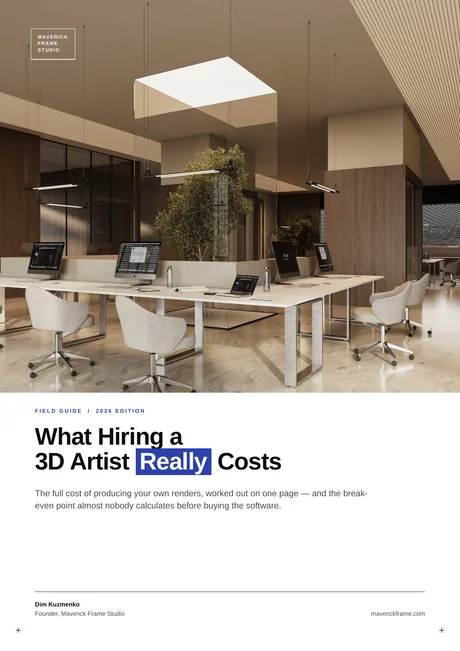
Free field guide
What Hiring a 3D Artist Really Costs
The full cost of producing your own renders, worked out on one page — and the break- even point almost nobody calculates before buying the software.
If it didn't open, download it here.
Download the PDF