What Is 3D Visualization?

Discover High-Quality CGI Services Tailored to Your Business
- What Is 3D Visualization? Definition and Core Concept
- How 3D Visualization Works
- Service Selection: Modeling, Rendering, or Full 3D Visualization
- Real-Time 3D and Digital Twins
- Types of 3D Visualization
- Architectural Visualization
- Product Visualization
- Medical Visualization
- Scientific Visualization
- VR/AR Visualization
- Applications Across Industries
- Benefits of 3D Visualization
- Limitations and Challenges
- 3D Visualization vs 3D Data Visualization
- The Future of 3D Visualization
- Frequently Asked Questions
Across industries such as architecture, manufacturing, healthcare, and marketing, 3D visualization has become a valuable business tool. But the term is often confused with 3D modeling, rendering, or data visualization, which creates uncertainty. This guide clarifies the meaning of 3D visualization in a professional context. We distinguish it from related processes and explain how it delivers measurable business value.
What Is 3D Visualization? Definition and Core ConceptWhat Is 3D Visualization? Definition and Core Concept
3D visualization, explained simply, is the process of generating digital representations of objects, spaces, or systems. These virtual models can be viewed from multiple angles, interactively manipulated, and rendered with varying degrees of realism. Unlike 2D images, which capture a single fixed viewpoint, 3D visualization creates navigable digital assets that function as flexible communication tools.
This distinction is important for business decisions. A 2D photograph of a product shows only one angle under one lighting condition. However, a 3D visualization can generate unlimited angles, lighting scenarios, and material variations from a single source file. This flexibility translates directly into operational efficiency because one asset can serve the needs of marketing, sales, training, and documentation simultaneously.
3D visualization fundamentally changes how we perceive design by offering exceptional spatial depth. It enables stakeholders to grasp scale and proportions without being physically present. A single 3D model can replace multiple photo shoots and physical prototypes, generating everything from still images to AR overlays. This technology enables multi-angle viewing and scalable output. It serves three critical business functions: pre-visualization to mitigate risk before committing capital, communication to align stakeholders around a shared reference, and marketing to drive engagement.
These outcomes are enhanced by interactive capabilities, which enable real-time customization, rotation, and zooming. These features are vital for e-commerce configurators, virtual tours, and training simulations. Moreover, immersive environments place users inside the visualization via VR headsets or CAVE systems. While the necessary hardware is expensive, this approach is becoming the norm for high-value transactions in the luxury real estate and automotive sectors.
Understanding these distinctions is key to vendor selection and budgeting. It also sets the stage for exploring the production process itself. This foundation leads directly to the next logical question: How is 3D visualization actually created?

How 3D Visualization Works
The production pipeline is key to understanding basic principles of 3D visualization. This involves a structured workflow from concept to final output, with each stage requiring specific expertise and software tools. To evaluate vendor proposals, set realistic timelines, and budget appropriately, business leaders first need to understand the 3D visualization process.
3D Modeling3D Modeling
Any visualization begins with the geometric foundation of 3D modeling. This digital skeleton is constructed from vertices, edges, and polygons that define an object’s structure. The appropriate technique depends on the use case. Polygonal modeling is the industry standard for architecture and products. NURBS offers mathematical precision for manufacturing. Sculpting and procedural methods are best suited for organic forms and repetitive environments. Each method has specific trade-offs regarding artistic control, computational weight, and dimensional accuracy. These differences directly influence the flexibility and performance of the asset in downstream processes.
Accurate modeling is essential for building stakeholder confidence. This process requires architectural dimensions to match CAD drawings within tolerances that are acceptable to contractors. Additionally, product surfaces must maintain continuity to ensure realistic light reflection. The density of the polygon mesh affects both visual fidelity and computational requirements. High-poly models capture finer detail but require significantly more rendering time. Therefore, the modeling approach selected early in the pipeline affects the efficiency of the texturing and lighting stages. Technical precision is thus a prerequisite for visual credibility.
From a business perspective, modeling accounts for 40-60% of the total project time and budget. Rushing this phase to accelerate delivery often has costly consequences. Texturing errors, lighting artifacts, and revision requests increase when the base geometry is flawed. Investing adequate resources in accurate modeling minimizes revisions and ensures that the final visualization meets professional standards. This reduces overall production costs.
Texturing and Materials
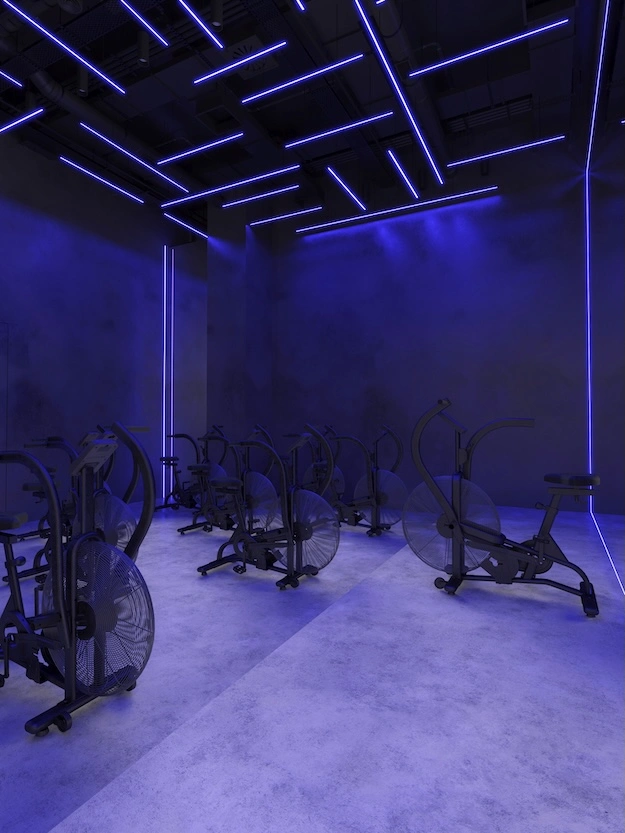
In computer graphics, texturing involves adding visual information to a geometric foundation. This is done by defining surface properties such as color, roughness, reflectivity, and relief. Physically based rendering is the current industry standard. It uses texture maps to simulate how materials interact with light under different conditions. Albedo, roughness, and metallicity maps determine the identity of materials. Meanwhile, normal and displacement maps add detail without excessively complicating the geometry.
The advantage of PBR is predictability. Materials created according to these standards appear accurate under daylight, artificial, or studio lighting. This is essential for cross-channel marketing. The quality of textures directly affects the perception of realism. Even minor errors can undermine credibility. Signs of poor quality include pattern repetition, incorrect texture scale, an absence of surface imperfections, and materials behaving incorrectly.
From a commercial standpoint, using material libraries can reduce the time required for typical texturing tasks by 50%-70%. But unique brand finishes and exclusive products require custom development from scratch. This increases project timelines. Finding the right balance between ready-made assets and customization optimizes your budget. This approach ensures the final visualization maintains its visual identity and technical accuracy.
Lighting and RealismLighting and Realism
The perception of the quality and realism of 3D visualizations is affected by lighting. Even a flawless model can appear artificial under poor illumination. But good lighting can make mediocre geometry appear convincing. The right approach depends on the task at hand. Direct lighting is optimal for product photography because it is quick. Global illumination is essential for interior scenes because it calculates reflections, accounting for 60–80% of total illumination. HDRI maps create realistic environments and reflections. Area lights mimic the soft studio lighting necessary for product photography.
Global illumination technologies eliminate unnaturally dark corners and accurately reproduce color reflections. Ray tracing simulates the physical behavior of light to produce accurate shadows and refractions. Thanks to modern GPUs, this technique has become the standard. To achieve photorealism, consider factors such as color temperature, light intensity in lumens, camera settings, and surface imperfections. Together, these parameters make the image seem like a photograph. This builds viewer trust in the visualization.
Though photorealism is often the goal in commercial work, it is not always the ultimate objective. For architectural diagrams or conceptual presentations, a stylized visualization often conveys ideas more effectively than imitation photography. The key is to align the visual style with the project’s communication goal. Resources should be directed toward lighting aspects that influence an object’s perceived value. Excessive detail is best avoided when clarity of presentation is essential.

Rendering and Output
3D rendering is the computational process of converting a scene into a final image. During this conversion, the engine calculates how light interacts with the objects and materials within the given space.
The industry uses two main approaches. The first is pre-rendering. This approach produces the highest-quality images for marketing and cinema. The second one is real-time rendering. It enables interactivity for presentations and VR. Hybrid methods combine the advantages of both approaches, allowing for iterative work without compromising the final product’s quality.
Workflows have been transformed by real-time technologies based on modern engines. Instead of waiting for static images, customers can now instantly navigate spaces. But the choice of method is dictated by technical compromises.
Pre-rendering takes hours per frame to produce a perfect image. In contrast, real-time rendering provides millisecond response times on powerful graphics processing units. Rendering time varies from minutes for simple products to hours for complex exteriors. This directly affects production times.
From a commercial standpoint, real-time capabilities shorten approval cycles by providing instant customer feedback. But pre-rendering is often necessary for print and highly detailed campaigns. The optimal strategy is to combine these approaches: use interactivity for concept approval and high-quality rendering for final marketing assets.
Service Selection: Modeling, Rendering, or Full 3D VisualizationService Selection: Modeling, Rendering, or Full 3D Visualization
It is important to clearly distinguish between terms when selecting a contractor and forming a budget. Mixing them up can result in financial errors and delays to the project.
Keep in mind that modeling is just one part of visualization. Without lighting and textures, a bare model is inadequate for business communication. Rendering is the final computational stage, while visualization involves making strategic choices about angles and mood. Even if an image is technically correct, it may be ineffective for business purposes without a competent visual strategy.
In procurement, the distinction between labor intensity and computational resources is often unclear. Modeling costs are billed as either artist time or asset complexity. Rendering fees, on the other hand, are charged either per image or by the hour. Understanding these differences is key to accurately evaluating estimates. Changes in geometry are more costly than adjustments to lighting or materials. This directly affects the price of revisions.
Effective planning requires matching each task with the appropriate service. Designs require modeling so they can be viewed from all angles, and marketing materials need a complete visualization process. Interactive presentations use real-time technology, and rendering farms are more efficient for creating hundreds of product variations from a single model.
Common mistakes include requesting a rendering without providing a model and expecting to receive source files when only images are purchased. The cost of revisions is often underestimated as well. License agreements clearly distinguish between the rights to files and the ownership of final images.
Clearly defining the deliverables is key when evaluating contractors. This includes specifying whether source files will be transferred, how many rounds of revisions are included, and the cost of additional angles. Understanding the differences between modeling, rendering, and visualization helps prevent scope creep and budget overruns. This ensures transparency throughout the process.
Real-Time 3D and Digital TwinsReal-Time 3D and Digital Twins
Real-time visualization marks a transition from static images to interactive experiences. Users can instantly navigate the environment, which is a critical feature for client presentations, virtual tours, and training. Technically, this is achieved by converting CAD, BIM, or 3D scans into optimized mesh data for engines such as Unreal Engine or Unity. Modern workflows allow geometry to be exported without losing dimensional accuracy, enabling free exploration of spaces without rendering delays.
Digital twins are the next evolutionary step in linking 3D models to live sensor data. Unlike static visualizations, the models update in real time. This enables predictive maintenance, optimized energy consumption, and space utilization tracking. Thus, visualization transforms from a presentation tool into an asset management solution. In this context, the visual representation reflects the physical state of an object.
Commercial applications span key industries and offer measurable ROI. For example, virtual tours in real estate can reduce the cost of physical viewings by 60%-70%. In manufacturing, simulations may cut staff training time in half. Retailers could increase customer engagement by three times with virtual showrooms. Architects may reduce revision cycles by 30 to 40 percent when they receive interactive approvals in the early stages.
Technical implementation requires high-performance equipment: Specifically, NVIDIA RTX 3080–4090 graphics cards, 32–64 GB of RAM, and fast NVMe drives are necessary. These resources ensure smooth asset streaming and maintain high frame rates during interactive sessions. This ensures an enjoyable user experience without delays, which could ruin the immersive nature of the presentation.
Although there is a significant initial investment in licenses and hardware, the ability to iterate during meetings justifies the cost. This is because it accelerates the decision-making process. Digital twins are optimal for highly liquid assets because the long-term benefits of operational optimization outweigh the implementation costs. Investing in real-time technology reduces approval time and increases conversion rates. Essentially, this pays for itself at the sales stage.
Types of 3D VisualizationTypes of 3D Visualization
Different industries use various types of 3D visualization, depending on the output format and interaction level. Understanding these categories is key to matching technology with business objectives.
Architectural VisualizationArchitectural Visualization
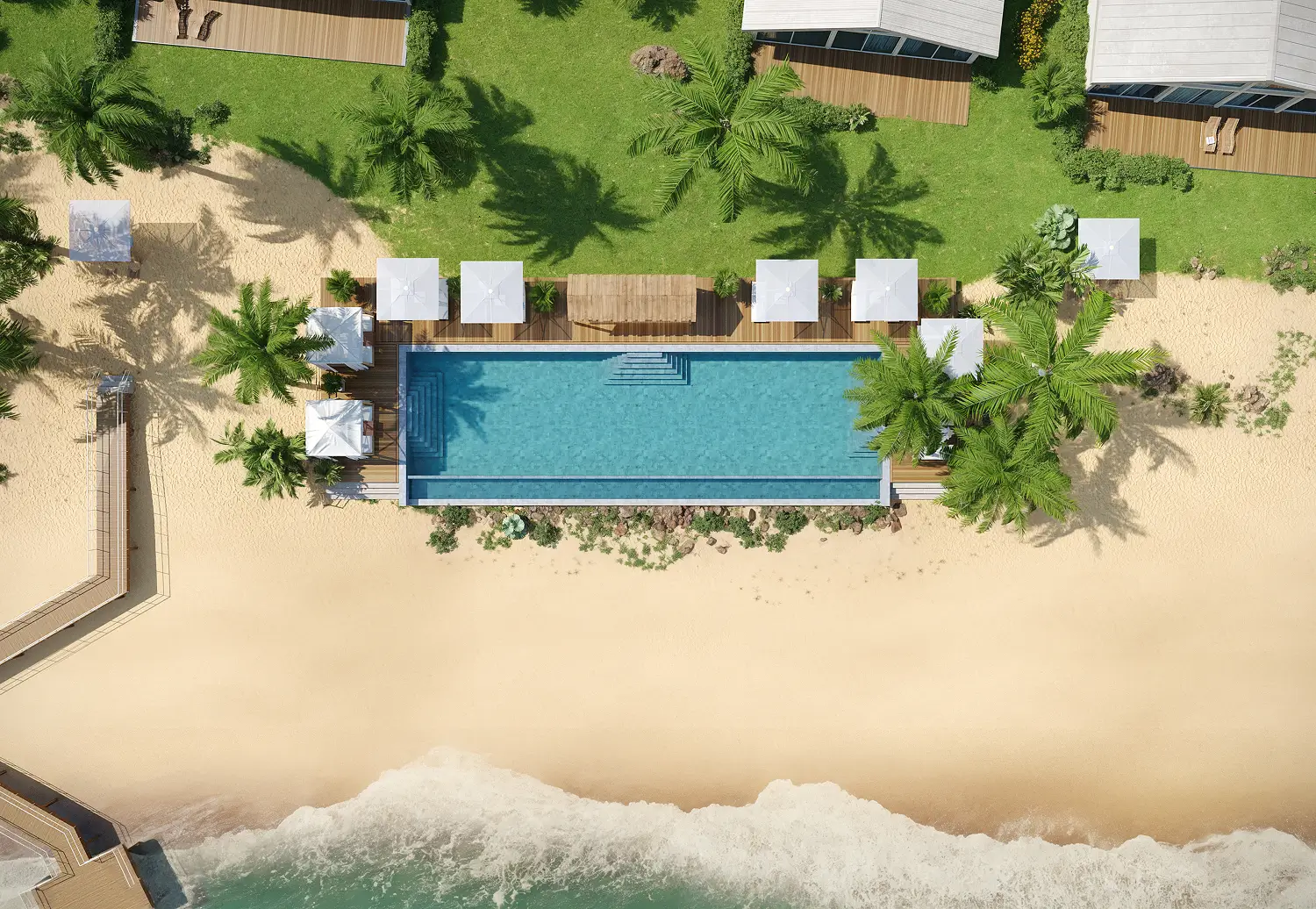
Architectural visualization includes exterior renderings, interior perspectives, aerial master plans, and animated walkthroughs. Its primary business functions include pre-sales marketing of unbuilt properties and design coordination with architects, engineers, or contractors. It also creates presentations for regulatory approvals.

Product Visualization
Product visualization creates marketing imagery before physical prototypes are available. Examples include e-commerce product pages with images from multiple angles and color variations. Other examples include advertising campaigns with impossible photography shots and mockups of packaging designs prior to production.
Medical VisualizationMedical Visualization
Medical visualization depicts anatomical structures, surgical procedures, and medical devices. It is used for patient education, medical training, and device marketing.
Scientific VisualizationScientific Visualization
Scientific visualization represents data-driven phenomena, such as molecular structures, fluid dynamics, and geological formations. It is used for research communication, educational materials, and technical documentation.
VR/AR VisualizationVR/AR Visualization
Both VR and AR immerse users in 3D content. Examples of applications include virtual property tours, AR product placement, and training simulations.
Applications Across IndustriesApplications Across Industries
In architecture and real estate, visualization is becoming a presale tool. It can shorten sales cycles by up to 53% and secure over 65% of bookings within the first 60 days. Visualization adds value at every stage, from quickly experimenting with different massing and materials to coordinating construction sites. It also helps minimize conflicts. In the hospitality sector, high-quality visualizations can generate pre-opening commitments worth over $48 million for resorts before construction begins.
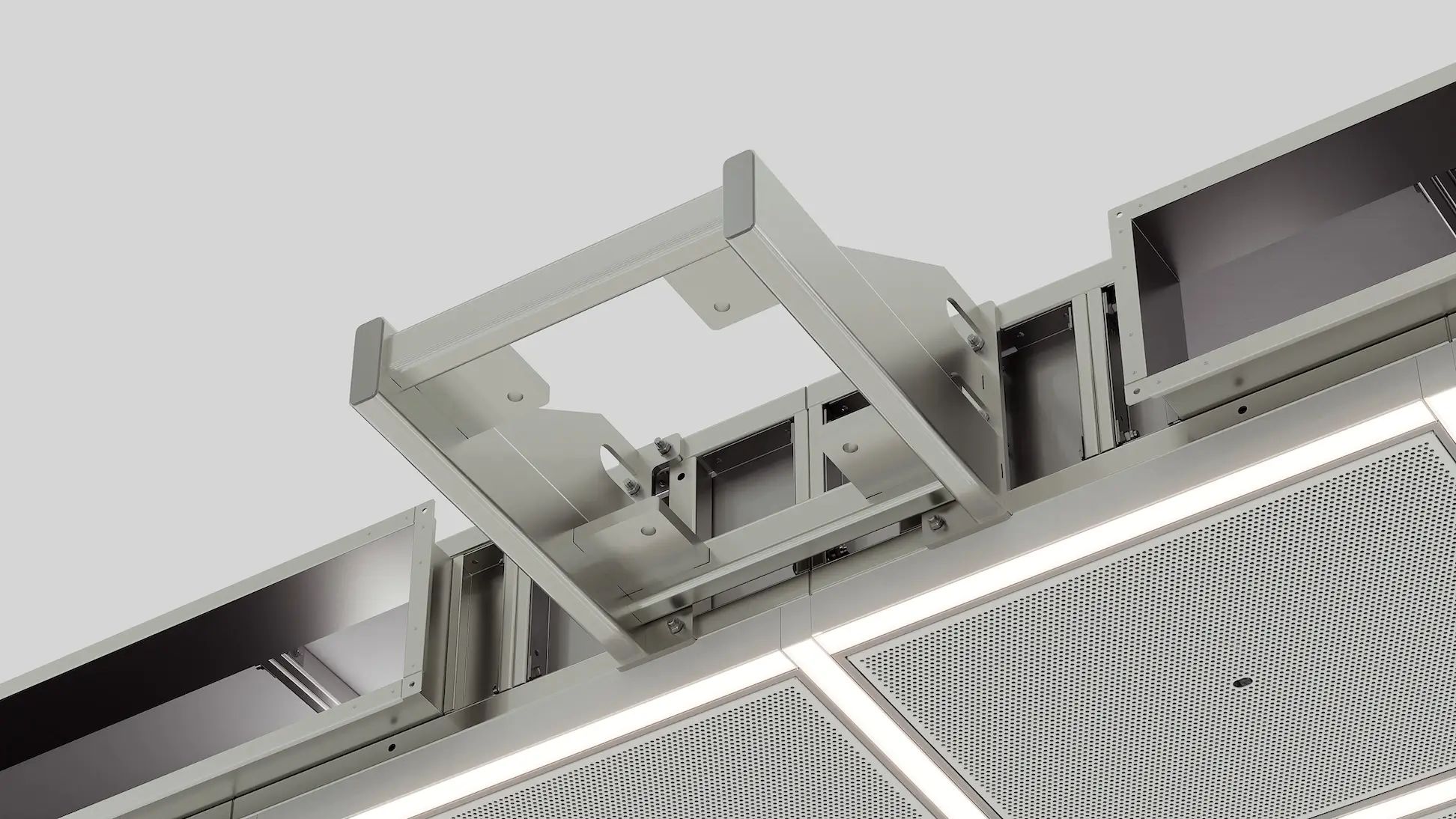
Manufacturing and automotive companies use visualization technology to validate prototypes and customizations. This reduces the cost of physical mockups by 40%-60%, offers unlimited color combinations, and eliminates the need for photo shoots. Exploded diagrams simplify the assembly of complex components, and a single model can generate content for all channels. This is standard practice for premium brands in marketing and e-commerce. Products can be launched without inventory, and A/B testing of visual variations can increase conversion rates by 35% and visitor engagement by 22%.
A special approach is required for the healthcare industry. Doctors can validate anatomical accuracy, and visualization simplifies explanations of procedures to patients. This reduces consultation time while ensuring compliance with regulatory standards.
The key takeaway for businesses is that industry expertise is more important than general 3D skills. For example, an architectural visualization specialist interprets building codes differently than a product graphics expert does. Therefore, when choosing a contractor, consider their deep understanding of your industry’s specifics rather than just the quality of their portfolio.
Benefits of 3D VisualizationBenefits of 3D Visualization
The operational impact of 3D visualization translates directly into financial efficiency and accelerated timelines. Companies typically reduce prototyping costs by 30%-60%, saving $50,000-$500,000 per product by validating designs virtually before tooling.
Beyond these direct savings, simultaneous workflows allow marketing campaigns to be launched while products are still in development. This shortens time to market by two to four months.
Additionally, this shift eliminates logistics-related expenses, such as photography and physical samples. Real estate projects can be presold before construction begins, which improves overall cash flow.
Collaboration and decision-making improve significantly when stakeholders share a single visual reference point. When architects, engineers, and clients can consistently interpret designs, the need for clarification decreases by 40%. Costly change orders are also minimized.
Contextual visualization allows clients to select materials or layouts with confidence and identify issues earlier than 2D drawings permit. This clarity streamlines the approval process, ensuring that capital is committed only to validated concepts.
Interactive experiences measurably increase engagement and revenue. Product configurators and virtual tours, increase time on page by three times and boost conversion rates up to 35%. These experiences also qualify buyers before physical interactions occur.
However, ROI varies by business model. For example, a manufacturer producing 50 SKUs annually will experience different benefits than a custom home builder. Therefore, it is essential to quantify these advantages within your specific operational context for accurate investment planning.
Limitations and Challenges
The hardware requirements for 3D visualization vary significantly depending on the use case. Strategic investments in graphics processing units, random access memory, and storage infrastructure are necessary.
The minimum requirement for basic product visualization is an RTX 3060 with 16 GB of RAM. However, a more powerful option, such as an RTX 3080 with 32 GB of RAM, is preferable for professional workflows.
For architectural interiors, at least an RTX 3070 with 32 GB of RAM is necessary. Scaling up to an RTX 4080 with 64 GB of RAM is recommended for complex scenes.
Real-time VR experiences and animation production represent the highest tier and require RTX 3080–4090 GPUs with 64 GB of RAM. Multi-GPU workstations are also necessary to maintain optimal performance.
The GPU is the most critical component. Although CPU rendering persists for certain tasks, GPU acceleration is standard for interactive and real-time applications.
Rendering time directly impacts project timelines and revision capacity. For instance, a project requiring 50 photorealistic images, each of which takes two hours to render, requires One hundred hours of computing time. Cloud rendering services can address this bottleneck for an additional cost.
Computational resources extend beyond processing power. Asset libraries grow to terabytes, collaborative workflows demand robust network bandwidth, and version control requires disciplined file management to prevent catastrophic data loss.
Mitigation strategies such as level-of-detail optimization, asset streaming, and hybrid workflows help balance quality with efficiency.
Though less visible, the learning curve is a significant investment. Becoming proficient in modeling, texturing, lighting, and rendering typically requires 6–12 months of dedicated practice. Businesses can shorten this timeline by providing structured team training or forming vendor partnerships. But both approaches have upfront costs.
There are also additional limitations that warrant consideration. For example, overly realistic visuals can create unreasonable client expectations when the final construction differs from the perfected renderings. CAD-to-visualization workflows require careful export and import protocols to preserve data integrity. Iterative projects need rigorous version control to manage revisions without confusion.
From a business perspective, outsourcing visualization is often more cost-effective than developing an in-house capability. However, this is not the case if visualization is integral to your product, as it would be for game development or visualization software. Managed services and render farms transform fixed capital expenditures into variable operational costs. This provides scalability without requiring long-term hardware commitments.
For most companies, the strategic question is not whether to invest in visualization, but rather, whether to invest in infrastructure or expertise. Partnering with specialized studios provides access to enterprise-grade tools and talent. This eliminates the overhead of recruitment, training, and hardware refresh cycles.
3D Visualization vs 3D Data Visualization3D Visualization vs 3D Data Visualization
Since 3D design and 3D data visualization are different disciplines, it is important to distinguish between them. Design visualization involves creating physical objects, spaces, and products for marketing and communication purposes. In contrast, data visualization represents analytical information, such as scientific datasets, business intelligence, and medical imaging. The goal is to reveal patterns rather than simulate reality.
These objectives result in significantly different technical workflows. Design visualization originates from CAD models or sketches, prioritizing aesthetic and dimensional accuracy. Designers use tools such as 3ds Max, Blender, and V-Ray to create marketing materials.
Data visualization uses databases or sensors and prioritizes statistical accuracy. Platforms such as Tableau, Python, and ParaView are used to generate scientific figures.
Techniques such as volume rendering, common in CT scans and fluid dynamics simulations, belong to the data visualization category. They differ fundamentally from architectural or product rendering methods.
This distinction directly affects vendor and software selection. For example, a 3D data visualization specialist may not be proficient in photorealistic product rendering, and the same is true in reverse.
Evaluating the appropriate category ensures that your expectations will be met and that the selected team has the necessary expertise to achieve your objectives.
The Future of 3D VisualizationThe Future of 3D Visualization
Three powerful trends will shape 3D visualization over the next few years. These include increased efficiency, interactivity, and strategic value.
Artificial intelligence is rapidly automating routine production tasks. AI can generate physically based rendering textures from reference photos, optimize lighting setups through scene analysis, and upscale renders without additional computation. While creating 3D assets from text is still in its early stages, AI can still reduce production time for repetitive work by 30–50%. This frees artists to focus on creative direction. While human oversight remains essential, this technology shifts the balance from manual execution to strategic curation.
Real-time 3D engines like Unreal Engine and Unity have become the standard for architectural and product visualization. These engines provide immediate creative feedback and enable interactive client presentations. They also allow a single asset to be used for stills, animations, and VR experiences. This convergence eliminates the traditional trade-off between pre-rendered quality and interactivity. It creates a unified workflow that accelerates decision-making and enhances stakeholder engagement.
Virtual reality is transitioning from a novelty to an expectation in high-value sectors. Beyond presentations, interactive digital twins extend visualization into operations. They connect live 3D models of buildings, factories, and infrastructure to sensor data. This enables predictive maintenance and performance optimization.
The key takeaway is that the current tools offer a measurable return on investment. Adopt them incrementally. First, implement static visualization, then integrate real-time capabilities. Finally, expand to VR or digital twins as specific use cases justify the investment.

Frequently Asked Questions
What is the difference between 3D modeling and 3D visualization?What is the difference between 3D modeling and 3D visualization?
To understand 3D visualization, it is important to grasp the difference between 3D modeling and rendering. While 3D modeling focuses exclusively on constructing the geometric framework, including the vertices, edges, and polygons that define an object’s shape, 3D visualization encompasses the entire process. In contrast, 3D visualization involves the entire process, including modeling, texturing with physically based rendering materials, setting up lighting with global illumination, and strategic post-production. While modeling provides the structure, rendering transforms it into photorealistic or stylized output that communicates design intent. Therefore, modeling is a technical component, while visualization is the strategic outcome that drives stakeholder alignment and business decisions.
How much does 3D rendering cost?How much does 3D rendering cost?
The cost of 3D rendering varies significantly based on project complexity, output format, and level of photorealism required. Simple product visualizations usually cost between $150 and $500 per image. Architectural interiors, which require intricate material definitions and lighting calculations, typically cost between $500 and $2,000. Exteriors, which often require environmental context and advanced global illumination, range from $800 to $3,000 per image. Animations cost between $200 and $800 per second due to the computational intensity of frame-by-frame GPU rendering. Key cost drivers include model complexity, custom PBR texture creation, revision cycles, and whether the deliverable supports real-time 3D visualization or pre-rendered output. Investing in a streamlined 3D visualization process upfront often reduces long-term expenses by minimizing rework.
What industries use 3D visualization?What industries use 3D visualization?
Nearly every sector can benefit from pre-visualizing assets. For example, the architecture and real estate industries use BIM and CAD visualization to obtain approvals and sell properties before construction begins. Product design and manufacturing use 3D rendering for prototyping and marketing purposes. Automotive brands use real-time 3D visualization for interactive configurators. The healthcare industry uses these tools for surgical planning and device demonstrations. Entertainment companies rely on these tools for pre-visualization and VFX. An increasing number of industries are adopting digital twins to optimize operations and enable predictive maintenance. Any organization that gains value from seeing objects or environments before they are physically created can benefit from 3D visualization.
What hardware is required?What hardware is required?
Professional 3D visualization requires robust hardware capable of handling the computational demands of 3D rendering and real-time visualization. The recommended baseline includes an NVIDIA RTX 3070 GPU for rendering, 32 GB of RAM for managing complex scenes, a 1 TB NVMe SSD for quickly streaming assets, and an eight-core CPU or more to accelerate physics and simulation tasks. Teams pursuing photorealistic rendering with global illumination or PBR workflows should consider higher-tier GPUs, such as the RTX 4080/4090 or professional Ada Lovelace cards. These cards can significantly reduce iteration time. Cloud rendering platforms can supplement local hardware for the final output, enabling a scalable 3D visualization process that eliminates the need for massive upfront infrastructure investments. The right setup ensures smooth operation when building digital twins or delivering immersive client presentations.
Can 3D visualization replace photography?Can 3D visualization replace photography?
For unbuilt spaces, conceptual products, or controlled marketing assets, 3D visualization has clear advantages over traditional photography. In many cases, it offers superior flexibility. Photorealistic rendering has advanced to the point that it is increasingly difficult to distinguish CGI from reality, especially when leveraging PBR workflows and global illumination. Unlike photography, 3D rendering allows for unlimited adjustments to angles, materials, and lighting scenarios, eliminating the need for reshoots. However, when documenting existing environments with spontaneous human activity or organic imperfections, photography remains invaluable. Many forward-thinking teams use a hybrid approach: employing 3D visualization for pre-launch marketing, real-time 3D visualization for interactive experiences, and photography for post-completion documentation. The optimal approach varies based on the project’s objectives, timeline, and the strategic role of visual content.
How long does a 3D visualization project take?How long does a 3D visualization project take?
The timeline for the 3D visualization process varies depending on the scope of the project and the desired level of detail in the final product. A single product image with photorealistic rendering usually takes three to seven days to complete, including modeling, texturing, lighting, and client revisions. Architectural interiors involving complex BIM or CAD visualization integration take one to three weeks per view. A comprehensive marketing suite of 10 or more images generally takes four to eight weeks to allow for cohesive art direction and quality control. Animation projects spanning 30–60 seconds require 6–12 weeks due to frame rendering, compositing, and sound design. Projects that incorporate real-time 3D visualization or digital twins require extra time for interactivity scripting and data integration. Maintaining schedule integrity while achieving the full potential of 3D visualization requires clear briefs, organized asset delivery, and defined revision rounds within the visualization process.
SHARE THIS...
Get High-Quality CGI for Your Business Purposes
Book a call to get started
Our other articles
Elevate Your Business with Stunning CGI
Start working on your next project as soon as tomorrow. Book a call with our team and discuss the key details:
- Learn how we achieve photorealistic quality in our visualizations and animations. Explore our award-winning projects, featured multiple times on Behance.
- Get to know our company structure and decide which services you need
- Tell us about your project and let us complete a free test task to demonstrate our approach
- Find out the exact cost of bringing your project to life